Any one who uses their iPhone as their alarm clock was immediately aware of a bug on January 1, 2011. The alarm funtion that comes in the stock Clock.app on the iPhone (and iPod touch) mysteriously stopped working, causing many people to miss deadlines, work, and just plain waking up!
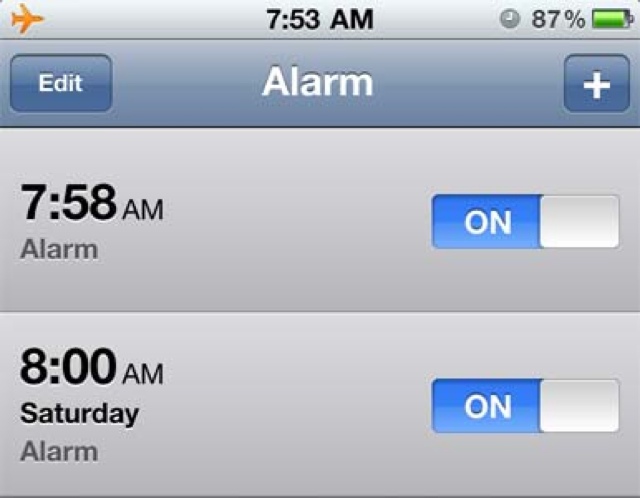
A temporary fix was posted which was to set a repeating alarm on the iPhone, Saturday to Saturday for example. This was followed by an official statement from Apple that the alarm bug would fix itself on January 3, 2011.
As January 3, 2011 rolls around, some alarms were fixed while others continue to be affected. The current fix seems to be a simple reboot or device reset.
If your alarm clock is still affected by this bug, the first thing to try is a simple reboot:
1.) Hold the Sleep/Wake button until you see the “Slide To Power Off” dialogue
2.) Turn off the device
3.) Power the device back on by holding the Sleep/Wake button until you see the Apple logo.
If that didn’t do the trick, the next option is a hardware reset (alternatively you could just do a hardware reset right away):
1.) Hold the Sleep/Wake button and Home button until you see the Apple logo
2.) Release both buttons
The alarm on my iPhone is working fine after the hardware reset. Is your alarm back to normal too?



I never seemed to have this problem to begin with… Same with the daylight savings problem a few months ago.
Mine seems to work after the reboot, which I have to do anyways. I don’t recall having the issue since I don’t use the feature on my phone that often.
I had this problem but just swapped my phone last week (for other reasons) and the problem is gone. I thought I was in deep sleeps or something to be missing my morning alarms!
nop…my iP4 works great! like allways :p
WTF!? My alarm still doesn’t work, even after a hardware reset. Not to mention I still have the antenna issue. Alarm doesn’t work, can’t touch the antenna, low speaker phone volume, I wonder what else is going to crap out on this POS iPhone 4.
I experienced this issue on the 3rd. Instead of reboots, and resets, las night I deleted the alarms and set them up again. Voila! Woke this morning to the first day back to work. Kind of wish that the alarm didn’t go off, however… 😉
this worked for me! yay
It would be nice if Apple fired the incompetents who design/test/code the calendar portion of the iPhone. The rest of it works a treat, the calendar portion is a dogs breakfast.
coop
It hasn’t even been a week since new years? How did you know your phone had the bug?
agreed, the calendar is absolute garbage, really miss my blackberry for this kind of stuff.