Google has just announced on their Gmail blog the addition of multiple sign-in support for Gmail mobile users along with preference support from your mobile device.
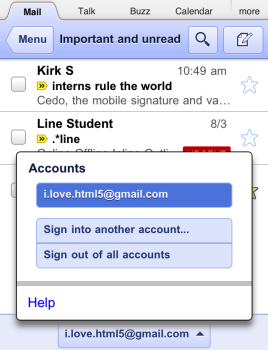
You can now switch accounts quickly by selecting your account from the Accounts menu:
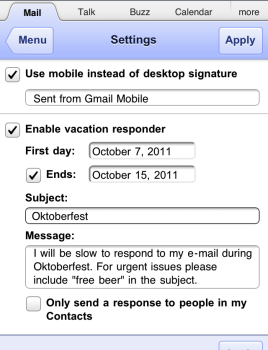
You can also set your signature too. From the view menus just tap the new settings icon and untick/tick your new signature. The same can be done to edit your vacation auto-responder too.

Google has also updated URLs to provide a specific bookmark for each account, so you should update your bookmarks to reflect this new change.
Back in August, Gmail mobile received Retina Display graphics, and earlier in April the ‘undo bar’ was introduced. Gmail mobile is still the fastest way for me to search my Gmail account for messages.



I must be really dumb because I can’t find the Accounts button! Someone please help, thanks.