Here comes an all new iOS app called Arrived which is simply a private and personal notification service that lets you notify your friends when you’ve arrived at a meeting, work place or a rendezvous point. When you arrive at a certain point, the app automatically notifies people that you’ve reached the spot, without the hassle of manual check-ins as opposed to other similar apps. “People love to set up arrivals around places like ‘San Francisco’ or ‘Manhattan’ or ‘Central Park’, so that they can be notified when friends arrive there” says Arrived co-founder Matthias Broecheler (via TechCrunch).

Here is the official iTunes description:
Life is crazy. Arrived makes it easy for you to “go with the flow” and meetup with friends without planning. Arrived is a simple, private and personal notification service that will let your friends know when you’ve Arrived — bringing you together when time and place are right.
Sharing your location shouldn’t be creepy. Arrived will share that you’re there, with the friends who should be aware that you’re there. When you’ve Arrived, plans take shape automatically. No check-ins required!
Simply send an arrival request, then let the meetup take care of itself.
Use Arrived to…
* Notify or be notified when your friends are at happy hour.
* Notify or be notified when friends from out of town arrive to your area.
* Let people you’re meeting with know when you’re on your way.
* Let people you’re meeting with know that you’ve Arrived.
* Notify or be notified when your workout partner arrives at the gym.
* Notify your hangout buddies when you’ve Arrived at the mall.
* Be notified when your kids arrive home from school.
* Let them know you’ve Arrived.
Arrived uses the location services of your phone to announce your arrivals and even though we took every precaution to optimize battery use the continued use of GPS running in the background can dramatically decrease battery life.
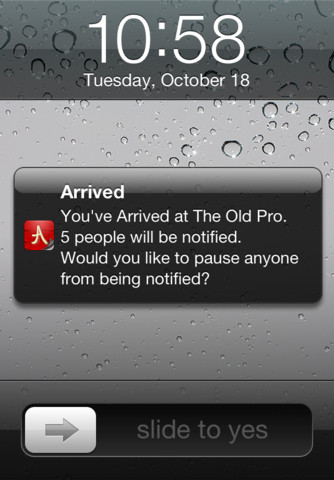
Arrived can be downloaded from the App Store for FREE. Below is a direct iTunes link:




This is kind of useless. The location icon stays on all the time even after quitting the app all to together. I had to disable it’s location services completely. This app needs lots of work. Cool idea though.