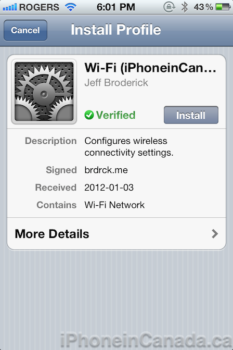
Jeff Broderick previously released those beautiful easy to save iOS shortcuts for iOS 5.0, and now he’s back with another cool tweak. Called QuickWiFi, it allows you to easily share your network credentials by providing visitors with a verified WiFi profile to install on their iOS devices or Mac.
All you have to do is visit https://brdrck.me/wifi/ and enter your network information. Each network profile you create can be managed afterwards, should you want to customize the URL or delete the profile.
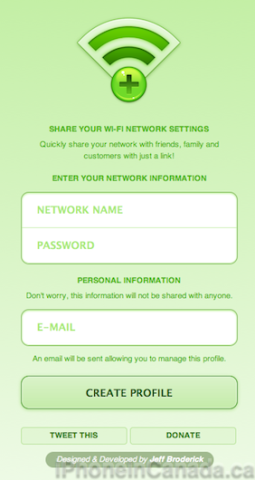
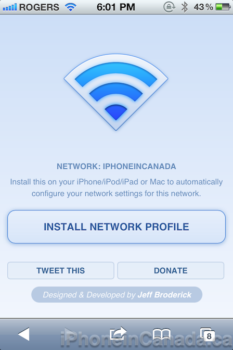
Once created, you will be provided with a unique URL you can customize and send to friends. You can even add your own CSS to customize the landing page. They will then install this verified WiFi profile on their iOS device or Mac. No more dealing with people asking for your SSID and password.

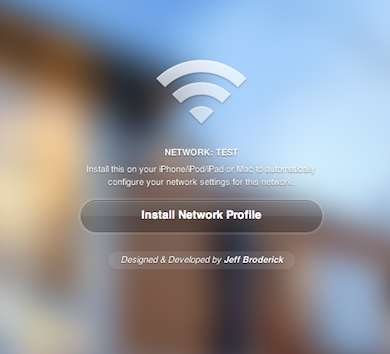
Here’s an
example of a modified landing page:

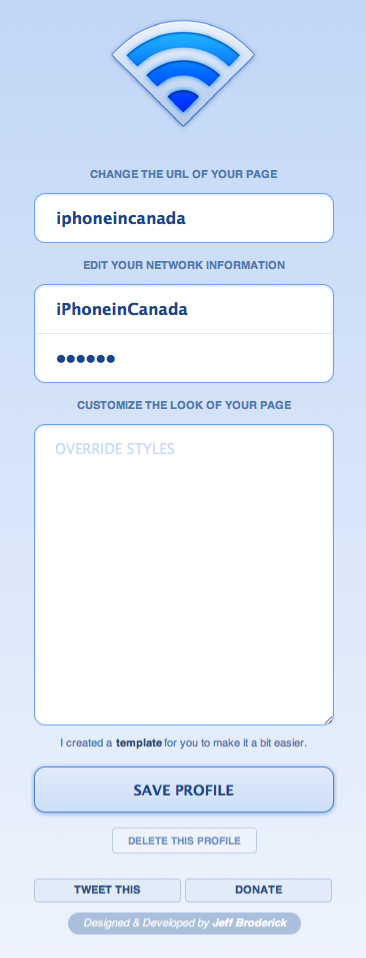
Here’s how it looks to modify your network profile:

In our talks with Jeff, he told us QuickWiFi was created to make it easier to pass WiFi credentials around. Say, you were organizing a conference, meeting, or ran an AirBnB, you could provide visitors with your unique URL where they can install the verified profile prior to their arrival. It’s much easier than dictating or writing down your complex password. We’ve all done that before, and it’s a pain.
Obviously you would only want to share network info with people you know. You can check out QuickWiFi here.



What’s to stop anyone with the URL from using your wifi network?
Also, where does all this information go? Does Jeff now have a database full of everyone’s wifi passwords?
The only way I would use this is to share information for the ‘guest’ side of my network.
The usernames and passwords are stored in a (mt) database. This isn’t meant to secure your usernames or passwords. It’s to make it easier for those who already do.
Also, I can’t do much with your wifi credentials unless I am near you. There isn’t anything identifiable other than your email.