Jeff Broderick is at it again with his tweaks. We first noted his iOS settings shortcuts along with QuickWifi, an easy way to share network credentials. This time around he has created a cool tweak called QuickContact that will allow you to make any homescreen shortcut to call or text one of your contacts–without jailbreaking.
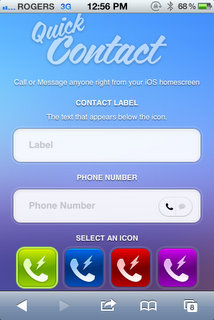

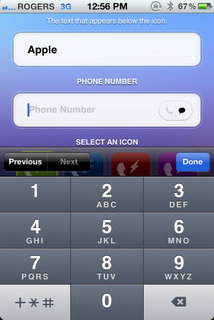
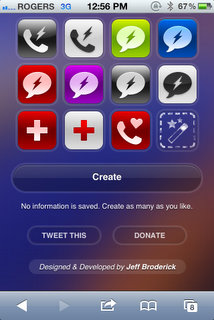
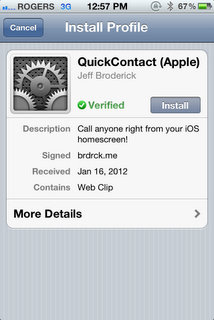
QuickContact is easy to use and setup. Just visit here: http://brdrck.me/quickcontact from your iPhone and follow the simple instructions. Enter in a name, phone number, select either the call or text icon, choose an icon (or make your own), then tap ‘create’. You’ll be asked to install a Verified Profile, and once you do the new shortcut will appear on your homescreen. Tap that new shortcut and it will either call or text the number you entered. Pretty awesome.
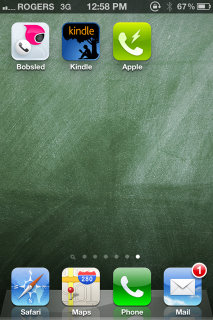
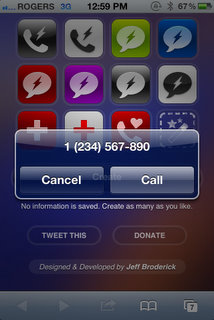
Here’s my QuickContact shortcut on my homescreen. The moment I tapped it, the ‘Call’ dialogue popup appeared with the number I set. This is a fantastic tweak Jeff created in a couple days over the weekend–impressive stuff’. Keep it up, Jeff!

Give this tweak a try and let me know what you think!



Wicked!
Pretty cool, but you cannot create for the same contact both a quick call and a quick text icon. Has to be one or the other for the same contact. Anyone one else having this same issue? Anyone know of a workaround for this?
Here is the solution (actually it’s pretty obvious), just change the contact info when you create the quick text and quick call for the same person. For example to create one for your contact John Doe (text and cell usually being the same number), a quick text icon could be John’s text and a quick call icon could be John’s cell – or something like that.
This is great. Would love a shortcut to email too. Is this possible?
This is ok but I prefer the IconProject you mentioned couple months ago. You can use your own image from the camera roll as well as have the icon prompt you to just txt, call, txt+call, email, URL, or FaceTime
Yay. But would much prefer a single-click solution.