The Inside iTunes team is part of Apple.com that details news updates, and tips from anything related to iTunes. Their newest site update notes the new features in iBooks 2.1, such as how to highlight in 2.1:
New features in iBooks 2.1.
In addition to the pleasures of reading sharply detailed text via the Retina display on the new iPad, iBooks 2.1 adds several new features for all iPad, iPhone, and iPod touch users. To highlight text in iBooks 2.1 simply touch and hold the word you want to start with and then drag your finger across the rest of the passage. When you release, a popup dialog will appear to let you pick your color, enter a note, and define what’s selected or search for the text elsewhere. To search for a particular page number in a book, tap the magnifying glass on the upper right and type in the page number you want to go to. If you see the words “tap to show page number” at the bottom of the table of contents page, you can tap there to switch between the page numbers on your device and the corresponding ones in the printed book. And iBooks 2.1 now also lets you move among the collections in your library with a swipe.
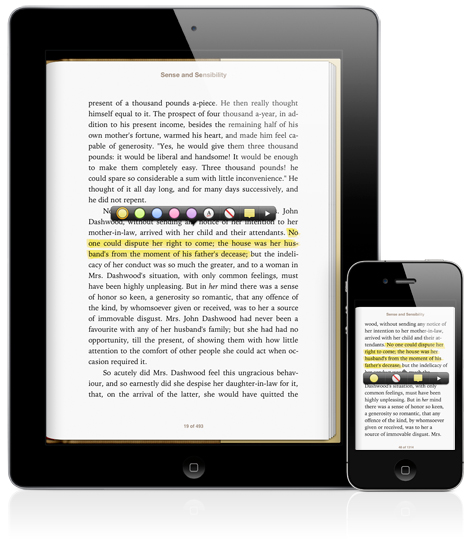
iBooks 2.1 was released on March 7th, the same day of the new iPad announcement by Apple. iBooks is free and is available for the iPhone, iPad and iPod touch.



It took them 20 days to post instructions on how to use a released product? Or, is it a slow news day?
:just kidding:
I’ve been trying for days and CANNOT get the hilighting function to work! Getting super frustrated!! Can anyone provide any tips?
can u do that with the iphone??? what i really want is the ability to sch for terms in Ibooks on PDFs & PPTs & word documents, like i am currently able to do in safari…whens that gona happen…i hate appels slow progress sometimes…
when will my iphone/ipad fully replace the need for a laptop!!!???