The Gmail iOS app has been updated today to offer Notification Center support along with alert options for notifications. More importantly it adds ‘Send-as’ support to allow you to email as an alternate sender if that is setup within your account. This makes the Gmail iOS app better than before and also the update includes a better login time where sessions don’t expire.
What’s New in Version 1.2.7812
– Notification Center support. Banners, alerts and lock screen notification options.
– “Send-as”. Alternate sender support, if configured within Gmail.
– Persistent login. Sessions no longer expire.
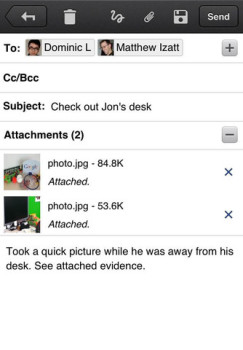
Gmail for iOS is handy if you need to quickly search for archived email, as it’s the fastest method out there on the go. If you don’t want to download the app you can always manually go to Gmail within Safari and use the mobile version instead. But with the app, you won’t need to sign in which is handy for 2-step password authenticated users.
Click here to download Gmail for iOS–it’s free.



Hopefully they will add multiple account support soon. They’re getting there. Slowly but surely.