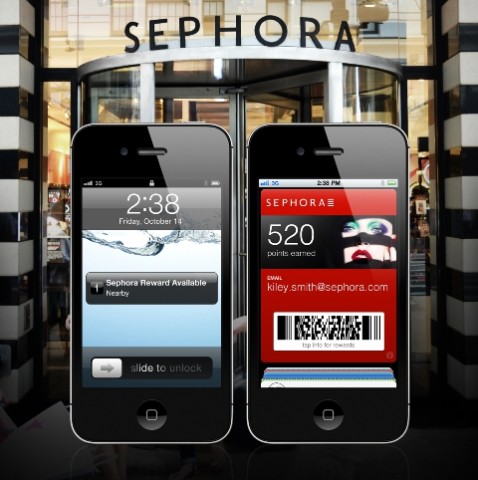
The following tip will probably be geared towards the ladies (but guys if you’re into make up, stick around–I don’t judge) that love cosmetics (such as my wife) and Sephora, also known as the ‘Apple Store’ of make up. The Sephora to Go app is one of the apps that supports Passbook integration and the app allows customers to add their Sephora Beauty Insider card to Apple’s card repository.
Here’s how to do it:
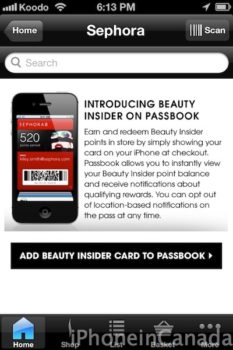
1. Download Sephora to Go, launch the app and login to your account. You will see an option asking you to add your Beauty Insider Card to Passbook.

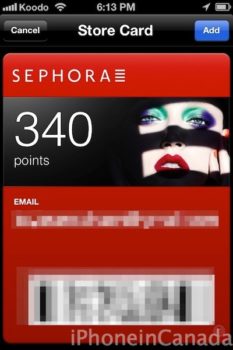
2. Just tap the link and voila–you’ll see your Beauty Insider Card added to Passbook.
As long as you allow Passbook to use your location, the next time you’re near a Sephora your card will pop up on the lockscreen. Just slide to reveal and BAM–your card’s barcode will appear on the screen. That’s one less card in your purse/wallet. You’re welcome, ladies (and…dudes)!
Click here to download Sephora to Go for the iPhone, it’s free. Let us know how it works for you!



The only app I have in my passbook is Cine mobile. One thing i noticed is that when I went to a Cineplex it didn’t pop up on my lock screen? I also don’t see an location switch for it in my settings.
Did this on day 1 for my wife.
Me too! My wife basically dropped the phone in front of me with her Sephora card and left the room. I had my orders. 😉
Yeah! Thanks for the tip!
I’m a little surprised that the Apple Store app isn’t already using Passbook for Gift Cards. And that the Apple Store app STILL isn’t updated for the iPhone 5.
The Apple Store app was recently updated for the iPhone 5…is it showing up on your end?
There were whispers of Passbook integration over the weekend for the app…but I agree…Apple should’ve had that out of the gate to ‘show off’ to customers. Passbook as it stands is still somewhat of a mystery.
My bad … the Apple Store app must have been updated for iPhone 5 in the last update … but no Passbook integration and still no in-store pickup or EasyPay for Canadians. 🙁
I’ve used Passbook successfully at Cineplex, but their implementation was kind of weird – instead of using it to walk right into the theatre, you have to go to a machine and scan Passbook to get tickets printed out at the theatre, and then show paper tickets. Weird, but that’s on Cineplex, not Apple.
Also, Starbucks apparently updated their app to allow people to pay for their stuff using Passbook … but only in the USA. Canadians need to use the Starbucks app. Again, that’s on Starbucks, not Apple.
First world problems, eh?
I see the app is still available in Apps for Wallet, but there’s no obvious way to add it to Passbook.
Maybe they removed that feature but never told Apple.