
Camera+ Updated with Front Flash, Horizon Level, Live Exposure, iPhone 5 Shot Framing
Tap tap tap has announced a significant update to Camera+ (known internally as Operation ÜberCam), our favourite camera app. Version 3.6 brings new features such as front flash, horizon level, live exposure, accurate iPhone 5 framing and other under the hood improvements and bug fixes.
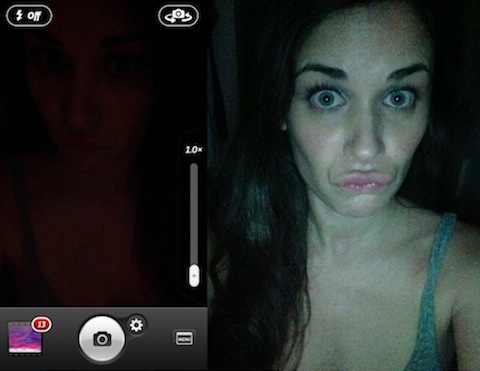
The front flash feature allows you to take a picture of yourself in the dark, which is cool if you’re into that sorta thing:

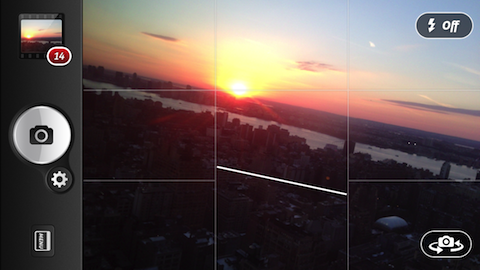
The horizon level is perfect for those looking to line up those crooked shots:

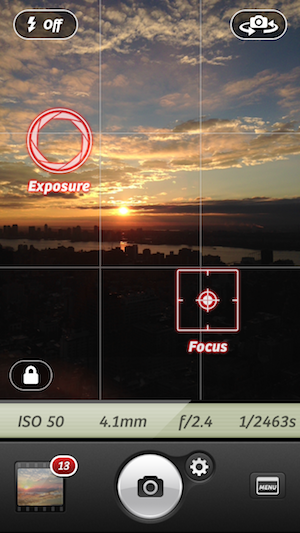
Live exposure allows photographers to see images details such as f-stop, ISO and shutter speed as they setup their shots:

Also, for iPhone 5 users Live Exposure now brings 100% accurate shot framing since there’s no longer any viewfinder cropping. So far, this seems like a pretty awesome update. Kudos to Tap tap tap for maintaining the momentum of Camera+ as one of the best camera iOS apps.
Click here to download Camera+ for $0.99. You won’t regret it.
Want to see more of our stories on Google?
P.S. Want to keep this site truly independent? Support us by buying us a beer, treating us to a coffee, or shopping through Amazon here. Links in this post are affiliate links, so we earn a tiny commission at no charge to you. Thanks for supporting independent Canadian media!
can’t seem to find where is the front flash treatment or the live exposure info. Found the horizontal leveling under setting.
just take a picture in the dark with the front camera on?
—
Gary Ng
When the forward-facing camera is active, there’s an icon in the top-left (portrait mode) allowing you to turn flash on or off. Live Exposure is off by default; turn it on via the menu.