While there are tons of Cydia tweaks that let you modify or replace your iPhone’s carrier logo, a new Mac application developed by Kevin Ko (@uhelios) and Daniel Levi (@Pix3lDemon) called CarrierEditor lets you do this without jailbreaking your device, as pointed out by AppAdvice. Simply follow the steps given below to change your iPhone’s carrier logo (a video tutorial is also embedded at the end):
Step 1:
Download CarrierEditor for your Mac.
Step 2:
Now extract the downloaded file and copy CarrierEditor to your Applications folder. Also, copy the “Zeppelin Logos” folder to your desktop.
Step 3:
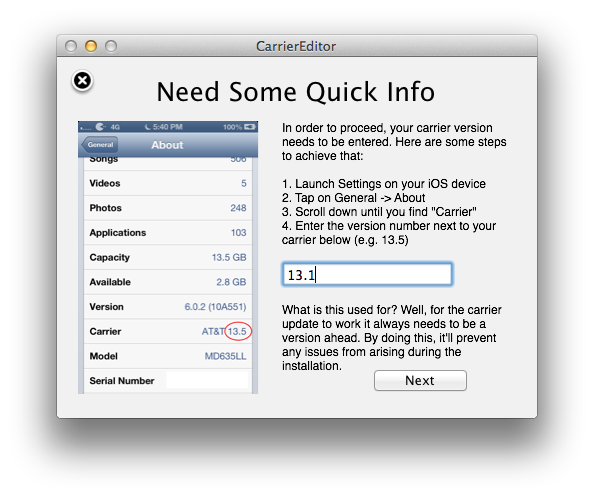
Launch CarrierEditor, then click on “Let’s Get Started”, enter your device’s carrier version number and click “Next.” (Go into the iPhone’s Settings > General > About to locate your carrier’s version)

Step 4:
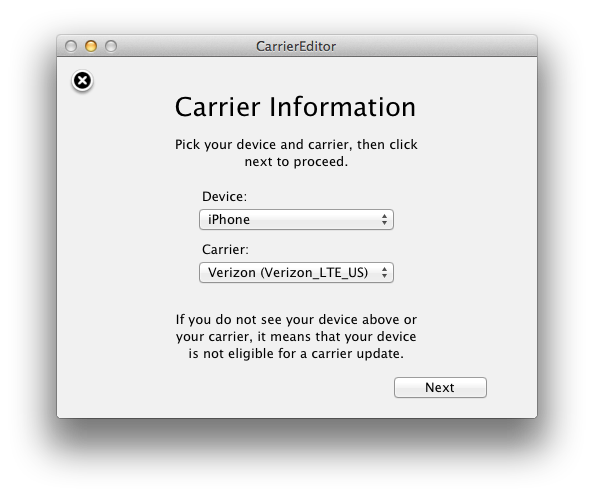
Now select your device and carrier on the next screen and click “Next.”
Step 5:
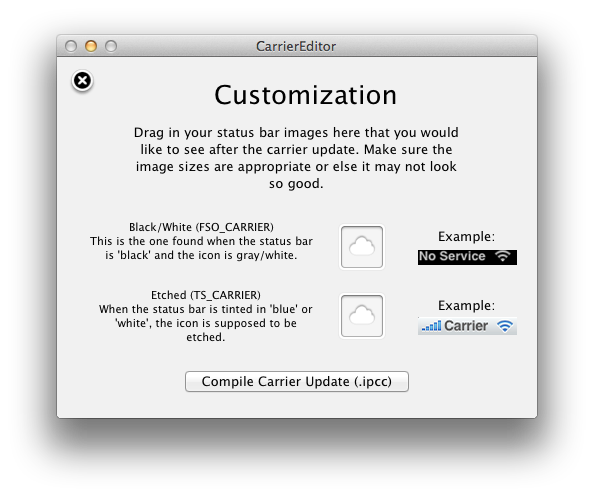
On to the “Customization” screen, pick your custom carrier logo and drag the image files into the appropriate boxes. Next, click on “Compile Carrier Update (.ipcc).”

Step 6:
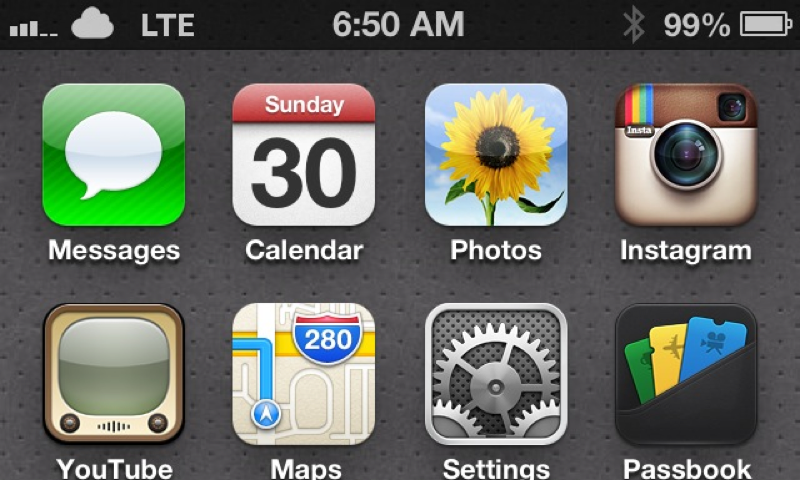
Finally, open iTunes after connecting your iOS device with its USB cable and click on “Restore” while holding down the “alt / option” key. Navigate to the “.ipcc” file created earlier that does not include the word “original” in its name. iTunes will show you “Updating carrier settings” box. Once done, reboot your device and you should see your new carrier logo appear at the top.
That’s it. Enjoy!
If you run into any issue, feel free to discuss it with the community by posting in the comments section below!




this does not work for me, I receive no error messages and everything appears to work fine but my carrier does not change even after reboot. I am on Fido. Are there any restrictions regarding modem firmware versions?
Koodo Here, not working
Any windows support ?
Not yet!
This seems dumb, what is really the benefit?
More of a cosmetic tweak, that’s all.
fido not working 🙁
I can’t get Fido to work either. I’ve email the dev with some specific info, hopefully we’ll hear from him soon.
Works for Bell
Has anyone noticed that the signal bars are full all the time? I dont think its displaying properly.
Rogers is as well not working.
Also, here is a Windows version:http://t.co/ssIWS7RL
Telus iphone 5 working… did it twice with two different logos.
is the fido issue going to be addressed?