If you like retro-games, especially spaceship and aliens shooter games from the 80s, you’re in for a treat if you have an iPhone or an iPad. On Friday, January 25, the ghost of the long lost MAME (Multiple Arcade Machine Emulator) was reincarnated in the form of the free Gridlee game.
Gridlee was originally an alien shooter game designed for arcades some three decades ago, but the game was canned and never made it out. Now the game’s original developer, Videa, granted permission for the ROM to be duplicated for iOS, on the condition that it would be for non-commercial use only.
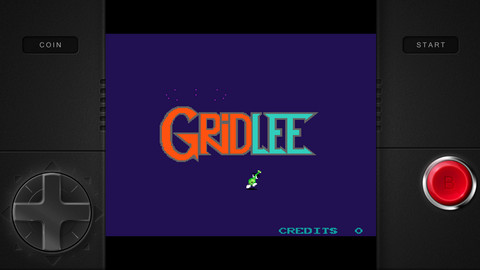
The thing is that you need an emulator to play ROM games. That problem is resolved within the Gridlee App itself, because it comes with the neat MAME4iOS emulator wrapped into it. This software was developed by Seleuco to run ROMs on iOS.
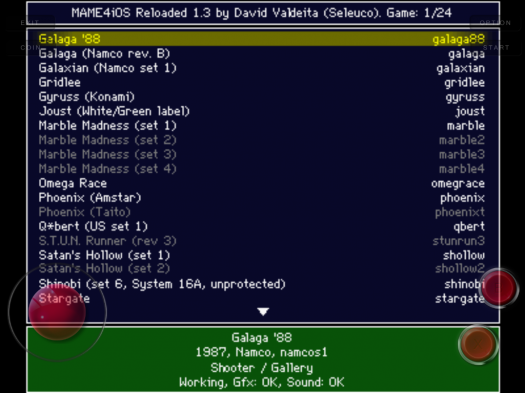
But here’s the coolest part of this story, Gridlee’s emulator can naturally run any other ROM game. Therefore, once the word got out on Touch Arcade’s forums that this ROM software came built-in the Gridlee App, iOS gamers went on a wild goose chase to find the folder for MAME4iOS. Unsurprisingly, they did find it within just a few hours of the news being posted, and then went on to start downloading all the ROM games they could find.

But in truth, Apple doesn’t allow ROM software in their App Store. The last emulator that got passed the Apple App Store certification process was in 2011, with iMAME. Of course, it didn’t take very long before the App was pulled out after further inspection.
That means if you want to grab this new MAME you need to act very fast, because it won’t be long before it gets busted and pulled from the App Store virtual shelves. Click here to download Gridlee–it’s free. Let us know if you end up playing some ROMs on your iPhone or iPad.



So….uh….where do you find the MAME4iOS folder?
theres a video on youtube-look for a documents folder in it’s directory
Hey….thanks for the info. Is there a way to explore the directory? Does the phone need to be jailbroken? Thanks once again.
Connect your phone to computer using software iexplorer its free click on your apps click on gridlee then click on documents and then click on roms. Drag your roms into that folder n enjoy
I did it and successfully added some roms and I can see it in the app… however, none of the roms could be opened and played… What kind of roms should I put there? I tried about 40 different roms… NONE could work… Please help…..
Where do you find the roms?
http://www.retro-burner.co.uk/text%20lists/list109.txt
Those are the compatible ROMs that should work. Find a rom then search it in google. Galaga 88 works
no no jailbreak required.
Way to write an article and spoil it
Come on, don’t shoot the messenger!