



Simplii Financial’s New Banking App Can Automatically Split Your Paycheque
Simplii Financial is rolling out a redesigned mobile banking app on iOS and Android, refreshed branding and new tools that will let Canadians automatically divide their paycheques into different spending and savings categories without opening multiple bank accounts. The CIBC-owned digital bank announced the changes on Tuesday, with its new Simplii Account introducing customizable folders...


Love HUDs they are nothing new, but they are so useful, putting data so you don’t have to look down at all.
Waze is free, and Google’s turn by turn is pretty darned awesome as well – why would anyone pay for a GPS app anymore?
Tried google maps for the first time today. 3 different destinations. Great fluid voice. But it was VERY easy confuse it on all 3 trips.
That hasn’t been my experience, and I drive for a living – my daily kilometers easily rack up to 300-500, and seldom does Google fail me..although I’ve recently swapped to Waze due to the live report aspects – something again that these other apps don’t equal.
Considering the fact that Google bought Waze, I can’t wait until they integrate it with the Maps here in Canada (beta is already available in US and some other countries).
Then you’re not ducking in and out of mall parking lots. Plus, Google maps never gave the entrance location to ANY of the destinations. It just gave the adjacent road-side location. It would start freaking out on me when I turned into the parking lot, a few feet ahead of where it said the destination was. The last thing you need is trying to navigate a parking lot with the stupid GPS yelling… “turn right – turn left – make a U turn”. Also, Google maps told me twice a destination was on the opposite side of the street.
Waze has been better, but it often detours me around traffic way beyond reason.
Navigon has always been bang on reliable. As has my Toyota GPS (but it doesn’t have traffic).
These are standalone apps that do not require an internet connection. If you don’t have a roaming data plan, Waze and Google Maps are useless in the USA. But paid apps like NAVIGON pay off in these situations.
Agree with that argument (especially traveling in the USA where people want to avoid data roaming), but for the vast majority of consumers using smartphones here, they have data plans attached, so the “The true apps don’t need a data connection” argument loses its steam.
The trade off for locallly saved maps is that that these GPS apps can consume a huge portion of your iPhones storage which is a concern for many.
Double edged sword. For those with data plans I standfast that there are excellent free options out there.
Yeah, for Canada I would never use NAVIGON, Google Maps is best. Agree locally, these standalone apps are expensive. They can also be a solution for those without a data plan too (very rare) and want directions all the time.
But for going to the USA, NAVIGON was pretty awesome when we used it in Hawaii.
It can also be a life saver (even locally) if you’re going camping, or traveling to remote rural area’s where there is no cell/data connection. Last thing you want to be is lost in the middle of nowhere, without access to a map.
Can you confirm Navigon does not require data please. The file size is confusing me – they list the size of the app at 45.5MB. Most stand alone navigation apps are in the GB’s, or so I thought. I might jump on the sale as my G-map is getting a bit old with last update of 2010.
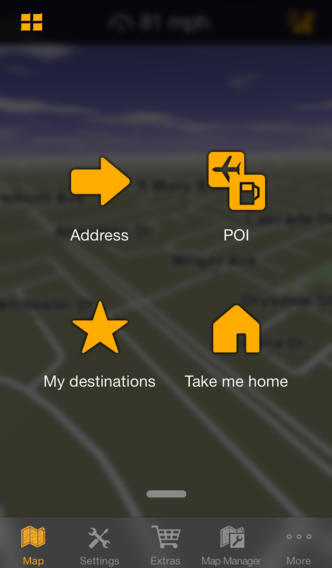
45MB is the size of the app itself. You are prompted to download the maps when you first open the app. The cool thing about it, is that you can select specific provinces and states to add, and are not forced to add all (unlike TomTom, where everything is downloaded). This way, you can save space (yes, can add them later, if you need to). This is a good thing, because if you aren’t traveling to certain places anytime soon, you have a choice not to download it, and not take up precious space.
Great, thanks guys.
i can confirm this…the app is small as you download it as app only…then in map manager you choose which states/provinces you want to download and you can do this at any time to actively adjust how much space on your phone its taking up. ive used this app for 2-3 years now, its fantastic!
I agree…This app is fantastic. I have had it since November 2009. If traveling in the US or Europe it works really really great! Very Reliable! NO DATA..so when traveling there is no need to worry about Big 3’s ridiculous data roaming fees.
All those free GPS rely on data connection. Most of them allow you to preset your trip while connected then use them offline, but once offline you have an small buffer around your route, so you’re not able to change your trip outside that buffer far from your original route. Here we can still say: “You’ll get what you pay for”. Free GPS are good, but not as good as paid ones.
For the select few who still have smartphone plans without a data connection that’s a valid argument…but that’s a very small slice of the market.
I have a 6GB data plan here in Canada…but when I’m travelling in the USA I don’t always have a data plan, and if I do it’s typically only 50-100MB. So, having a GPS solution that doesn’t rely on data if very attractive to me and well worth the cost of entry. Even in Canada, there are areas where cell service is spotty and I like knowing that I can use the GPS functionality of my iPhone without being dependent on cell service.
I have used Navigon all over North America and in Europe (Ireland, England and France) and have been very happy with it overall.
You nailed it Tim
Exactly!!! I’ve used Navigon in North America, Europe, and Brazil. Works as advertised, every time. It was well worth the money, compared to a standalone GPS or roaming data plans, and it’s regularly updated with new features and updated maps. Great for navigating traffic on the 401 too. 🙂
NAVIGON is the best GPS app available hands down. Puts my old dedicated Garmin unit to shame. Definitely going to be loaded on my 5S when it shows up next week 😉
Navigon doesnt give you lifetime map updates. So TomTom is a lot better there. Besides once you buy the $ 50 App from the App Store you can install it in upto 5 devices. Im currently using it on 3 iPhones and 1 iPad. Its excellent for my LTE iPad as I dont need to plug in a GSM Data SIM for it to work and still use the TomTom features in it. LTE chips have GPS chipset built on it. Wifi only iPads and all iPod Touch’s only give you access to directions using your wifi hotspot as a location reference point.
Be aware, when you buy this app, that you are only buying it for a couple of years. When the pricks at Garmin bought them out, they cut out lifetime app/map updates. The TomTom app on the other hand, still has lifetime updates.
I use NavFree when I travel in the USA. It stores the maps on the device and, best of all, it’s free! 🙂