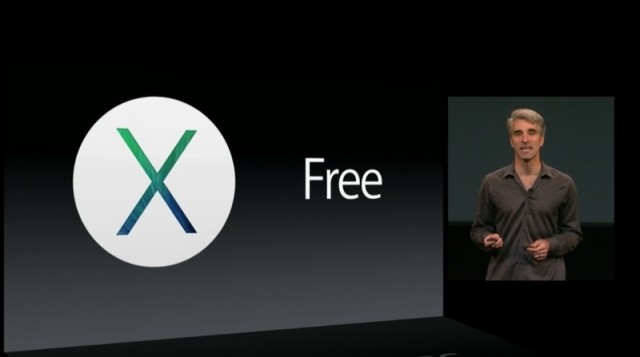
Back in June Apple previewed Mac OS X Mavericks at the WWDC 2013 opening keynote. Back then, Craig Federighi presented some of the new and improved features of Apple’s latest desktop operating system. And today, Mac OS X 10.9. Mavericks officially goes live in the Mac App Store, for FREE.
“Mavericks is an incredible release, which introduces significant new apps and features, while also improving the performance and battery life of your Mac,” said Craig Federighi, Apple’s senior vice president of Software Engineering. “We want every Mac user to experience the latest features, the most advanced technologies, and the strongest security. We believe the best way to do this is to begin a new era of personal computing software where OS upgrades are free.”
OS X Mavericks introduces innovative new features such as iBooks, which gives you instant access to your iBooks library, Maps, which brings powerful mapping technology to the desktop and lets you plan a trip from your Mac and send it to your iPhone, a new version of Safari with Shared Links, iCloud Keychain, which safely stores your website usernames and passwords, credit card numbers and Wi-Fi passwords.
To further improve the way we find documents on a Mac computer, Mavericks adds “tagging” and Finder Tabs, which help unclutter your desktop. One of the most solicited features among developers, and one missing from Mountain Lion, was support for multiple displays. This feature is also included in Mavericks.
The new desktop operating system also brings interactive Notifications, allowing you to reply to a message, respond to a FaceTime, a new calendar app, alongside impressive performance improvements over Mountain Lion.
Supported models:
- iMac (Mid 2007 or newer)
- MacBook (Late 2008 Aluminum, or Early 2009 or newer)
- MacBook Pro (Mid/Late 2007 or newer)
- Xserve (Early 2009)
- MacBook Air (Late 2008 or newer)
- Mac mini (Early 2009 or newer)
- Mac Pro (Early 2008 or newer)
Mavericks is available today in the Mac App Store for FREE–download it now! [Direct Link]
Update: The link is still propagating for the Canadian App Store. Stay tuned.
Update 2: NOW LIVE!



Getting error msg when trying to install Mavericks OSX: “The item you’ve requested is not currently available in the Canadian Store.”
i dont think it is available just yet
Still propagating, we’re all waiting patiently here
it’s online now!
it is available now
its working. thank god for Bell Fibe downloading at 3.2meg/s
Can’t wait to get home and test how it runs on my good ol’ Macbook 2008! Though, I wouldn’t keep my hopes up…
man, downloading this thing is a total gongshow. Having to reboot after the download failed and crashed my mbp
Eager to see how this improves performance! Anyone installed yet?
Installed. So far so good, took about 35 minutes to install on my MacBook Air. No ‘bugs’ yet, iMessage quick reply is awesome.
I’ve already noticed one issue with Mavericks. When connected to my second display (TV) and watching a video the file, edit, etc, menu bar still appears across the top of the screen. Anyone know how to get that to hide on the second display?
Update: it seems to work if you first take the app to ‘full screen’ mode and then maximize your video to full screen. Awkward two step process instead of one, but it works. Also, for some reason the Control+Command+F keyboard shortcut doesn’t seem to work to fullscreen my browser window when its playing video. You have to click the full screen button in the top right corner. Odd.
Another update: Scrolling in Chrome seems to be noticeable choppier than before. Not sure if Google will release an update to fix this but its certainly annoying.
Yes, I noticed this too. To the point where scrolling was too fast with my external Logitech mouse.
Is it working properly for you in Safari?? I’ve switched to safari for now. Hoping google fixes this soon.