
Apple’s AirPort Utility App is Being Removed From the App Store
Apple warns that "functionality is not guaranteed" when using AirPort Utility on iOS 27 or later.
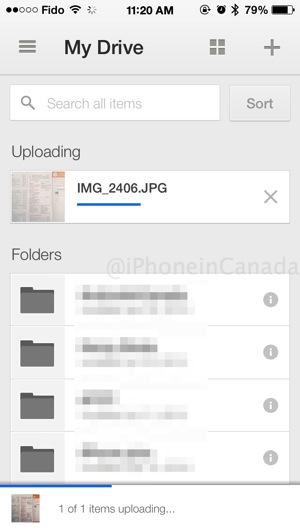
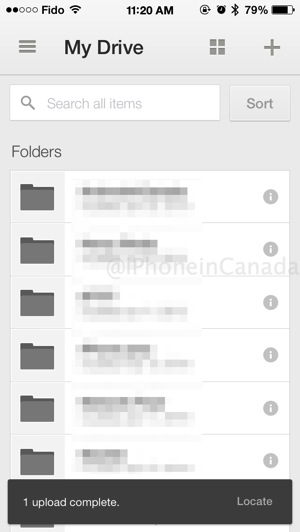
Google Drive for iOS has been updated to bring faster syncing and more upload improvements, as now you can see the progress and destination of your uploads.
As you can see from our screenshots below, uploading a file now shows the real-time status of your progress, and once it’s complete, you are given a quick one-tap ‘locate’ link to get to your file.
A minor but helpful update, we must say. Back in May, Google Drive was updated to require the additional install of Google Sheets and Google Docs for iOS to edit files.
Click here to download Google Drive for iOS—it’s free.
Want to see more of our stories on Google?

P.S. Want to keep this site truly independent? Support us by buying us a beer, treating us to a coffee, or shopping through Amazon here. Links in this post are affiliate links, so we earn a tiny commission at no charge to you. Thanks for supporting independent Canadian media!

