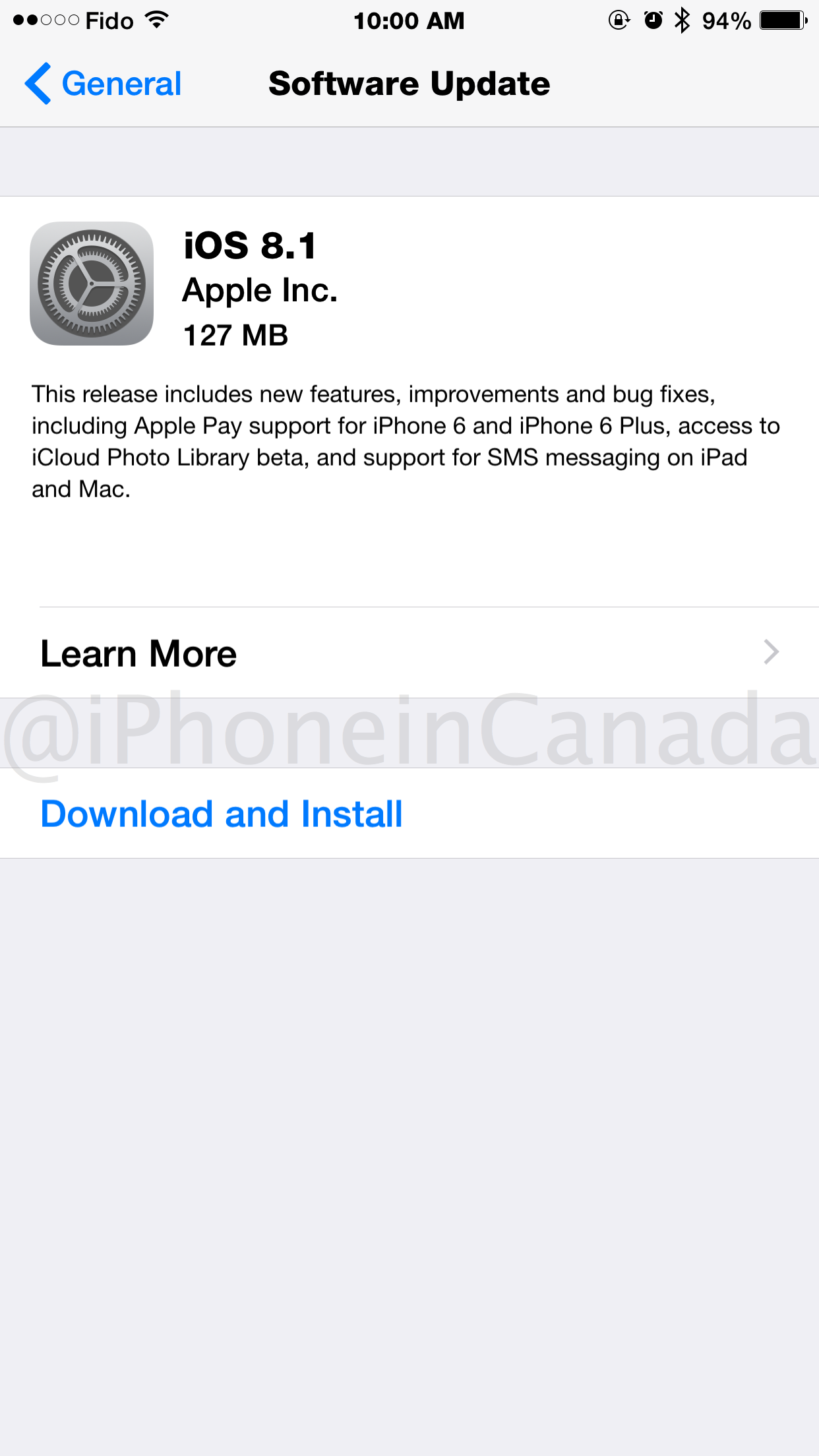
Apple has released iOS 8.1 for download, available over the air on your device or via iTunes. This update will complete the features rollout of iOS 8, which includes SMS Relay, Instant Hotspot, the return of the Camera Roll, iCloud Photo Library access, and the launch of Apple Pay in the U.S. Don’t forget optimizations and bug fixes as well.
- Apple TV 3 (AppleTV3,1) version 7.0.1 (Build 12B410a), Download
- Apple TV 3 (2013) (AppleTV3,2) version 7.0.1 (Build 12B410a), Download
- iPad 2 (Wi-Fi) (iPad2,1) version 8.1 (Build 12B410), Download
- iPad 2 (GSM) (iPad2,2) version 8.1 (Build 12B410), Download
- iPad 2 (CDMA) (iPad2,3) version 8.1 (Build 12B410), Download
- iPad 2 (Mid 2012) (iPad2,4) version 8.1 (Build 12B410), Download
- iPad mini (Wi-Fi) (iPad2,5) version 8.1 (Build 12B410), Download
- iPad mini (GSM) (iPad2,6) version 8.1 (Build 12B410), Download
- iPad mini (CDMA) (iPad2,7) version 8.1 (Build 12B410), Download
- iPad 3 (Wi-Fi) (iPad3,1) version 8.1 (Build 12B410), Download
- iPad 3 (GSM) (iPad3,2) version 8.1 (Build 12B410), Download
- iPad 3 (CDMA) (iPad3,3) version 8.1 (Build 12B410), Download
- iPad 4 (Wi-Fi) (iPad3,4) version 8.1 (Build 12B410), Download
- iPad 4 (GSM) (iPad3,5) version 8.1 (Build 12B410), Download
- iPad 4 (CDMA) (iPad3,6) version 8.1 (Build 12B410), Download
- iPad Air (Wi-Fi) (iPad4,1) version 8.1 (Build 12B410), Download
- iPad Air (GSM) (iPad4,2) version 8.1 (Build 12B410), Download
- iPad Air (CDMA) (iPad4,3) version 8.1 (Build 12B410), Download
- iPad mini Retina (Wi-Fi) (iPad4,4) version 8.1 (Build 12B410), Download
- iPad mini Retina (GSM) (iPad4,5) version 8.1 (Build 12B410), Download
- iPad mini Retina (CDMA) (iPad4,6) version 8.1 (Build 12B410), Download
- iPad4,7 (iPad4,7) version 8.1 (Build 12B410), Download
- iPad4,8 (iPad4,8) version 8.1 (Build 12B410), Download
- iPad4,9 (iPad4,9) version 8.1 (Build 12B410), Download
- iPad5,3 (iPad5,3) version 8.1 (Build 12B410), Download
- iPad5,4 (iPad5,4) version 8.1 (Build 12B410), Download
- iPhone 4s (iPhone4,1) version 8.1 (Build 12B411), Download
- iPhone 5 (GSM) (iPhone5,1) version 8.1 (Build 12B411), Download
- iPhone 5 (CDMA) (iPhone5,2) version 8.1 (Build 12B411), Download
- iPhone 5c (GSM) (iPhone5,3) version 8.1 (Build 12B411), Download
- iPhone 5c (CDMA) (iPhone5,4) version 8.1 (Build 12B411), Download
- iPhone 5s (GSM) (iPhone6,1) version 8.1 (Build 12B411), Download
- iPhone 5s (CDMA) (iPhone6,2) version 8.1 (Build 12B411), Download
- iPhone 6 Plus (iPhone7,1) version 8.1 (Build 12B411), Download
- iPhone 6 (iPhone7,2) version 8.1 (Build 12B411), Download
- iPod touch 5G (iPod5,1) version 8.1 (Build 12B411), Download
iOS 8.1 release notes:
This release contains improvements and bug fixes, including:
- Fixes an issue in iOS 8.0.1 that impacted cellular network connectivity and Touch ID on iPhone 6 and iPhone 6 Plus
- Fixes a bug so HealthKit apps can now be made available on the App Store
- Addresses an issue where 3rd party keyboards could become deselected when a user enters their passcode
- Fixes an issue that prevented some apps from accessing photos from the Photo Library
- Improves the reliability of the Reachability feature on iPhone 6 and iPhone 6 Plus
- Fixes an issue that could cause unexpected cellular data usage when receiving SMS/MMS messages
- Better support of Ask To Buy for Family Sharing for In-App Purchases
- Fixes an issue where ringtones were sometimes not restored from iCloud backups
- Fixes a bug that prevented uploading photos and videos from Safari
…more to follow



My phone had a scary moment while updating, it shut off completely while Verifying Update, had to plug it in and pound buttons for a couple mins before it turned back on. Be cautious with this update…
Yikes…so far my phone is still updating and not issues yet.
Not very big in size, about 40mb. I wonder if a lot of the features were already there and just needing to be tweaked then enabled like ApplePay, iCloud Photos and SMS relay.
Mind you, since I don’t have an iPhone 6 (yet) then maybe my update doesn’t include the code for ApplePay 🙂
40mb? Where do you see that? I’m downloading the update right now and it’s 2.25GB
Unless he did the update OTA. Thru iTunes its the whole ios.
Updated right on my iPhone 5. The size is listed in the update information. Took a few minutes to download and install.
Just finished updating to iPhone 5, didn’t notice any issues.
Anyone installed it on an iPhone 4S yet? Curious if it’s faster than the reports I’ve heard about iOS 8.0 running on an iPhone 4S.
I just installed. Running a bit smoother. Only app I really have issues with now is facebook.
Cool, thanks for the reply. How does it compare to the speed of iOS 7?
If you haven’t already, recommend turning reduce motion on, reduce transparency (both in accessibility), unchecking everything in spotlight search, and finally turning off background refresh. I noticed a huge increase in performance. Updated to 8.1 today and runs about the same.
Just installed on the 6 Plus–no issues so far (in other words, I have a cellular signal)
Did u check bluetooth connectivity on your car stereo? Are phone calls, outgoing and incoming working now?
Will check that later. Was also an issue for me.
Bluetooth works finally. I drive an MB and I just tested it.
What does MB got to do with this? Totally immaterial with the topic. Just saying.
Reference to MB was for no other reason other than the fact that it was one of the manufacturers that had been affected with the bluetooth connectivity. I read Acura, BMW and Audi also had issues. Not sure what other makes are affected but that’s why I mentioned it.
Ok got it. Peace.
What does driving an MB got to do with this? Totally immaterial. Just saying.
Like he said MB, BMW and others just some of the car makers affected by the bug.
Forget the sms messaging continuity. It’s not working. I’m getting text messages only on my iPhone, not on my iPad. Both my iPad and iPhone are signed into my same iCloud account. It’s still turned off.
Phone calls is working. When a call comes in both will ring.
See my comment about making Continuity work on my devices
Yeah thanks I saw it and tried it. Didn’t work.
Instant hotspot is not working as well. Still just as frustrating as before. Still asking me to sign in like before and it’s still having problems reconnecting like before. No change.
Also, for those of us who are on iPhone 5 – the update is only 68MB since we don’t get Apple Pay thingy. Furthermore, Continuity did not work for me at first. I had to restart all the devices (mac, iphone and my wifi router). That didn’t fix things. I had to go into iOS settings and disable/enable Handoff feature and Facetime settings for Cellular phone calls. Then Mac asked me to enter a code into iPhone to enable SMS sharing. Now it finally works! I kinda miss the days where Apple products just worked…without having to tinker with it to make it function like advertised.
Really? it was the opposite for me. I was going through the settings and stuff, trying to see how to toggle Continuity and found nothing. Was wondering what the heck is going on, and at that very moment, my phone rang, and then my iPad started to ring! I answered it with my iPad and it just worked! I’m using iPhone 6 and iPad mini 2.
Phone call worked automatically for me as well but not the SMS and Handoff app feature
SMS Relay has to be turned on on your iPhone and then you enter a code that’s sent to your Mac.
Didn’t work. SMS isn’t working for me yet.
Have updated fine on iPhone 6 from iOS 8.0.2. Just got the phone less than a week ago, and ever since I brought it home, the wifi has been dropping (and kicking everyone else on the network off) constantly everytime I used it; more often when playing medias (streaming videos and music). If left on standby, the wifi is totally fine. What’s weird is if I use it with other networks outside my home router, it appears to work fine, but I haven’t really used it long enough on those networks to totally notice any disconnections. Confused if it’s the software, hardware, or even my router’s problem (I also updated my router to the latest firmwares, etc.).
For SMS continuity from iPhone to iPad I have changed the setting in the iPhone in iMessage to “text forward messaging”. A pop up comes up saying a code will appear in my iPad. Where do I find the code?
I don’t update the phone anymore, unless it’s a yearly new IOS.
That’s just silly. Do you enjoy living with bugs?
I know it won’t work but apple pay shows up in my 6 plus menu
Started the update at 6:00pm, it said 7 hours! It’s now 9:30 and it’s saying 6 hours. At this rate, I should be updated by the time the 6S is released.
Beware!!! I upgraded and lost my hotspot capability! I have a Fido iPhone 6 with 16 gig. Going to downgrade as soon as I get home tonight.