
How to Recover and Restore an Apple Watch
Learn how to recover and restore your Apple Watch with an iPhone or iPad, based on Apple's official Support video.
By now you probably have seen demos of Apple Pay being used in Canada with US-bank issued and approved credit cards. We’ve shown examples of the wireless mobile payment used at major fast food chains Tim Horton’s, Subway and McDonald’s.
Do you want to try Apple Pay in Canada before it finally arrives in the year 2025 (/sarcasm)? If you do, all you need is an approved prepaid reloadable credit card from a US bank, such as Wells Fargo (which we’ve confirmed) and the Chase Liquid card.
iPhoneinCanada.ca reader Ellard was able to purchase a reloadable Wells Fargo ‘easy pay’ Visa in the United States, at the Ferndale branch in Washington State, the closest location to Vancouverites.
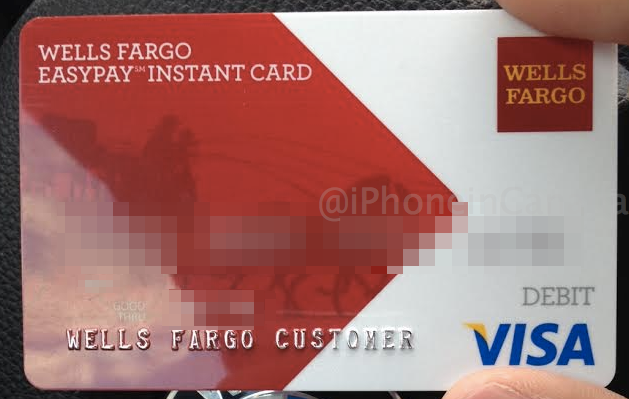
Here are the requirements to do so:
Once you setup your reloadable prepaid ‘easy pay’ Visa at the branch, you will be required to setup an online account at WellsFargo.com to later be used as part of the verification process with Apple Pay.
Now that you have your Wells Fargo ‘easy pay’ reloadable Visa card, here’s how to add it to Passbook and get it verified.
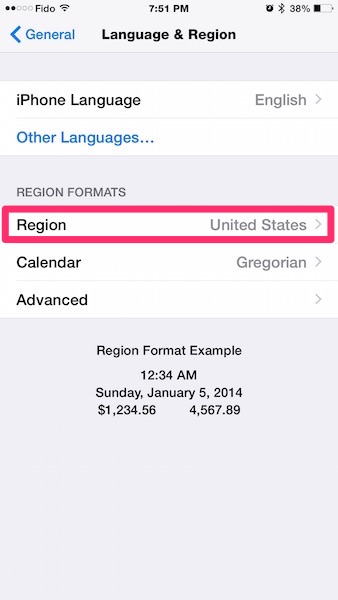
1. These instructions detail how to setup Apple Pay in Canada—just change your iOS region settings to the United States.
Settings > General > Language & Region > Region > United States
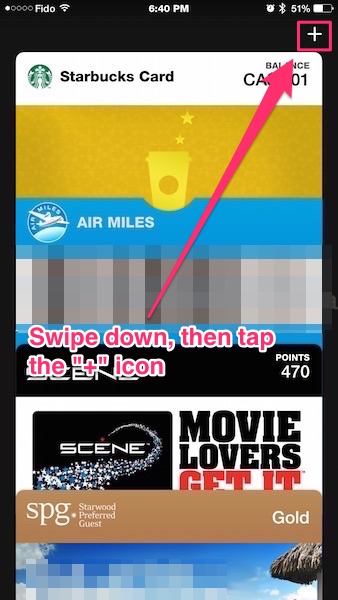
2. Next, launch Passbook, swipe down and tap the “+” icon in the top right.
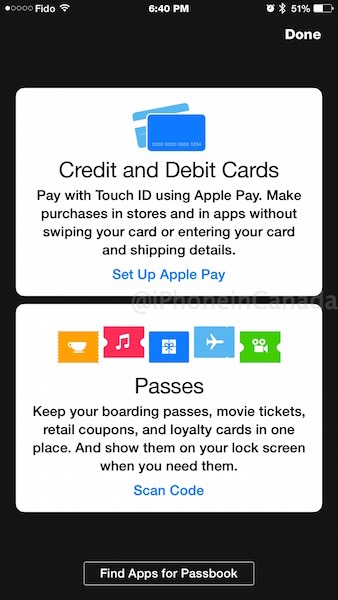
3. The ‘Credit and Debit Cards’ screen will show up. Tap ’Set up Apple Pay’:
4. Tap ‘Add a new Credit or Debit Card’, then enter in your Wells Fargo Visa details manually or use the device’s camera (very cool).
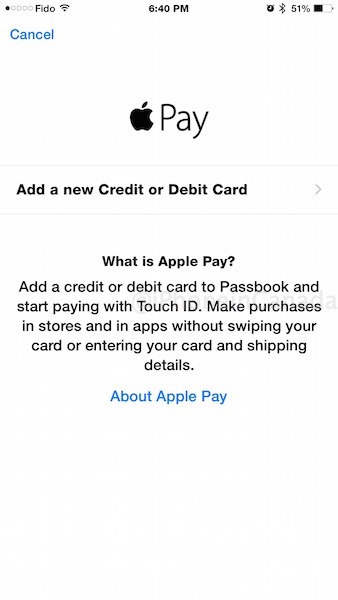
5. Once you’ve added your card, you will be asked to verify your Wells Fargo card either by the Wells Fargo Verify iOS app or by calling in. We’ll be using the verify app in this case—download it here.
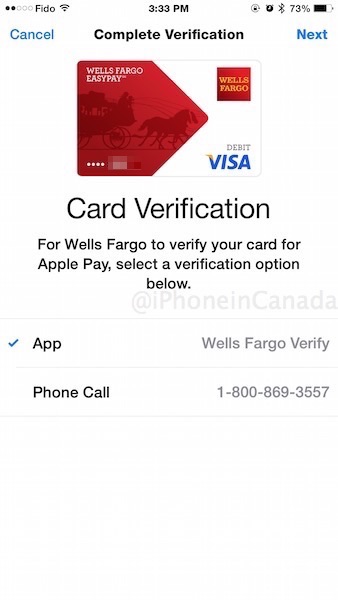
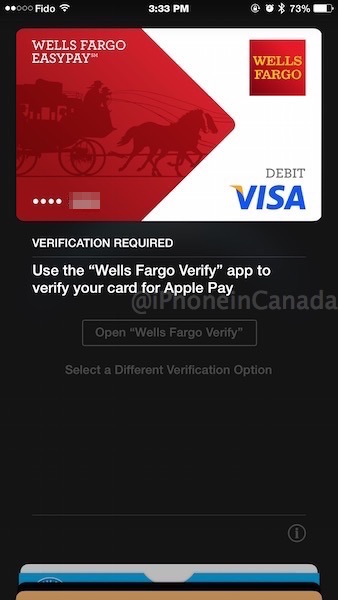
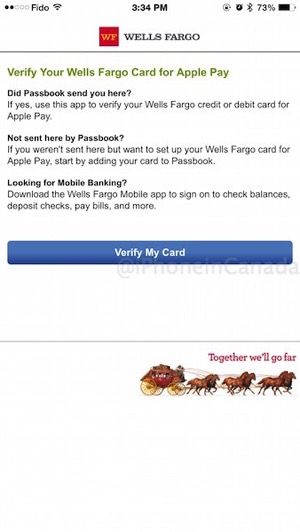
6. Once you choose the app verify option, you’ll be asked to login with your WellsFargo.com credentials. Follow the prompts to verify your card number and it will also ask you for the last four digits of the mobile number you provided as part of registration.
Now, Ellard tells us in his previous Apple Pay setups with US cards, it actually should be the ‘Device Account Number’ found within the card’s ‘Info’ in Passbook. If your mobile number doesn’t work, try the verify with device account number as well.
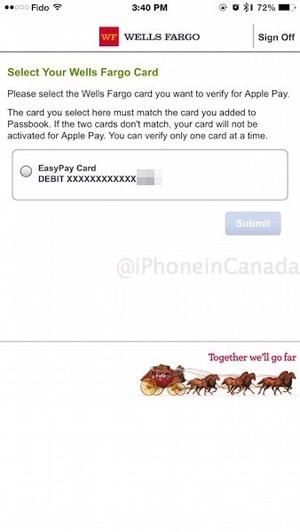
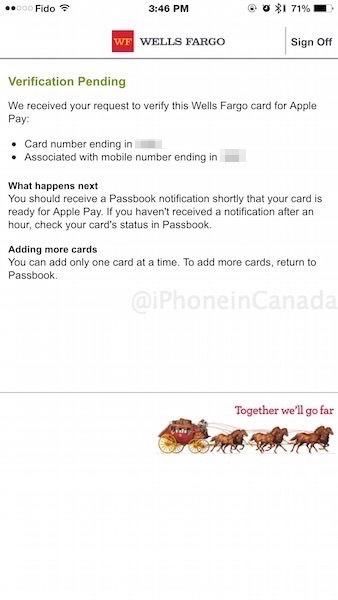
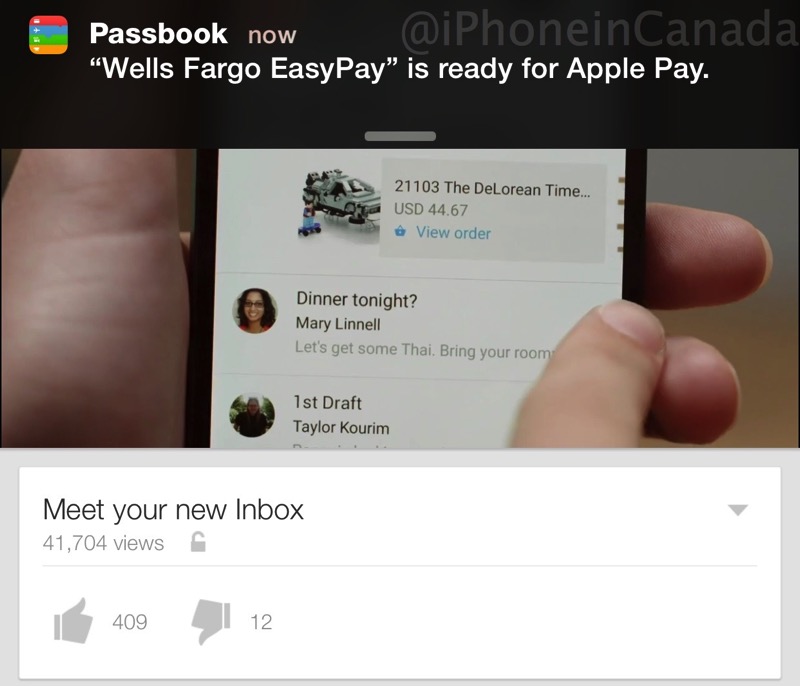
Once you’ve setup everything properly, you will have to wait for a verification push notification to inform you Apple Pay has been approved for your card. We had to wait just under an hour until we were notified (as you can see below while we were watching Google’s new Inbox iOS app YouTube video):
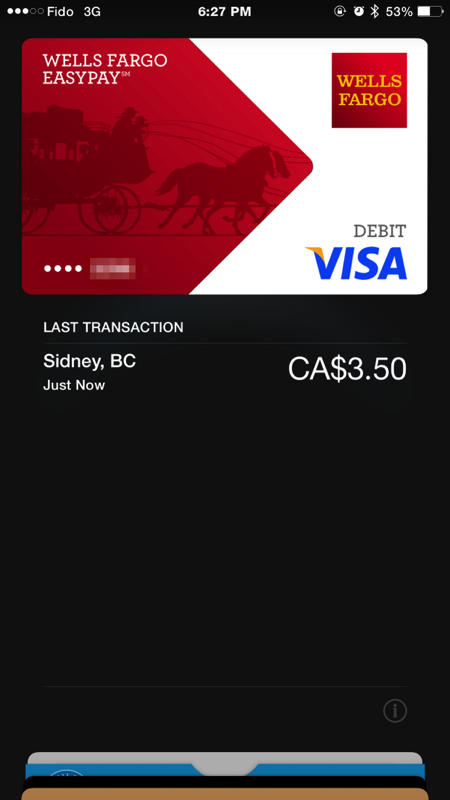
Here is the delightful sight of having a credit card within Passbook:
How to use Apple Pay?
When it comes to paying at a retail store with a supported contactless terminal, tell the cashier you’re using your Visa card. When they say ‘ready’ or ‘go’ (they always do that), just place your iPhone 6 or iPhone 6 Plus to the terminal—Apple Pay will automatically populate on the lock screen and prompt you for Touch ID verification. Verify with your thumbprint and bam, you’ve just used Apple Pay in seconds.
Of course, since your card was loaded in US funds, you will be paying in Canadian dollars so the exchange rate will occur and any foreign transaction fees. But if you’re eager to get a taste of Apple Pay, it’s pretty simple and exactly as advertised.
Apple Pay worked fine at a McD’s drive thru, life is complete #coffee #canada pic.twitter.com/rir2p4V8it
— iPhone in Canada (@iPhoneinCanada) October 24, 2014
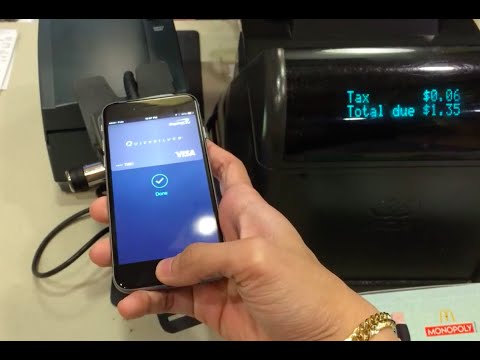
The above guide should also work for the Chase Liquid reloadable credit card. Let us know if you’re able to setup a Wells Fargo Visa or a credit card from Chase. Apple has a support document which lists compatible bank-approved cards here.
Want to see more of our stories on Google?

P.S. Want to keep this site truly independent? Support us by buying us a beer, treating us to a coffee, or shopping through Amazon here. Links in this post are affiliate links, so we earn a tiny commission at no charge to you. Thanks for supporting independent Canadian media!


“Funds can be reloadable via ATM”. Does it have to be a US ATM or can we reload thru a canadian ATM?
Wells Fargo only has US ATMs as far as I’m aware
Thats what I though. Looks like I’ll be making a trip to the US just reload a card… :p
It’s good for the snow birds though.
This seems incredibly silly. Fees and money lost in exchange rates?!… Seriously not worth it just to “play”.
I also heard that Wells Fargo was (perhaps) the only bank/card that required the additional verification step.
Do you want to be cool or not?
Not sure how cool it is to throw away time and money.
I’m as excited as the next guy about the prospect of Apple Pay coming to Canada, it will really benefit me when it does. But the whole point of it is to make life simpler. Jumping through all the hoops and expense of doing this, is just the opposite.
Why in the world would any Canadian take all that hastle to sign up for an American card just to use apple pay?……while with most Canadian credit cards you can pay by tapping your card to the machine!
Umm…the whole point is to test Apple Pay before it arrives here. Wake up, donkey
If you want to lose money by “testing” (setup fee(s), exchange rate premiums, etc.)…well, I guess you’re the donkey
Because paying with a card is … so 1990…
why are you apple nerds so desperate to use apple pay? take your fucking credit card out of your wallet and tap it or use the pinpad like a normal person.
It’s the same kind of desperation your mom has when she’s working the corner on a Friday night, fAndroid.
I agree with sancheezy. Dillinger still has the clothes hanger stuck in his head that his mom tried to abort him with
Your mom jokes were cool back in the 90’s.
I appreciate all the work putting this article together. Great step by step.
For me, I’m staying with my iPhone case that holds one credit card in the back. I tap my iPhone on the card reader thing in the store and I’m good to go. Simple and it works. “Omg is that Apple Pay?” question is the only problem I have because I get asked that now every where I go when I pay. Yesterday I used cash to give myself a break from having to say, “no I have a case with a….” blah blah blah.
Simple works.
Thanks. The case with the credit card in the back is genius. The only issue is if you lose your phone…the credit card goes with it in the case. Can’t wait for Apple Pay to arrive here.
True, but you won’t be held responsible for fraudulent charges should someone else use the found card, so at least you won’t be out of pocket. Unlike setting this up, the fees and FX charges and travel costs spent to get it are all out of pocket guaranteed.
Was going to do this as I live right on the border and Wells Fargo is the only bank that is big around here but read the fine print it’s only available in 2 states
Would my American express card work for Apple pay in Canada?
Only if it’s issued from the US. Amex Canada cards will not.
I have a Best Buy Reward Zone Visa which is issued by Chase. Would it work?
Nope, I tried to set it up, and got the “contact your card issuer ” error message.
I went down to SF and got a Chase Card instead. For students, they have a free account for 4 years, so you only pay the currency rates.
I found their Bank App fantastic as well, it’s very fluid and well designed.
Anyways, I used the card on Walgreens and experience wasn’t as good as expected. Still had to inform type of card and amount. Tapping the interact cards in Canada is better, haven’t tried Apple pay there yet.
And for people complaining, I understand it’s a lot of steps and I amost have up but it’s just nice trying it first! ^_^
And my tip for adopters is to have an ID with address. I had to email them a AMEX statement cause my IDs didn’t have address on it.
I’m in the “this is absolutely ridiculous” camp. All this “trying” will cost you repeated currency conversion fees.
There’s other reasons beyond the NFC Apple Pay to set it up. You can use Apple Pay online/in apps as well.
I very much doubt there will be any Canadian apps supporting Apple Pay with US funds, though who really knows. I find the entire balkanized app store based on credit card a bit frustrating at times, even though the apps work just fine regardless of what country the device is set to.
Un-pin this from the top story. Seriously, it’s a stupid, stupid idea.
Look you guys, this is an interesting tutorial as to how to do this. It’s cool and interesting for the geek that wants and have the resource to try it. If you find it ridiculous or too complicated, then just continue with life and stop complaining! I, for one, appreciate what Gary is doing with the blog and and the way he his giving people tips and tricks on how to do certain things. Doesn’t mean I think it’s a good idea for me to go out and cross the border to get a card and set it up for myself, but I’m not gonna complain that it’s ridiculous to do so either. I think you guys need to get a life and quit complaining about everything! This has ought to be depressing and discouraging for someone like Gary who puts time and effort to inform us and give us some interesting tips! Just sayin’
Thanks!
Well said, but the thanks should actually go to “Ellard.” I too won’t be trying this myself (will wait for Scotia or Chase/Amazon in Canada) but interesting to see how this would work.
Thanks for the tip – despite the fine print (Arizona and Washington state only), I was able to get a card set up and working on my UK iPhone 6. Great to be able to use Apple Pay when I’m in the US.
Cheers!
Has anyone found any other banks this works with?
I’d like to try from North Dakota and Wells doesn’t do pre-paid from there.
For those who have Apple pay working did you use an us iCloud account or a Canadian iCloud account?
As TD bank US allows Canadians to have a U.S. bank account which will work with Apple pay. But my transactions don’t show any amount on the iPhone. The transaction goes thru and I see the transaction in my bank account.
Thanks
Most of this worked for me. I had an Australian SIM so needed to use a friends phone number for Wells Fargo one time password
Only way to activate Apple pay was to phone Wells Fargo