Looks like we have more details on how the Apple Watch companion app will work with your iPhone, again courtesy of 9to5Mac’s Mark Gurman.
A plethora of screenshots have been posted from the apparent Apple Watch iOS app’s settings page, detailing options for Activity, Accessibility, Layout, Settings and more.
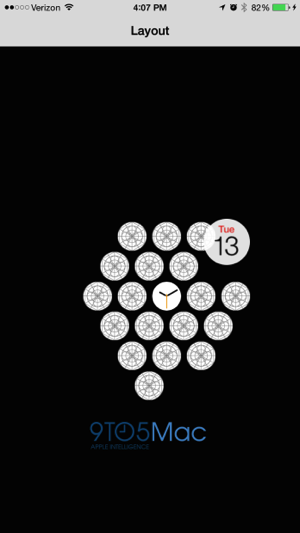
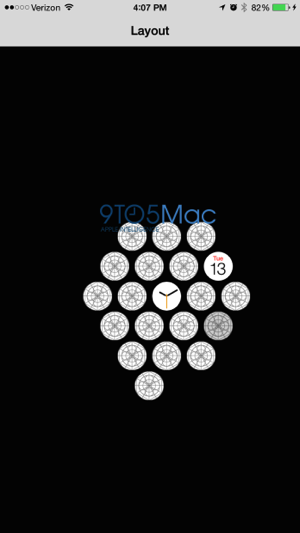
Below is what appears to be the way how users will be able to rearrange apps on their Apple Watch. A virtual home screen within the app details the apps on your watch, which users can just tap and rearrange on their iPhone, which is much easier than doing on a tiny watch screen:

Here are just a few of the settings the Watch app will enable you to toggle:
- Set a ‘Stand Reminder’ to get you to stand up if you’ve been sitting for more than 50 minutes
- Get Activity progress updates by frequency
- Get notified of goal completions, achievements and a weekly summary
- Toggle 24 hour time, get push alerts from iPhone, notifications indicator (a red dot will appear on your watch face)
- Add a monogram (1-4 letters) to your colour watch face; get city abbreviations
Users can also customize the watch to mirror the time from your iPhone or to set a custom time. As for responding to messages, you can opt for dictation or audio, plus get the option to send read receipts and create custom reply messages.