One of my favourite features of the Apple Watch, is being able to use it as a camera remote for my iPhone. This allows me to take more pictures with me in them, and not just selfie style pictures.
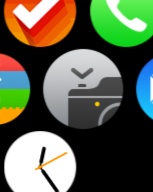
All you have to do is tap on the Camera Remote app on your Apple Watch. This will connect the iPhone’s camera with the watch. If your iPhone is off or the camera app isn’t launched, it can take a few seconds to sync.

Once paired, you can now see whatever your camera is pointing at on your wrist. So you could use this setup as a little surveillance tool as long as you are still within connection distance of your iPhone.
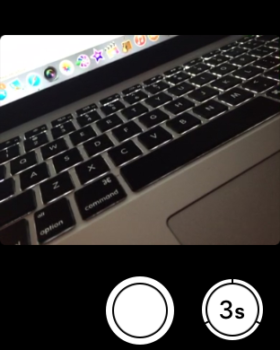
To take a picture using you iPhone you simply tap the circle. Now if you’re like me and you want to be in a picture, but don’t want the picture to be of you tapping the screen of the Apple Watch, there is a 3 second timer. Tap it and your iPhone flash will go off a few time to let you know it’s about to take the picture.




Too bad it seems limited to only using the native iPhone camera app, and not other camera apps
I think it only make sense that other camera apps make one that works with their own app.
I think we could see some compatibility with other cameras in the future.
That’s dope! Good that they included the timer as well.
what I wanna do is use this to trigger the shutter on my wifi Nikon long zoom when I’m taking a picture of the moon, etc.
I’m not 100%, but I would think this is probably something that could eventually happen. I agree it would be awesome to be able to control any camera using the watch.