If you’ve always wanted to add an Instagram widget to Notification Center, the freemium app Feeday allows you to do just that.
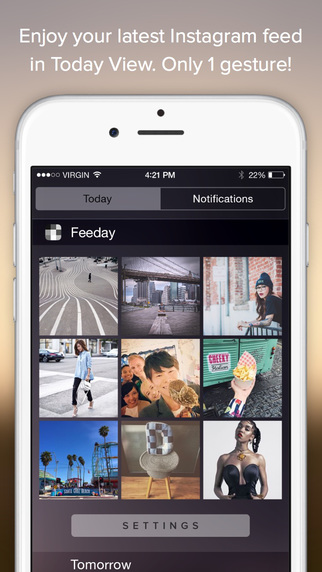
Once installed, all you have to do is login to your Instagram account to authorize the app (Instagram needs to add 1Password support), then add it to Notification Center.
How to add a widget to Notification Center? The app displays a short video tutorial, but for those unaware: swipe down to Notification Center, go to Today view, scroll to the bottom, tap ‘Edit’, then add the Feeday widget.
To add a widget with three images, that’s free. If you want 6 or 9 images, you’ll have to purchase that $0.99 USD option through an in-app purchase.
The widget allows you to tap an image and go straight to it within Instagram, saving you a few seconds. If you’re an Instagram junkie, this may be an app to consider.
Click here to download Feeday for iOS in the App Store–it’s free.
[via Lifehacker]



