
Apple’s AirPort Utility App is Being Removed From the App Store
Apple warns that "functionality is not guaranteed" when using AirPort Utility on iOS 27 or later.
Over two years ago Google confirmed it had acquired navigation startup Waze and now we are finally seeing the first major overhaul of the app, with version 4.0 for iOS being released on the weekend in the App Store.
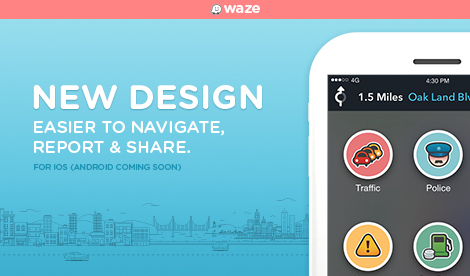
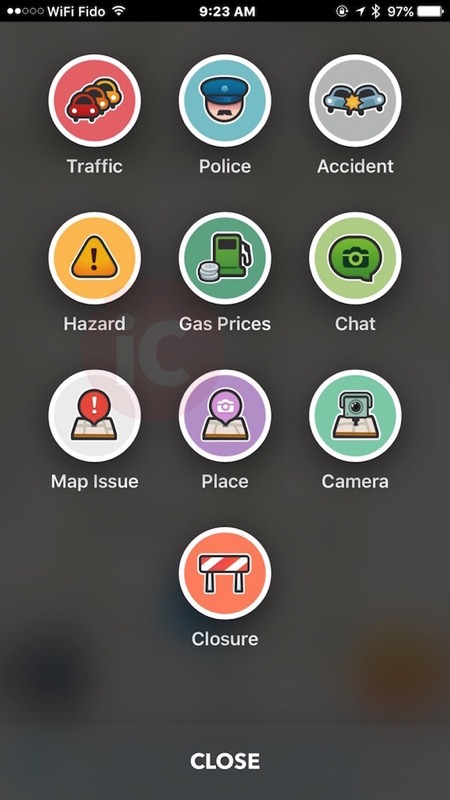
This new version brings a cleaner design with a much easier user interface for reporting and sharing, bringing larger touch targets, which is especially handy for those with smartphones in mounts in the car:
What’s New in Version 4.0
Version 4.0 introduces a fresh new design for easier navigation, reporting, and sharing.• Significantly reduced battery consumption.
• Fewer taps to start a drive, send locations
and directions.
• New ETA panel organizes everything you need in one place. View reports, check alternate routes, add a stop on the way, or instantly send ETA to friends and family.
• The new map is easier to read with a cleaner look catered to your drive.
• It’s easier to help others on the road with a faster, more visual reporting menu.
• Reports and alerts are color-coded so you can instantly recognize them on the map.
• Smart reminders to leave on time for your Calendar events based on traffic conditions and drive times.
Waze explains the new version requires less taps to access the navigation menu and contacts—just tap the new buttons in the bottom left or right of the app. There’s now the ability to view alternate routes and send your ETA to friends and family. If you sync your calendar to Waze, you’ll get alerts on when you should leave based on traffic conditions.
Most importantly, Waze says this new version “significantly reduces battery consumption so you can keep Waze fired up without losing your charge.” Check out the video below to see the new changes.

Click here to download Waze in the App Store. Let us know what you think of this update!
Want to see more of our stories on Google?

P.S. Want to keep this site truly independent? Support us by buying us a beer, treating us to a coffee, or shopping through Amazon here. Links in this post are affiliate links, so we earn a tiny commission at no charge to you. Thanks for supporting independent Canadian media!


From a design point of view, this looks like a Google Maps for Kids…
Haha that’s one way of putting it! I don’t mind the new design, much easier to use.
I can’t judge on that point. I’ve never used the app myself. I’ve always been more than content juggling between Google Maps and Apple Maps, depending on the situation.
Love this app, great for getting a heads up on speed traps.
i have been using this app for about a year. it has saved me a lot of time in my travels. thank you google (and gary).
Cheers!
I used to use Waze before Google bought it out. It had a few issues (which I’m sure have been worked out by now). I stopped using it only because I lost the need for it. Perhaps I’ll pick it up again, as it i/wass user dependant, you often get the live updates quicker then you would on the radio. Plus it shows construction, accidents, traffic AND speed traps!
I’m surprised Google is continuing development of 2 different navigation apps. Why not integrate them?