Fido has launched home Internet today for customers in Ontario with “simple plans”, dubbed easy to use and install, starting at $50 per month for eligible customers.
Pricing includes Wi-Fi modem rental, with no contracts, cancellation or activation fees, plus options to upgrade to unlimited usage. For setup, modems are couriered to your home, so customers can set up themselves with Fido Easy Connect on their smartphone, tablet or computer.
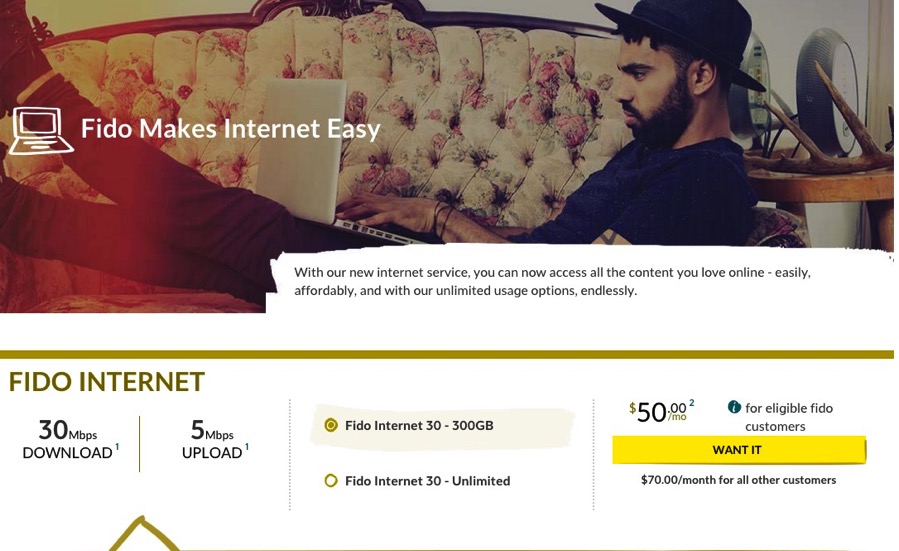
Fido customers eligible for this home Internet can get the following plans, which have download speeds “up to 30 Mbps” and upload speeds “up to 5 Mbps” and 24/7 support:
- $50 per month – 300 GB (non-Fido customers: $70/month)
- $65 per month -unlimited data (non-Fido customers: $85/month)
Fido is clearly targeting millennials as their customer base, as they have hired Canadian YouTuber Slow Cap to explain Fido home Internet to his grandfather to promote the service:
Raj Doshi, Fido CEO, said in a statement “We’re offering our customers the simplest, hassle-free home Internet available, with all-in pricing, no term contracts or cancellation fees, and the freedom to set it up yourself using your mobile phone so there’s no waiting around. Let’s just say, it’s your Internet dream come true.”
Here’s are Fido’s instructions on getting this setup yourself:
Install your modem:
- Plug your Fido modem coax cable to a coax wall socket (the connector looks like a circle with a dot in it).
- Plug your modem into a power source.
- Your modem’s indicator lights will blink as it connects. Check that all green and blue lights are lit up before moving onto the next step (this might take a couple minutes)
Set up your home Wi-Fi network (Use your smartphone, tablet or computer to get started with Fido Easy Connect):
- Make sure that your device’s Wi-Fi is turned on (usually through a Settings or Connections option).
- Check for available Wi-Fi networks and connect to the one named Fido*****-EasyConnect (the asterisks are just the last digits of the serial number labelled on your modem).
- Open a web browser and follow the simple steps on screen to test your modem connection and customize your home Wi-Fi network names and password.
Anyone going to consider Fido Home Internet?
Update Nov. 19, 12:25PM PST: We asked when customers outside of Ontario would get Fido Home Internet, and a company spokesperson replied via email “Right now we’re focused on delivering it in parts of Ontario and don’t have anything to share above that.”





I guess it’s less overpriced than Rogers proper, but i still much prefer Teksavvy.
Hmmm I have 250 Mbps down with unlimited bandwidth for $89/month for 2 years. Not too bad considering Teksavvy is the same price but you get a slower speed and have you buy/rent a modem.
Hey Gary, any details on if the Internet service will ever be coming to the rest of Canada? Like, AB?
I’m still paying $33.55 after tax per month with TekSavvy. Won’t see me changing any time.
30mbps for $85 … anyone that pays that has more money than sense