
Apple’s AirPort Utility App is Being Removed From the App Store
Apple warns that "functionality is not guaranteed" when using AirPort Utility on iOS 27 or later.
BMO Mobile Banking gained Touch ID last year, but a recent update disabled the fingerprint reader, frustrating iOS users. You know what’s worse than not having Touch ID? Having it taken away.
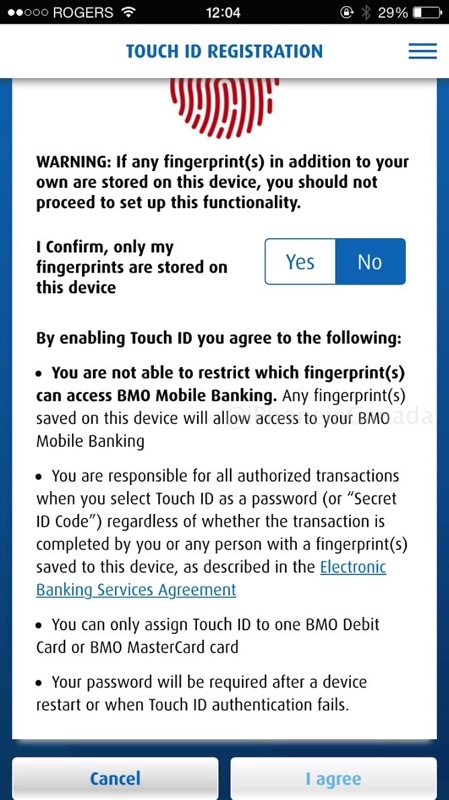
Thankfully, an update last week re-enabled Touch ID for users, despite not detailing the return of the feature in the release notes, according to iPhone in Canada reader @bkenny13:

If you’ve been waiting for Touch ID to ‘return’ to the BMO iOS app, this latest update has done just that.
Click here to download BMO Mobile Banking in the App Store.
Want to see more of our stories on Google?

P.S. Want to keep this site truly independent? Support us by buying us a beer, treating us to a coffee, or shopping through Amazon here. Links in this post are affiliate links, so we earn a tiny commission at no charge to you. Thanks for supporting independent Canadian media!


Do you know if Scotiabank also disabled Touch ID at some point? I’m a new customer of theirs and can’t find a way to enable that feature!
It is a bit convoluted. You have to enable ‘Remember me’ option at the login screen. Then, after you are logged in the pedestrian way by typing in username and pass, it’ll offer you the option to enable Touch ID. If it doesn’t, look for it under Settings options within the app
Yup, had to reinsert my bank card number (plus password) again on this update. Unnerving, in this day of hacked / spoofed apps, if you’ve already done this on older versions and not warned this was coming down the pipe.
Meanwhile, a brief pause when I got to the Touch ID Registration page as I tried to figure out which colour on Yes / No slider enabled it. Not entirely clear – is highlighted on? Or off? Fortunately ‘I agree’ assisted in that!