
Apple’s AirPort Utility App is Being Removed From the App Store
Apple warns that "functionality is not guaranteed" when using AirPort Utility on iOS 27 or later.
Google Photos for iOS has been updated to version 2.0, which brings Motion Stills stabilization to Live Photos for iPhone 6s, iPhone 6s Plus and iPhone SE (and iPhone 7/7 Plus) users.
What does this mean? Your Live Photos backed up can now be saved as looping videos (essentially GIFs) to your Camera Roll, stabilized with Motion Stills, a pilot project from Google which launched in June.
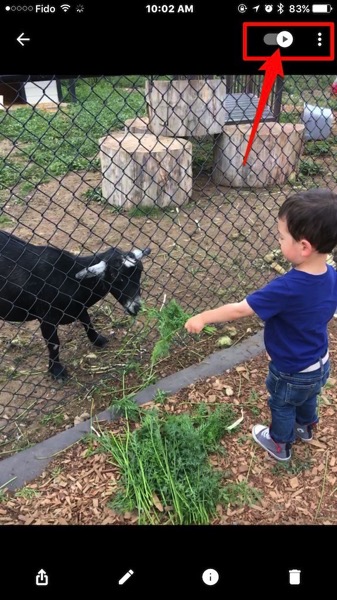
How to save your Live Photos as Motion Stills? Within Google Photos, navigate to a Live Photo. You’ll now see a ‘Play’ icon which you can toggle on or off by tapping (or tapping and holding your image). Once it’s toggled, you can save your video to your Camera Roll. Our Live Photo saved as a six-second looping video.
Also new, is the ability to choose thumbnails for faces in People, while you can now sort albums by recently added or chronologically. You can now share easier to YouTube and Google says the app has gained some performance improvements.
Click here to download Google Photos for iOS in the App Store.
Want to see more of our stories on Google?

P.S. Want to keep this site truly independent? Support us by buying us a beer, treating us to a coffee, or shopping through Amazon here. Links in this post are affiliate links, so we earn a tiny commission at no charge to you. Thanks for supporting independent Canadian media!

