Facebook’s new encrypted messaging feature “Secret Conversations” has just gone live for iOS as well as for Android users. The feature allows Messenger users to send end-to-end encrypted messages to their friends, which means governments, hackers and even Facebook itself can’t read them. As pointed out by TechCrunch, although the feature has now fully rolled out, it’s a bit tricky to use. Here’s how to make it work:
Step 1:
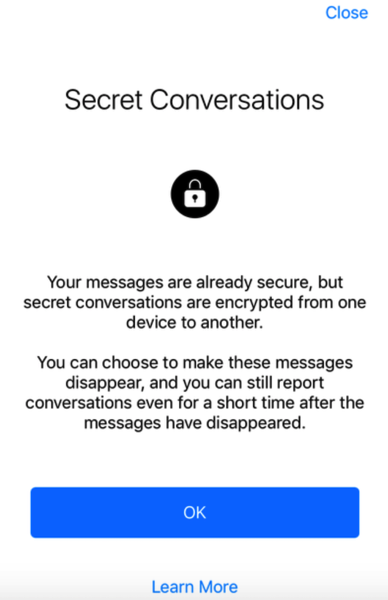
Open Facebook Messenger, and you will be shown details about how Secret Conversations work. Tap OK to continue.
Step 2:
Now tap the “Compose Message” button at the top right, which will take you to the New Message screen
Step 3:
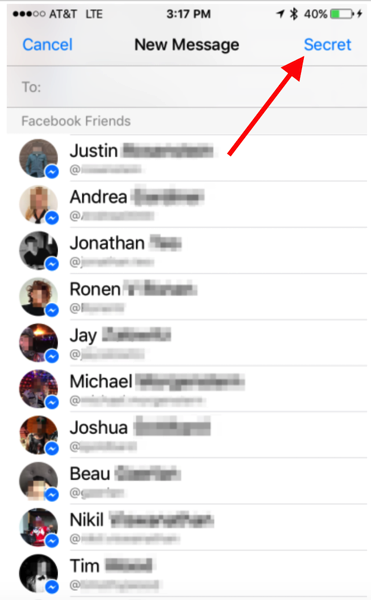
Tap the “Secret” button at the top right. Note that you can’t use features like location, payments or third-party apps in this mode. You will however be able to include photos and stickers.

Step 4:
Now select a friend you want to have an encrypted conversation with, and send messages as you normally do.
That’s it, you now have fully encrypted messages being sent to your Facebook friend.




Very important information.
Especially when you don’t want your spouse to know you’re cheating on them. Lol
But can Facebook read the decrypted conversation?