
Here’s Everything New in macOS 27 Golden Gate [VIDEO]
Apple’s macOS 27 Golden Gate drops Intel support for speed optimizations, an updated search engine, and a global Liquid Glass design slider.
The iPhone 7 was the device that Apple has shipped in the iPhone family that did not include a mechanical home button. Instead, the company used a solid-state pressure sensitive home button that uses the Taptic Engine to simulate a button press.
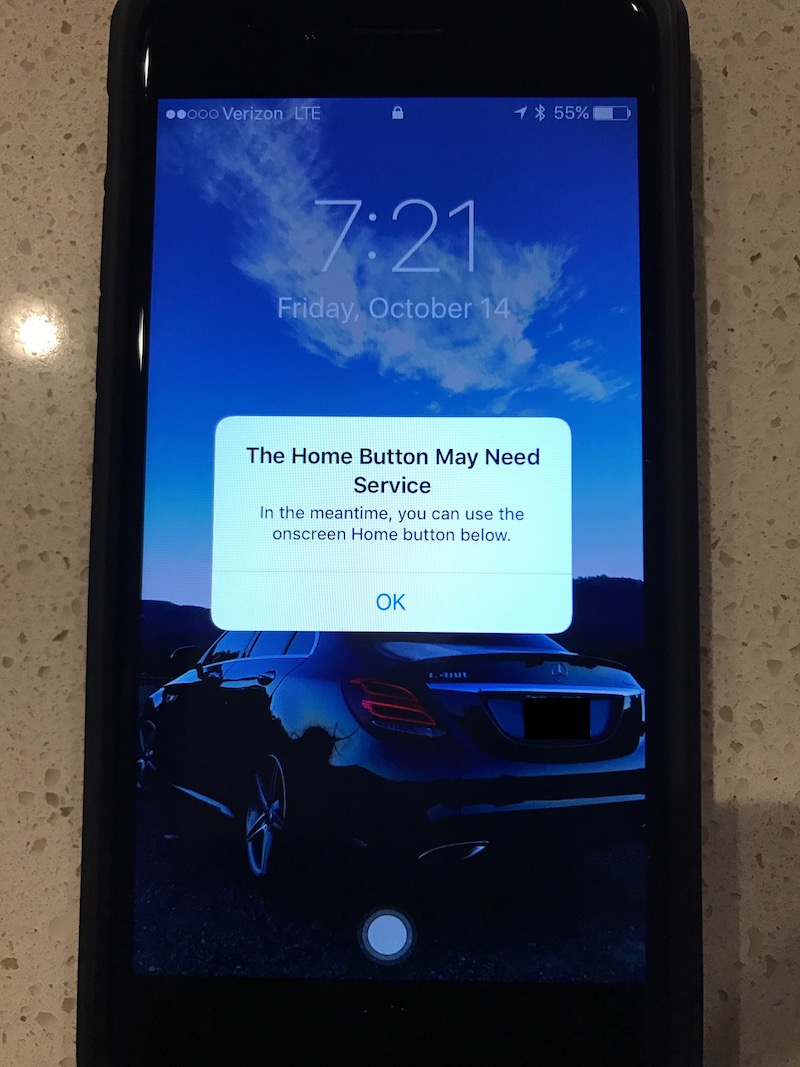
MacRumors forum member ‘iwayne’ has shared a screenshot that illustrates what happens if iOS 10 detects that the home button is unresponsive. Apple has designed a fallback mechanism for the home button so that if the button stops working, iOS 10 will alert the user about the malfunction and instruct the user to use the on-screen home button.
The addition of the new solid-state home button has forced Apple to move some key features of the device. For instance, in order to force reboot an iPhone 7, a user can no longer hold the sleep/wake button and the home button. Instead, the user must hold the sleep/wake button and the volume down button.
Have you been experiencing any issues with the home button on your iPhone 7? Let us know in the comments below.
Want to see more of our stories on Google?

P.S. Want to keep this site truly independent? Support us by buying us a beer, treating us to a coffee, or shopping through Amazon here. Links in this post are affiliate links, so we earn a tiny commission at no charge to you. Thanks for supporting independent Canadian media!


“Anything that can go wrong will go wrong”
Actually that is overly optimistic. The set is much larger: Anything that CAN’T go wrong will go wrong.
Considering how expensive the iPhone is now. Lets hope these problems can re repaired without the need of a device replacement after warranty expires
I put my iPhone 7+ in a running armband that has a clear cover over the front of the phone. Even though it worked fine for my iPhone 6+, the home button on the 7+ doesn’t work behind the plastic cover and thus I can’t turn on the phone. Anyone have any work arounds?
Wow. Build in a Plan B on what is clearly a known issue on a new device. Rather than, y’know, resolve the issue before selling the product. But Apple has a reputation for that on it’s iPhones. No longer are we ‘holding it wrong’ but rather, we’re ‘pushing the button wrong’. Meanwhile, other discovered hardware and software issues go unresolved and denied by Apple until the public uproar goes beyond the Communities and into the tech Press.
That’s a hint right there to the next iPhone in 2017 (rumored to be iPhone 8), no button and hopefully a complete screen from top to bottom on the front!