
Apple’s AirPort Utility App is Being Removed From the App Store
Apple warns that "functionality is not guaranteed" when using AirPort Utility on iOS 27 or later.
Google PhotoScan for iPhone has been released to make it easy for users to digitize their old photos in an enhanced way.
Once you launch the app, it’s really easy to use. You just line up your print photo within the frame, then snap the first shot, as a reference frame. After, it’ll guide you to take more images of your print by moving your iPhone over four dots in each quadrant of your image.
These additional images will scan your image down to the pixel level, to determine where glare is and eliminate it, based on the multiple images taken, using various algorithms.
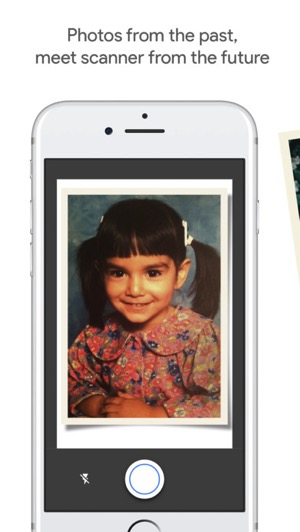
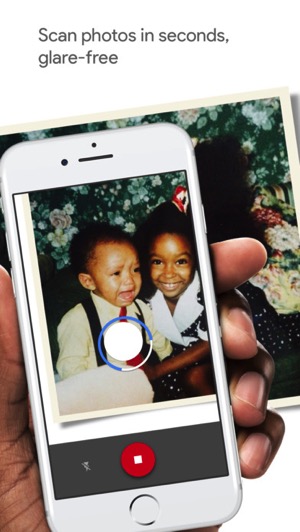
Google told Engadget when you move the phone to each dot, PhotoScan takes multiple images of the print to eliminate glare from light sources, which the company says is the main factor in horrible digital scans of prints.
PICTURE PERFECT AND GLARE FREE
Don’t just take a picture of a picture. Create enhanced digital scans, wherever your photos are.
– Get glare-free scans with an easy step-by-step capture flow
– Automatic cropping based on edge detection
– Straight, rectangular scans with perspective correction
– Smart rotation, so your photos stay right-side-up no matter which way you scan them
We just gave PhotoScan a quick test and it works pretty well. While the process of moving your iPhone to each corner of your print takes time, you do end up with a glare-free scan.
What’s unique about PhotoScan is you don’t need to integrate saved photos to Google Photos—you can save them directly to your Camera Roll, to keep your photo data private.
David Lieb, product lead for Google Photos, told the WSJ the new app is to aimed to compete with companies which offer to digitize your photos, since this solution is fast and free, saying “We make the scanning quick and we do all the work sorting your photos, and the app is free.”
Check out the video below for more:

Here’s a more in-depth look at how PhotoScan works:

Click here to download PhotoScan for iPhone in the App Store. This is a pretty cool app from Google.
Want to see more of our stories on Google?

P.S. Want to keep this site truly independent? Support us by buying us a beer, treating us to a coffee, or shopping through Amazon here. Links in this post are affiliate links, so we earn a tiny commission at no charge to you. Thanks for supporting independent Canadian media!


looks cool!!!
It’s pretty awesome. Give it a try!
And there’s the small prints saying : “by using this app you allow Google to save the content of any scan photo into our servers for eternity”… You bet there are!?