Apple has pushed out firmware 3.7.2 for their AirPods (via MacRumors). The update happens automatically when your AirPods are connected to your iPhone. No word on what’s new in this firmware release, but we can suspect it may include bug fixes and performance updates.
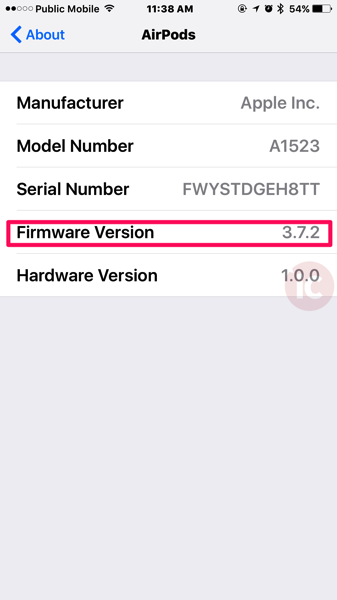
How to manually check your AirPod firmware version? First, connect your AirPods to your iPhone. Next, on your iPhone go to: Settings > General > About > AirPods (it’ll magically appear)

You should see your firmware version and the update should install automatically.
AirPods are still shipping 6 weeks out on Apple.ca. Your best bet is to use a tracker such as IsInStock or iStockNow to track real-time deliveries at Apple retail locations.
Let us know if you’re seeing any differences with how your AirPods are operating after this firmware update.
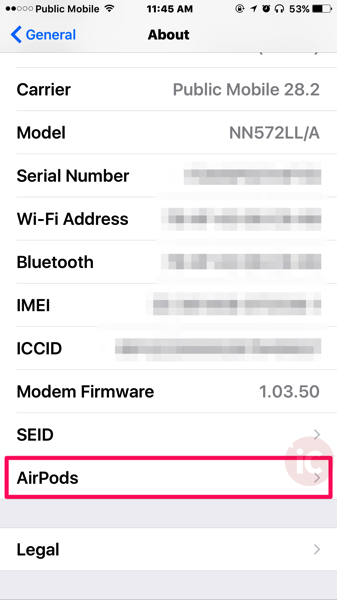



Indeed it magically appeared!
I just checked. Mine also updated automatically.