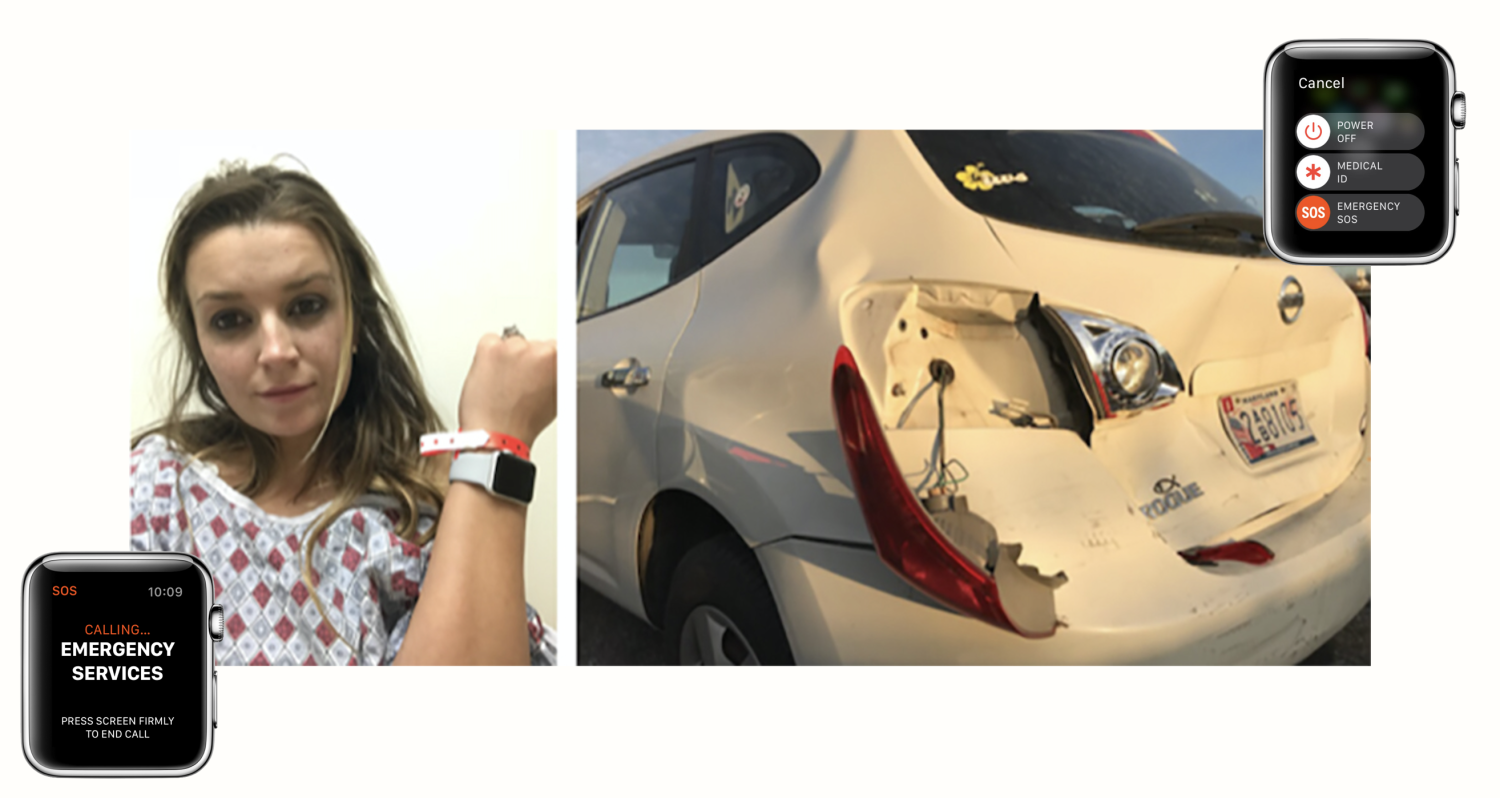
According to a new report from 9to5Mac, the Apple Watch is continuing to save lives with its convenient Emergency SOS feature.
Kacie Anderson, a 24-year-old mother, is the latest example of someone with a life-saving experience with the Apple Watch. Anderson said that the device saved her and her nine-month-old son’s lives when they were involved in a crash caused by a drunk driver.
After being hit by the drunk driver, Anderson used the Emergency SOS feature on her Apple Watch to call 911. This worked out very well for her as her phone would have been out of reach at the time. In an interview with Shape, Anderson said:
“The moment he hit us everything inside the car went airborne. My face took a horrible blow to the steering wheel, headrest, back to the steering wheel, and then to the window. I blacked out for about a minute and could not see. My eyes were wide open but all I saw was black. My hands flew around to feel for my phone and then I realized I had my watch on and commanded it to call 911.”
Anderson said that she has used an Apple Watch for fitness tracking for years, but has never used it for the SOS feature before. She said that she feels “blessed” to be wearing the device after it saved her and her son’s lives.
Apple added the Emergency SOS feature in 2016 when it released watchOS 3. In North America, if you hold down the side button on the Apple Watch for a few seconds it will start to call 911 and send an SOS message to your emergency contact.



On my Apple Watch there is an extra step after holding down the side button for a few seconds: Instead of calling 911 as the article says, a menu appears and then you can select the third option which is for “Emergency SOS”
I mention this becuase if anyone ends up in the same situation as this lady and can’t see, following the instructions in this article would NOT call 911. It might be the difference between life and death to know that there is the extra step of tapping the bottom menu item after holding down the button for a few seconds. Otherwise you’ll be waiting forever for it to call 911 becuase it will never happen.
Also, this is bad design by Apple. Tapping the top of the screen by mistake instead of the bottom will result in shutting down your watch – the last thing you’d want in an emergency.
I think you need to keep holding the button down. When you hold down first goes to the option to shut the watch off, if you keep holding it down it calls emergency services
Yep
My screen looks like this – the watch is on the latest OS. You say you only have the option to shut the watch off at this screen?

You need to turn on the hold to auto call 911 option in the Watch app. With it turned on, holding the side button for an extended period triggers emergency SOS (a short hold brings up the power off screen only). You have it turned off or only held the button down shortly, which is why you see this intermediate screen.
That’s a lot to process during an emergency. I think Apple could have designed it better. As a result we get articles like this that won’t work for everybody, but imply that they do. If I followed the instructions in this article and was blinded as the woman was in the article, I might still be stuck in some ditch not knowing that my watch never called anybody.
If she didn’t use the Emergency SOS feature, wouldn’t she still be able to “command it to dial 911” via Siri?….regardless, I still don’t see how this is any different then using Siri Eyes Free when connected to Bluetooth in the car.
I am sorry but you are joking right? This looks like someone was rear ended in a small car? Coming from someone who was in an almost fatal accident and has been left disabled I feel this is a very irresponsible article.
Further to that, the details from the 9to5 article include the following. While devastating, there is no report of a fatality so the “Fatal” should be removed from the article title.
“While Anderson’s son only suffered bruising and scrapes, her own injuries were more serious. “The ambulance arrived and immediately put me on a stretcher and stabilized my neck and back. I had a severe concussion that caused dizziness and confusion for several weeks, and drainage from my ears and nose because my brain was swollen. My neck has two ruptured muscles, and I now have two bulging disks that I am still seeking treatment for,” she says.”
If it was a ‘Fatal Car Crash,’ wouldn’t that mean that someone is dead as a result? Did the drunk driver die?
Yes, the drunk driver died. He was found slumped over his steering wheel 7km from the accident scene. Apparently, he did not have an Apple Watch.
Ok, I’m heading over to Apple Store to buy that watch now. I don’t wanna die at the young age of 20.
A similar feature was on my Samsung Gear Fit…just press the button 3 times and SOS text was sent with location. It never saved my life and it wasn’t from Apple so I guess it’s not news. My GM Onstar will call emergency services if the air bag is deployed…handy for people who don’t wear a watch.