In a new Apple support document published last week, the company has outlined techniques for avoiding phishing App Store and iTunes emails, following a new wave of legitimate-looking scam emails going around. Apple notes that actual App Store and iTunes emails always include your updated billing information, something scammers may not have access to.
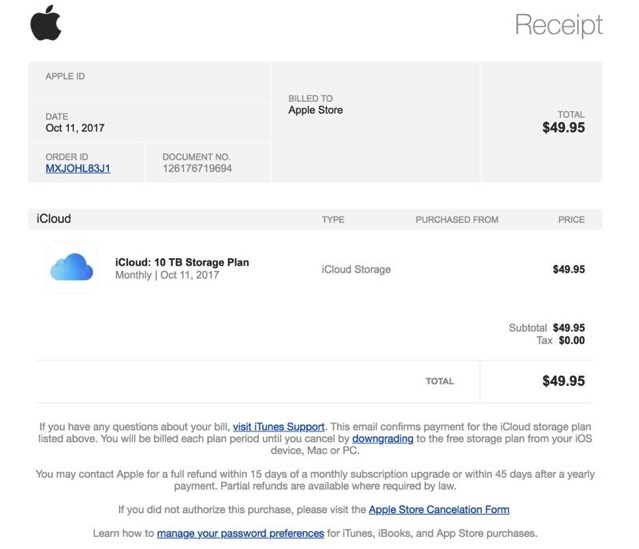
[Phishing email example]
Apple highlights that any legitimate email from Apple, including those from App Store, iBooks Store, iTunes Store, or Apple Music, will never ask customers for confidential information, such as a Social Security Number (SSN, a credit card number, a credit card CCV code, or a mother’s maiden name. The company also says that customers who receive a suspicious email should forward it to re************@***le.com.
Apple recommends that customers who receive emails asking them to update their account or payment information do so directly in the Settings app on an iPhone, iPad, or iPod touch, in iTunes or the App Store on a Mac, or in iTunes on a PC rather than through any kind of web interface.
Any customer who may have entered personal information on a scam website should update their Apple ID password immediately.
To learn more on how to identify an actual App Store or iTunes email, hit up this link.