
Apple’s AirPort Utility App is Being Removed From the App Store
Apple warns that "functionality is not guaranteed" when using AirPort Utility on iOS 27 or later.
Today Google launched its new Gmail redesign, and on top of this, they also launched a new app for iOS and Android called Google Tasks.
This new app allows users to create tasks and have them synced across all devices, and includes built-in integration with Gmail and Google Calendar, to “help you get tasks done—faster,” explains the company.

With Tasks, you’ll be able to create lists of to-dos, and view and edit them from any device. Users will also get to add details and subtasks, while also view tasks created from emails, plus also set due dates and notifications as well. Tasks can be organized by date or by drag and drop.
Google Tasks for iOS out of the box is optimized for iPhone X. The design is very clean and integration with Gmail makes it easy to use (I’m not seeing the option to ‘Try the new Gmail yet’ in Canada on the web). For setting due dates for tasks though, the ability to set a time is not available, which is weird.
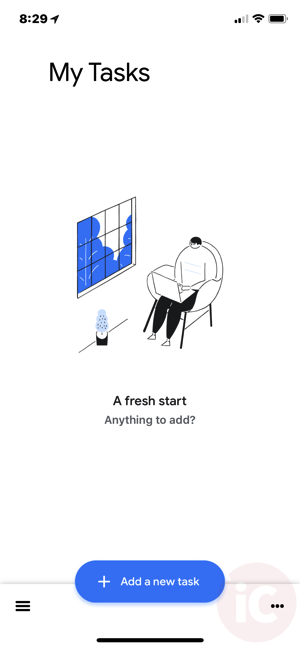
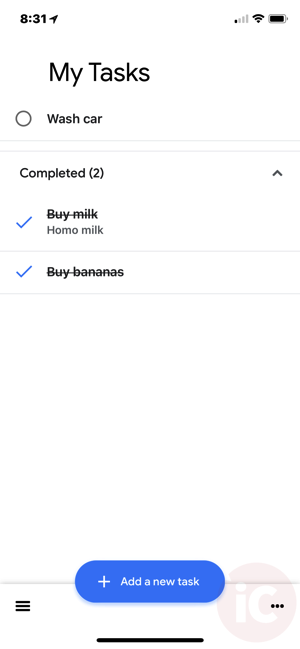
Google says “Start managing your to-do list on the go with the Tasks planner app from Google.”
Click here to download Google Tasks for iOS in the App Store.
Want to see more of our stories on Google?

P.S. Want to keep this site truly independent? Support us by buying us a beer, treating us to a coffee, or shopping through Amazon here. Links in this post are affiliate links, so we earn a tiny commission at no charge to you. Thanks for supporting independent Canadian media!


I’m happy with no time – to me, if it has a time it’s an appointment. A task is just a “get ‘er done today” so no time works for me!
“(I’m not seeing the option to ‘Try the new Gmail yet’ in Canada on the web)”
I just got it a couple minutes ago, on my side. It looks neat! Seems like a lot of the new features (confidential mode, etc.) are for G Suite users only, though. In any case, I’m not seeing any reference to them on my personal Gmail account.
I had to log out and back in for it to appear.
I had to click the Settings in Gmail and pick the Try the New Gmail option. Which also lets you revert (for the time being) back to the classic.
New one looks great. Like the calendar/tasks/keep sidebar, but it broke my POP 3 checking script