While iFixit’s teardown had previously revealed that removing the headband from the AirPods Max does not require any disassembly, but now, it appears that the process is as simple as requiring a standard SIM card ejector tool or even a paperclip (via MacRumors).
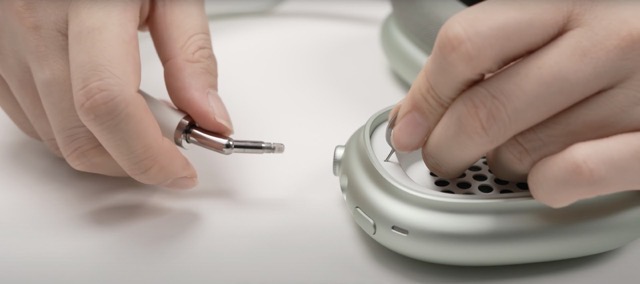
The ability to remove the AirPods Max headband so easily also makes it possible to interchange the headbands to achieve a different colourway. So if you’re planning to swap your existing AirPods Max headband with a difference one, here’s what you need to do:
Step 1:
Remove the magnetic ear cushions.
Step 2:
Fold the earcups flat.
Step 3:
Now insert a SIM card ejector tool (or a paperclip) into the small hole above the speaker to detach the entire headband without even opening the ear cup.
Since Apple does not yet offer separate headbands for colour customization, this hidden feature may exist purely to aid repairability, and may not be intended for general user interaction.



