As noted by the folks over at Tesla North, Starlink internet service is now allowing its beta customers to change their service address themselves by accessing their accounts online, instead of having to contact support.
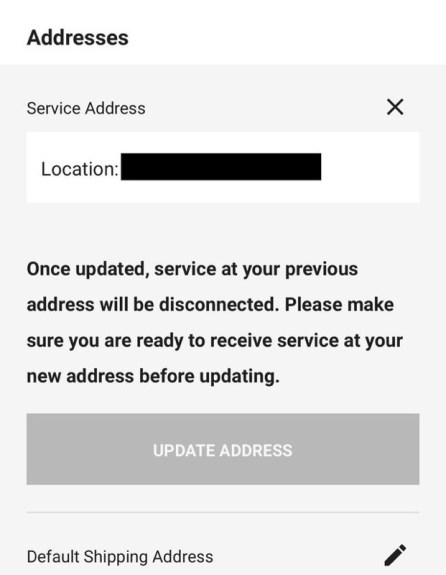
Previously, it was only possible to set up a new address by reaching out to Starlink customer support but now, existing Starlink satellite internet beta testers have the option to move their set up to a new address.
“Once updated, service at your previous address will be disconnected. Please make sure you are ready to receive service at your new address before updating,” notes the Starlink website.
“It means if you have a second home that is now within Starlink internet coverage, you can change locations and start using internet there instead.
Of course, you need to make sure your new address is within Starlink’s service area. You can find this out by filling in your address at Starlink.com.”
The Starlink satellite internet service is in beta and currently available in the U.S., Canada, the UK, Germany and New Zealand.



