Another new video has just been posted to Apple’s Support channel on YouTube, detailing how you can securely erase information from your iPhone and restore your device to factory settings.
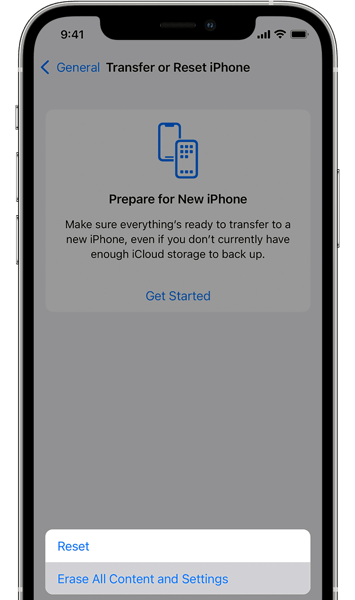
Erasing your iPhone securely removes all information from your device, whereas a factory restore erases the information and settings on your iPhone and also installs the latest version of iOS.
Here’s how you can erase your iPhone in a few easy steps:
- Tap Settings > General > Transfer or Reset and Then tap Erase All Content and Settings.
- If asked, enter your passcode or Apple ID password
- Then confirm that you want to erase your device. Forgot your passcode or Apple ID?
- Wait for your device to erase.
Depending on your device, it can take a few minutes to completely erase your data.
Watch the following video to see how easy it is to erase your iPhone.




