
Sonos iOS and Android App Now Supports Dark Mode

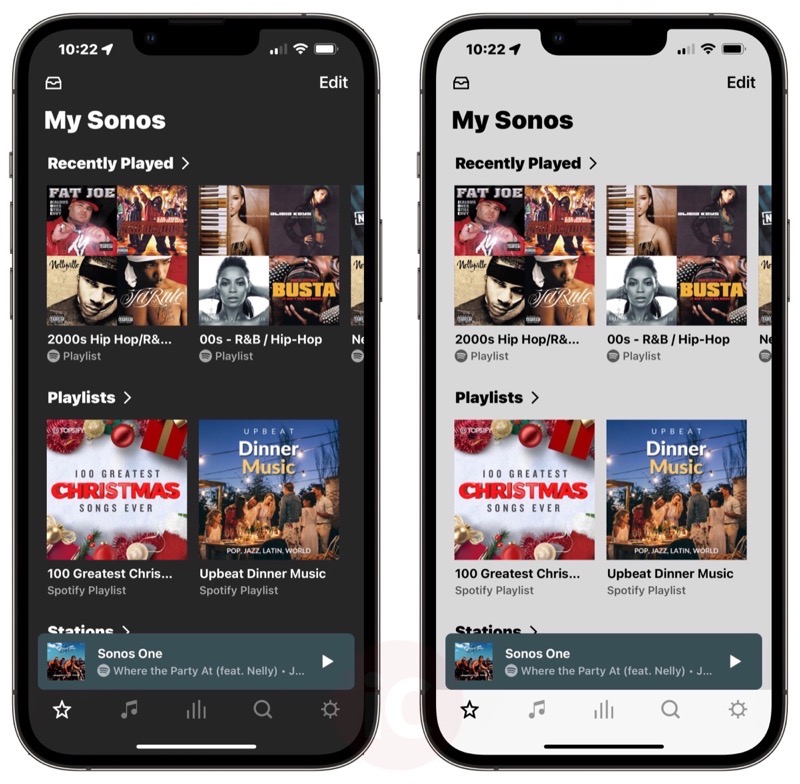
Sonos recently added dark mode support to its iOS and Android S2 app. Dark mode makes it easier on the eyes at night when viewing the app as white pixels show black instead.
According to the company, dark mode will match your mobile device system settings. But you can also manually change to dark mode by opening the Sonos S2 app on iOS and Android, then going to:
Settings > App Preferences > Appearance > Dark Mode
These settings were showing in version 13.3.2 of the app, as seen in our screenshot above. If you’re not seeing this yet, try force closing the Sonos S2 app and launching it again.
Click here to shop Sonos.com, as free shipping and 45-day returns are included.
Want to see more of our stories on Google?
P.S. Want to keep this site truly independent? Support us by buying us a beer, treating us to a coffee, or shopping through Amazon here. Links in this post are affiliate links, so we earn a tiny commission at no charge to you. Thanks for supporting independent Canadian media!