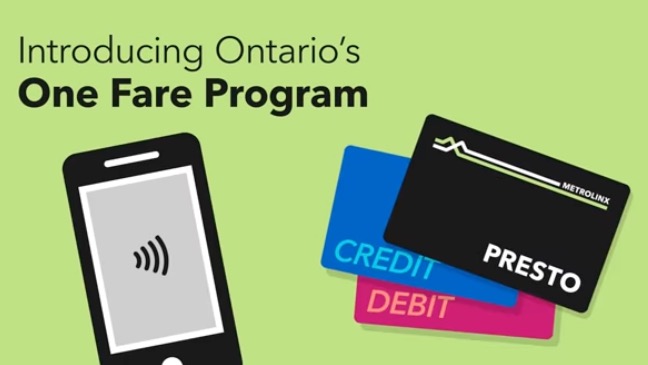
Ontario has launched its One Fare Program today, enabling transit riders to pay a single fare when traveling between the Toronto Transit Commission (TTC) and other regional transit services including GO Transit, Brampton Transit, Durham Region Transit, MiWay, and York Region Transit.
The One Fare program promises big savings for commuters, potentially up to $1,600 annually for an adult commuting five days a week. The program aims to make public transit a more attractive option, encouraging people to opt for transit over personal vehicles for various travel needs, including work commutes, attending events, or visiting family and friends.
“Ontario’s One Fare Program makes transit a more appealing option not only for residents but also for the millions of visitors to our region each year,” says Andrew Weir, Executive Vice President for Destination Toronto, in a statement on Monday.
Gone are the days of being charged double fares for riders. They are now only charged the more expensive fare when travelling between two systems.
“Most visitors to Toronto arrive by air and don’t have a car. Fare integration makes their travel within the destination easier and also encourages visitors to explore more of our region so that more communities benefit from the impact of visitor spending,” added Weir.
Passengers can now tap their PRESTO card, credit or debit card, or use PRESTO in Google Wallet to automatically apply the program’s savings. There is still no PRESTO card support for Apple Wallet yet, nor support for Express Mode. We’ve reached out to Metrolinx for an update and will update this story accordingly. You can still pay with contactless using Apple Pay, but iPhone users are still left out from native mobile wallet support.
Update: A Metrolinx spokesperson told iPhone in Canada in statement, “At this time, the mobile wallet option for PRESTO is only available on Android devices. We are working to add support for additional platforms in the future. Stay tuned for more information.”



Just a note: You can use Express Mode with Apple Pay on Presto system, using your credit or debit card. All you need to do is go into Settings > Wallet & Apple Pay > Express Transit Card and choose your credit/debit card. I’ve been using this for at least 6 months and find this to be a much better option as the credit/debit card receives the same benefits as the Presto card with some additional ones to boot. Namely, you pay as you go instead of having to load the Presto (usually from the same credit or debit card anyway), so that means you pay on a per trip basis. If you load that credit/debit card on the Presto app you can see all your usage history, setup a default trip, basically the exact same benefits as the Presto card itself, making the latter redundant.
Thanks iPab, that is good to know for credit/debit cards. Sounds like it does save an extra step from reloading the PRESTO card!
I have questions.
1. Credit cards have a higher fee than Presto cards. Does this method incur the higher credit card fee?
2. For GO, are you able to use the Presto “Default Trip” function where you only need to tap on?
Happy to answer these:
1. Using your credit card itself or on Apple Pay results in the exact same charge as using the Presto card. My trip using the Presto to Union is $9.59. Using the credit card, I pay the exact same thing.
As it states on the GO website, “Save 15% with PRESTO when tapping your PRESTO card, credit card or mobile wallet.” (https://www.gotransit.com/en/ways-to-pay/fare-information)
However, note that if you’re a senior, youth or student and have a dicounted fare, as a result, you’ll still need to use the actual Presto card itself. As it states on the GO website, “some discounts such as Youth, Student and Senior discounts, are only available with a PRESTO card.” (https://www.gotransit.com/en/blog/tap-with-credit-debit)
2. Yes, you can. I have setup a default. All you have to do is use the credit card once to tap on/off. Then, add the card to your Presto account (in the app) and setup the default trip.
Again, the GO website states the following: “If you travel between the same two GO Train Stations consistently, you can have a default trip set on the physical credit card, physical debit card, or credit card on the mobile wallet you use to tap on a PRESTO device to pay your fare.” (https://www.gotransit.com/en/blog/tap-with-credit-debit)
Thanks for the details. I had no idea. Question if you don’t mind. I added my Amex to the Presto app and I know I used it previously because there was an Amex offer of a rebate at one point and I took advantage of that. My iPhone and Apple Watch use a different card number on the back end, I added the physical card to the Presto app, is that what I was supposed to do? Also the links in your post are throwing errors when I click on them like they are dead links or something.
Yeah, I don’t know why the links aren’t working but go on the Go Transit website and search for contactless payment and all the information I cited is there in various pages.
As for your card, add the actual credit card number on the card itself, not the one on the iPhone/Apple Watch. The system will know that number is connected to your actual card. You’ll see that under “My Cards” in the Presto app, the AMEX will actually have the last 4 digits of the Apple Pay method.
Thanks for the information. I was successful at setting this up per your clear instructions.
I wrote a much longer response, but for some reason it wasn’t approved (at least yet), so I’ll just make this quick:
1. The fee for paying with a credit card is the exact same as for the Presto. My commute costs $9.59 whether I use the Presto OR the credit card.
2. Yes, for GO, you are able to set the “default trip” where you only tap on. I did that with mine. Use the phone once to tap on/off, then add your credit card to the Presto app and setup a default trip.
Had no idea about this, thanks so much for the tip! I agree, using debit/credit on TTC is so much more convenient than loading Presto. I don’t really care if they ever add it to Apple Wallet now that we can just tap our CC.
Looks like the only thing you miss out on not carrying your Presto Card is “Presto Perks” discounts (e.g. getting 20% of Union Chicken)
True. I carry my Presto Card in my wallet as a backup, so can still access these discounts. But it’s much more convenient to whip out the phone rather than the wallet and have to pull the card out.
It really has been such a dream to tap your phone instead of reaching for the PRESTO card, and as you said, all of the functionality is the same (at least for adult fares).
Absolutely!
I set my credit card up under settings like you said. It stated that it will work without Face ID or a password. Does this mean now that my credit card is open to being tapped from my phone without validation? If my phone gets stolen, anyone can just freely tap with my phone on any payment machine? Even non-presto payments?
It’s only for transit payment terminals. Any time you use Apple Pay at a payment terminal, you’ll have to still validate using FaceID. If your phone gets stolen, you can disable the feature on iCloud.com through Find My. You set the phone on Lost Mode and all payment capabilities are locked.
Except for one thing express transit mode does NOT work on subway stations, it only works on ttc buses and streetcars
Is this issue of not being able to add Presto to the Wallet just the alternate fare classes (student, senior, etc.). The way Presto machines now function, charging whichever payment option you decide to use AND tracking the device used for the purpose of transfers, really removed the need of a Presto card in the Wallet for the adult fare, and I don’t think it’s a coincidence almost no other transit system has this option. Seems most systems have already figured out better solutions.
How can we still be so far behind the rest of the world that this is still news?