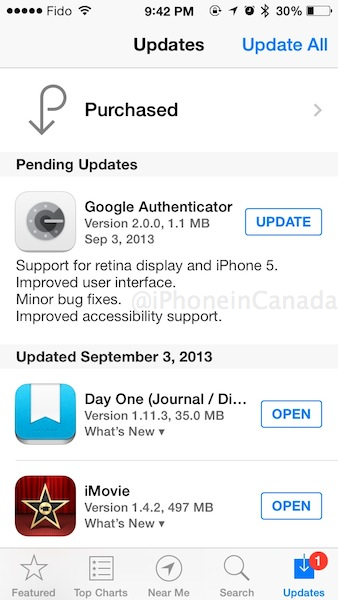
Google Authenticator for iOS has been updated to 2.0, which should please iOS 7 beta users as the latter caused the app to not function properly. Also part of this update is support for the Retina display and also the iPhone 5:
What’s New in Version 2.0.0
Support for retina display and iPhone 5.
Improved user interface.
Minor bug fixes.
Improved accessibility support.
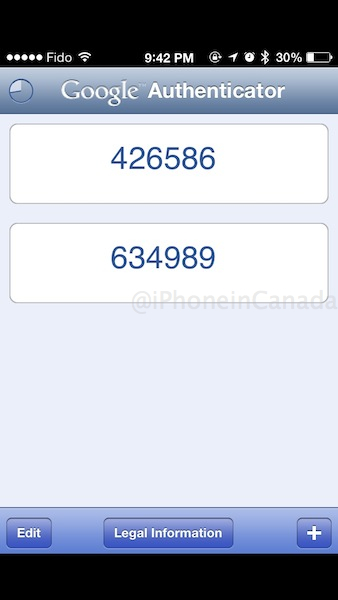
The updated app looks great and 2-step codes now are larger and easier to read. Below is the old app, which looks pretty horrific:

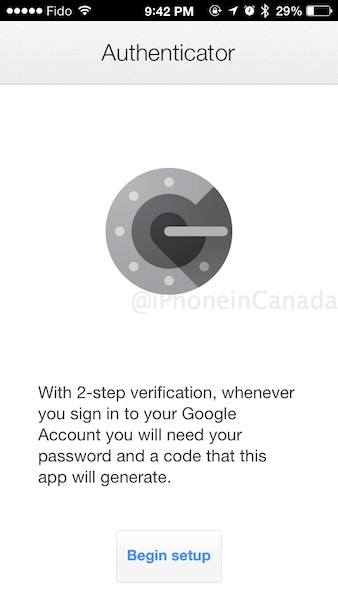
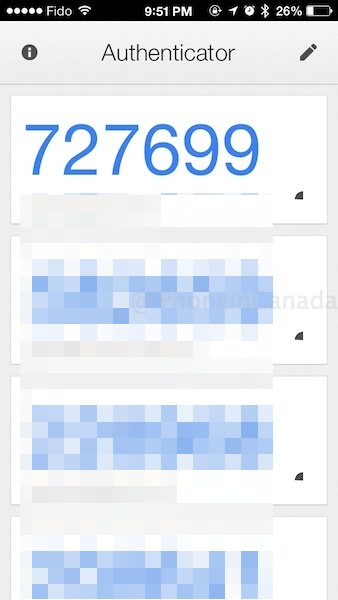
….and here is the new 2.0 update, which looks pretty damn good and has similar design cues from Google’s family of iOS apps:

Do note once the update is installed, you will be required to re-add your accounts. How to do this? Easy.
Go to your Google account settings (on your computer is probably easiest) > Security > 2-step verification (click ‘edit’; it’ll ask you to re-enter your password) > click on ‘Move to a different phone’ > Launch the Google Authenticator app on your iPhone, tap the check-mark in the top right corner > tap the ‘+’ icon > Scan Barcode > scan the code on your monitor with the app > when account is added, enter the 6 digit code on your computer. Done.
Google Authenticator launched back in Feburary of 2011 and is also used by Dropbox as part of its 2-step security process. I would highly recommend you take the extra time to setup 2-step security on your Google and Dropbox accounts for extra peace of mind.
Click here to download Google Authenticator 2.0 for iPhone–it’s free. Let us know how you like this update!
Update: The app has been pulled from the App Store, most likely because of the update bug which deletes your existing accounts.



“The item you’ve requested is not currently available in th Canadian Store.” Cool, thanks for the heads up iPhone in CANADA
The app was pulled by Google from the App Store due up the bug which deleted your accounts after the update. Hope that’s clear for you LEE. ????
Not available in Canada! Wasted minutes of my time and probably yours
Read above. “Stop crying!” -Arnold
who are you?
For MSN account, you need to get to your account settings, security information, the remove your current application association. Then you create a new one.