Apple’s AirPods are really great wireless headphones. But did you know they can also act as an iPhone stand, specifically the charging case?
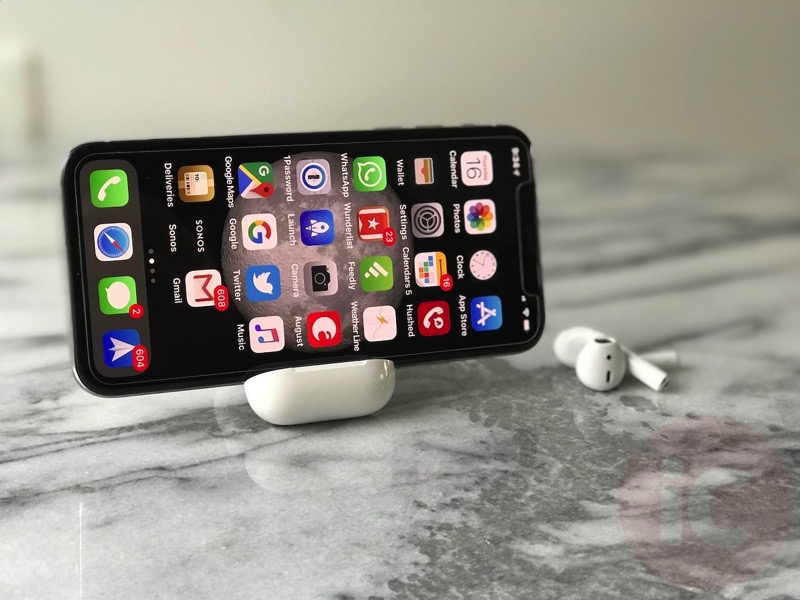
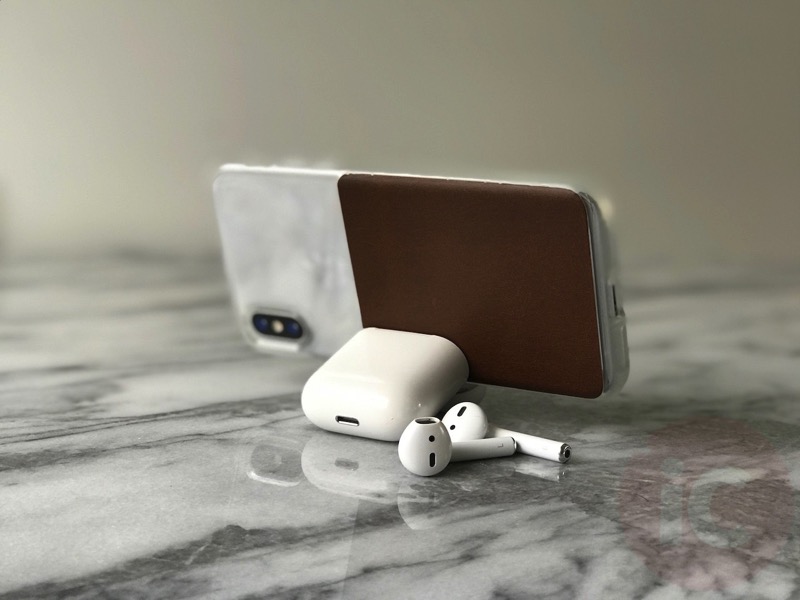
All you have to do is open the charging case lid without the AirPods inside, then carefully rest your iPhone inside in landscape.
We tested this out with our iPhone X both with and without a case (Nomad’s Clear Case for iPhone X), and it worked—but not without failing after the first couple tries. It seems to work better if you ‘pinch’ your iPhone with the lid, as that makes it stay put a bit better:

Portrait mode on an iPhone 7 Plus making things ‘disappear’ again…
This little trick was shared on Twitter by developer Omar Elfanek. So if you’re desperate for a makeshift iPhone stand to watch Netflix or YouTube at work, just use your AirPods case, since you’ll most likely have it with you anyways.
Let us know if you’re going to try this!



I literally just discovered this myself yesterday. I have the Defender OtterBox, so it stays really well.
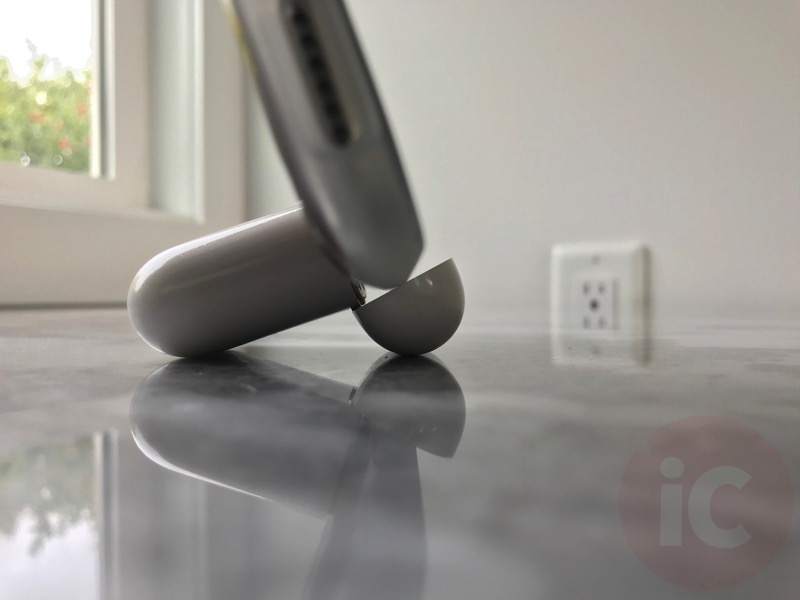
Isn’t that going to damage the hinge? I dunno, maybe I’ll give it a try sometime, but the pictures are making me cringe.