This morning WhatsApp announced it will soon share user phone numbers and other analytics data with Facebook, to show users “better” ads and friend suggestions. The move is controversial since WhatsApp’s CEO pledged to maintain user privacy when Facebook acquired the messaging app over two years ago.
There is no way to completely opt-out of data sharing with Facebook, but WhatsApp is offering one partial way to be excluded from ad and product-related targeting on the social network.
TechCrunch asked WhatsApp why there is no full opt-out method—here’s what a spokesperson responded:
“We understand people with WhatsApp accounts might want to opt out of sharing their account information to improve their Facebook experiences. They have an additional 30 days to opt out after accepting the new terms so they have time to consider their choices.”
While that’s not an answer, it just reiterates one of two ways users can opt out of data sharing to Facebook.
How to Opt Out of Sharing WhatsApp data to Facebook
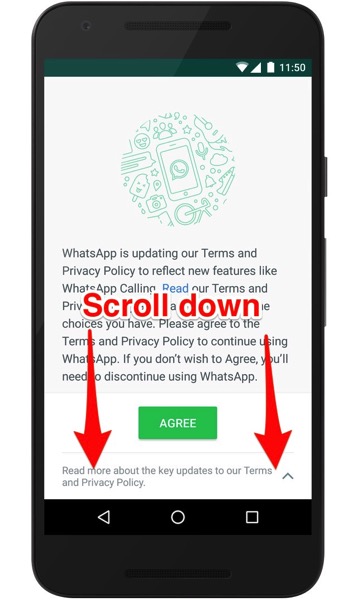
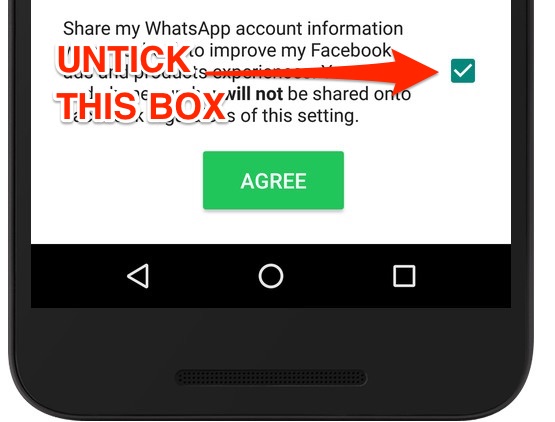
Option 1: when the new WhatsApp Terms and Privacy Policy is released, it’ll pop up when you open the app. Do not click ‘AGREE’, but scroll down to the bottom of the document and un-tick the box that will opt you out of account info sharing to Facebook:

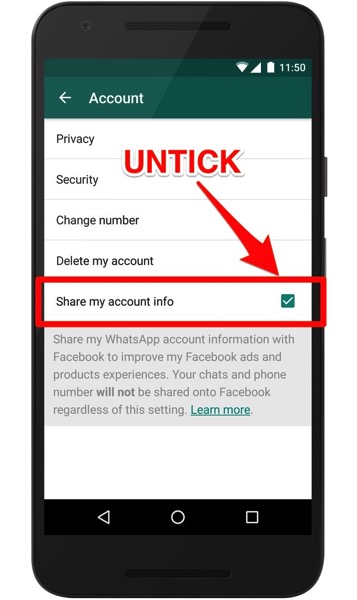
Option 2: Did you accidentally tap AGREE without opting out? WhatsApp says you have 30 days to reverse the decision. In WhatsApp, just go to:
Settings > Account > “Share my account info” and un-tick the box:

This information on how to opt-out comes from WhatsApp’s support document, which for now, only supplies Android screenshots. So for iOS users, it should be similar.
Even if you opt out, WhatsApp explains the Facebook family of companies will still “receive and use this information for other purposes such as improving infrastructure and delivery systems, understanding how our services or theirs are used, securing systems, and fighting spam, abuse, or infringement activities.” Pretty clear, right?!
There’s a third option—delete your WhatsApp account or associate it with a different number.
Let us know what you decide to do!
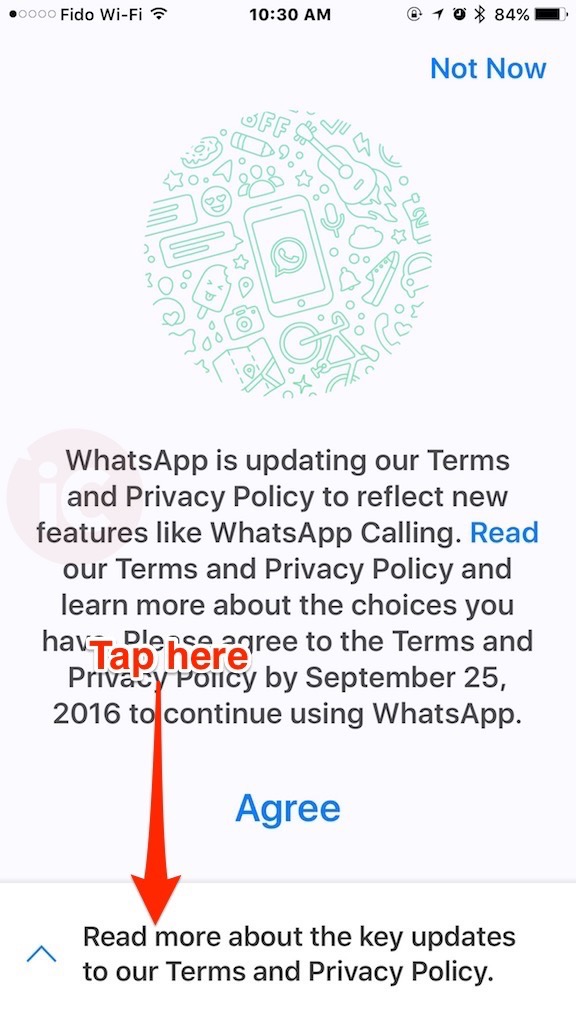
Update August 27, 2016: Added iOS screenshots on how to opt-out, below.
First, tap on the bottom to see terms:

Next, just toggle OFF the setting below:
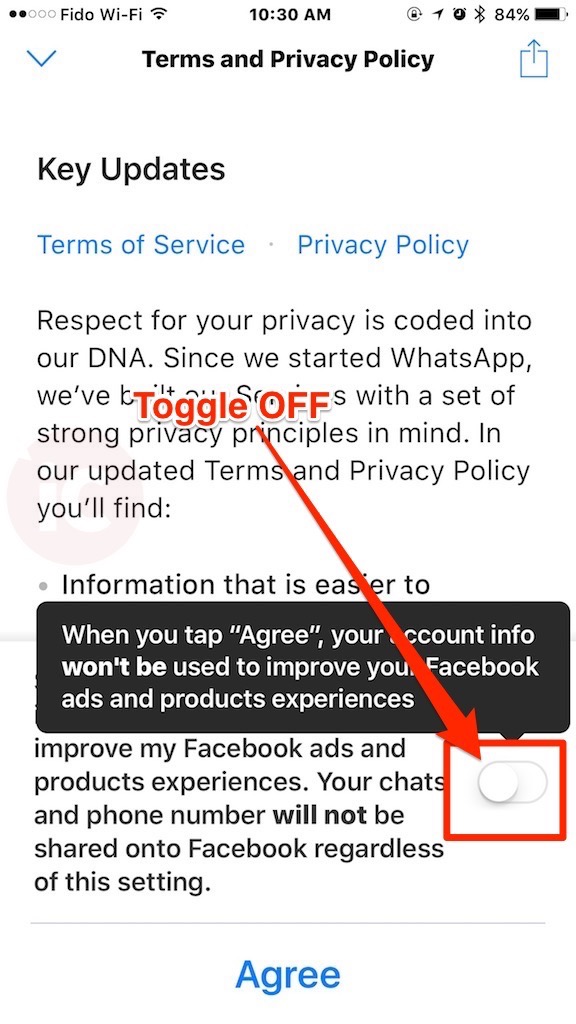



For those of you with the IOS version already installed:
1) Deleted the app
2) Reinstalled the app
3) Agree to terms
4) Go to Setting >Account> Toggle off “Share my account info”
5) Done.
Don’t agree to terms. Scroll down to the end and unselect.
Reinstall iOS version does not allow to scroll down at first run. Link to read terms invokes web page. Agree & Continue is the only way to proceed. Also, “Share my account info” does not exist on Account screen.
Before reading this, I had already opted out. Unlike many apps this one did not try a “back door” approach to get you to sign up.
On iOS, If you accidentally ACCEPT, going back to Settings > Account > Share My Account Info and unchecking it does the trick. Exiting WhatsApp and going back to the same screens removes this option completely.
Awesome Gary. You put a ton of work into this. Thank you so much!