Yesterday we told you how to setup Siri to send tweets for you to Twitter. Today, we will show you how to get Siri to post Facebook updates for you using the similar method. Just add your phone number to activate Facebook Texts, add Facebook’s SMS number as a contact named ‘Facebook’, and voila.
How to Get Siri to Update Your Facebook Status
1. Go to Facebook.com/settings and go to the Mobile tab.
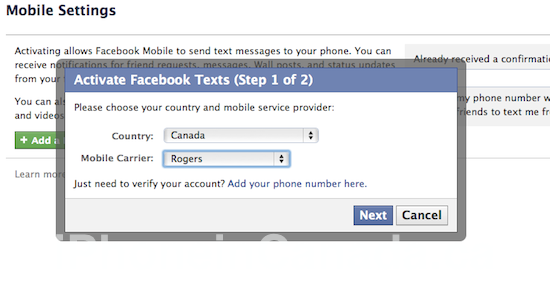
2. Click Add a Phone. Choose Canada and your carrier. Click Next.
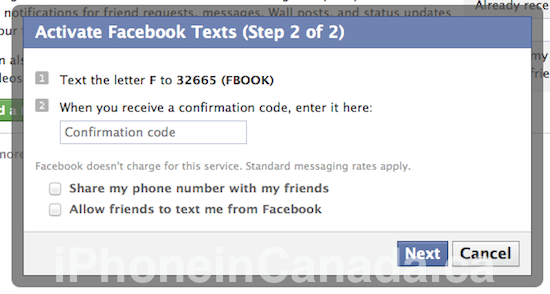
3. Text the letter ‘F’ to 32665 (FBOOK) to receive a confirmation code. Enter that code and click next.

4. I opted to turn off all text notifications from Facebook.
5. Save the number 32665 as a contact with the first name, Facebook.

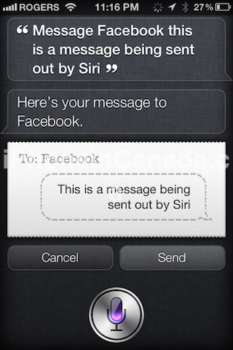
6. Ask Siri to ‘message Facebook _____ ” and voila!
The result:

Here are a list of SMS commands for Facebook:
Of course, make sure you have an adequate SMS plan if you are a Facebook junkie. Siri can now update both Twitter and Facebook for you.
Next week, a tip on how to get Siri to replace your brain. Let me know how this works for you!
Thanks Christian L. for the tip!