
SpaceX Revives Starlink Mini Hardware Bonus for Top-Tier Subscribers
SpaceX has brought back the popular free Starlink Mini rental perk and 50% Roam discount for Residential Max subscribers in the US and Canada.
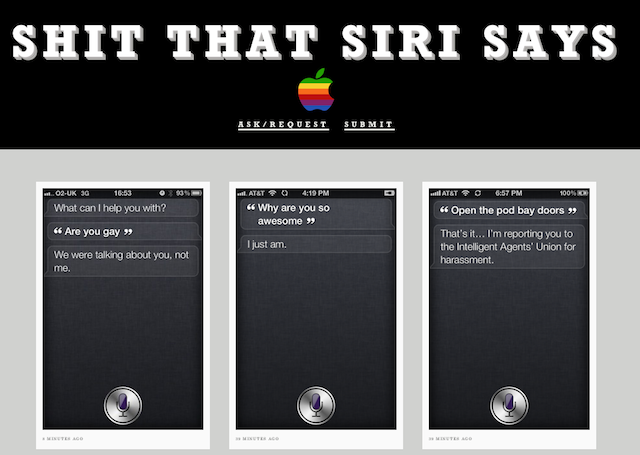
The release of the iPhone 4S has turned millions of people into instant BFFs with Siri (check out our hands on video), the new ‘humble assistant’. Siri has definite character–she’s sassy, helpful, and can sometimes seem down right moody. Although she is slightly held back in Canada in terms of finding restaurants and map locations, she still is damn smart.
I’ve had my fun with Siri, asking her about the meaning of life (she doesn’t just say ’42’) and where she’s from (yes, pretty tame so far). To check out some of Siri’s finest moments, the newly created Tumblr page Shit Siri Says will let you see some of her finest moments:
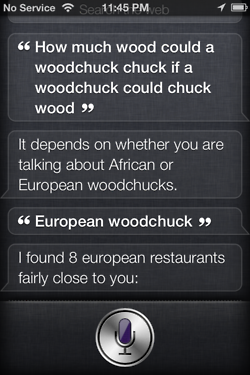
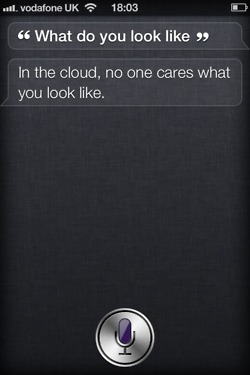
Thanks @buzzbishop!
Want to see more of our stories on Google?

P.S. Want to keep this site truly independent? Support us by buying us a beer, treating us to a coffee, or shopping through Amazon here. Links in this post are affiliate links, so we earn a tiny commission at no charge to you. Thanks for supporting independent Canadian media!


Me: I love you Siri.
Siri: All you need is love. And your iPhone (Already a classic I know)
OMG this is too funny!
That’s awesome! I’m sure Apple will be adding a lot more answers as time goes on. Too funny!
hahaha 🙂
ROFL
oh so this is what apple employees do on their spare time; make funny siri commands … lol
Apple has managed to create a technology people go crazy over despite an “underwhelming” phone lol.
Underwhelming my ass lol.
Are you out of your mind!!!!
This iPhone 4s I’d the King of phones. (for now).
Anyone know of a way to submit bug reports? There are a couple of bugs I’ve found so far.
When you’ve got previews of messages disabled so they don’t pop up on your lock screen and you ask Siri to read the message to you it says ‘New message from (name)…… (pause)… you can reply or read it again’ – it never reads the message. Then if you say read it again it says it can’t look up places in Canada. It also read me a message and then said you can reply or read it again, I said reply and it went to the reply for an email I was just viewing.
Yea I have actually had the same issue….
It is under notifications in setting
How do I disable message preview on the lock screen? I can’t find that option for the life of me!
Yep, notification settings. Ive figured out that a workaround is to just not show anything on the lock screen when you get a text, then Siri can still read your text. Not ideal but I’m sure it will get fixed, or bitesms will take care of it when a jailbreak comes out
Notification then msgs then switch it deon banners to a different one