Apple on Monday spent a lot of time talking about the big features coming to iOS 11 this fall. Among them is an emphasis on augmented reality, productivity features for the iPad, and Siri that Apple says is now more useful.
Among the vast amount of updates, Apple showed off a slide that showed off many other features coming to iOS 11. One of the items on that list is Wi-Fi password sharing.
Have you ever wanted to share your Wi-Fi password with friends and guests without having to give your password away? Apple’s iOS 11 finally makes this possible!
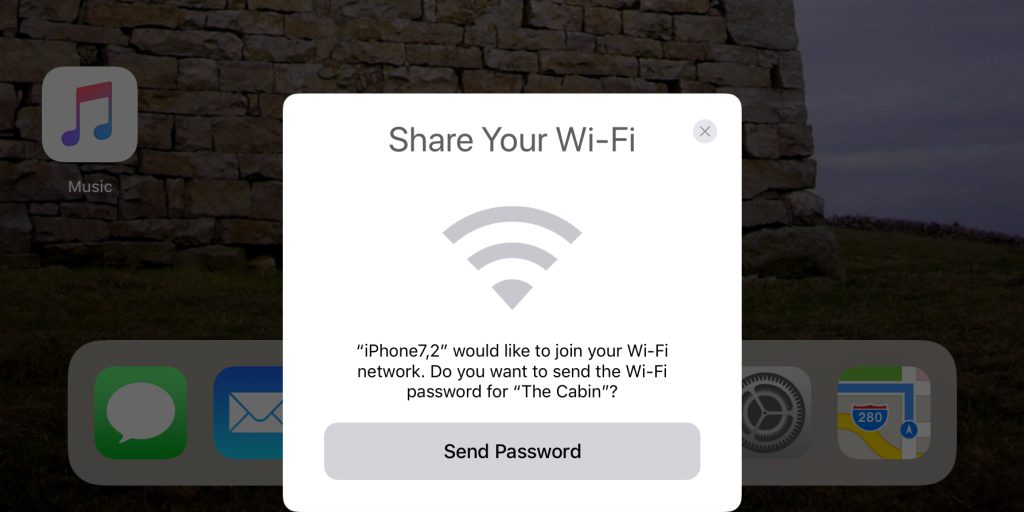
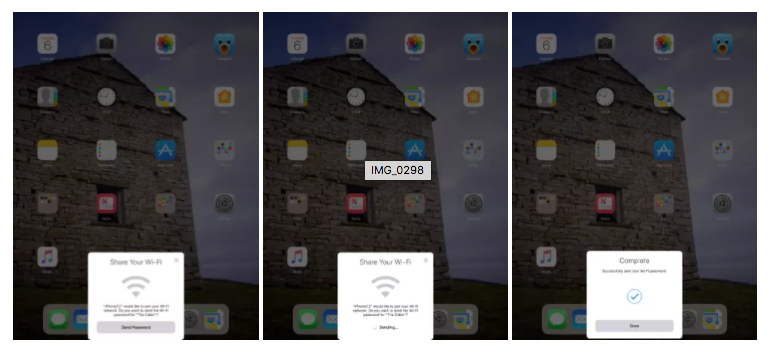
A new wizard interface within iOS 11, which looks very similar to the AirPods pairing process, makes it really simple for a network owner to invite another device to use that network without having to search around for the Wi-Fi information on the back of the router.

When another iOS 11 device on Settings > Wi-Fi screen is brought nearby to an iOS 11 device already connected to that Wi-Fi network, a new pop-up card is displayed saying that that device is attempting to gain access.
A single tap on the already connected device will instantly send the necessary password over-the-air to the second device and fill in the necessary password fields. That instantly removes the need to share a password in plain text with others.
[via 9to5Mac]



awesome!
I agree, this will be so handy. But we will still have to tell the code to ones android friends.
I don’t invite android people over.
Good point 😉
I wonder if/how a network admin will be able to restrict authorized users on a wifi network from allowing un-authroised users from joining the network via this feature…
I don’t really see this as any different from how it is now. Networks with higher security needs wouldn’t be using single password WPA2 wifi anyways.
I also wouldn’t be surprised if there’s an administrative setting to disable a person’s ability to share the wifi network.
And also, while it is only a deterrent because of MAC address masking, network administrators can also add MAC filtering in more basic networks to disallow people from sharing passwords… you know… as long as those people aren’t techie…
There are a few ways, depending upon what equipment you have. A simple command on a computer gets you the wi fi password anyways, keeping it “secret” is no type of security in this sort of case as a computer user could copy it too, once they have it.