After months of rumours Netflix was set to introduce offline downloads, the company has made it happen in its latest iOS and Android updates, available globally.
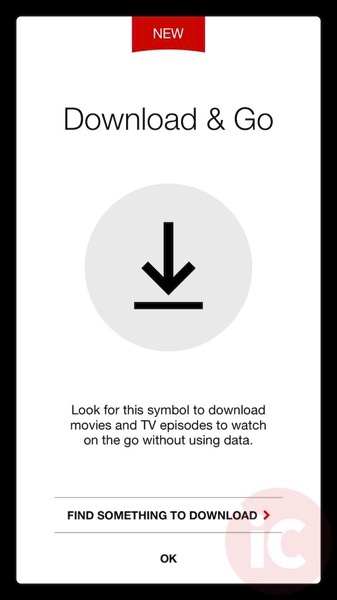
The moment you update the app and open it, you’ll be greeted with this screen, which tells you to look for this download arrow icon to see eligible shows to save for offline viewing:
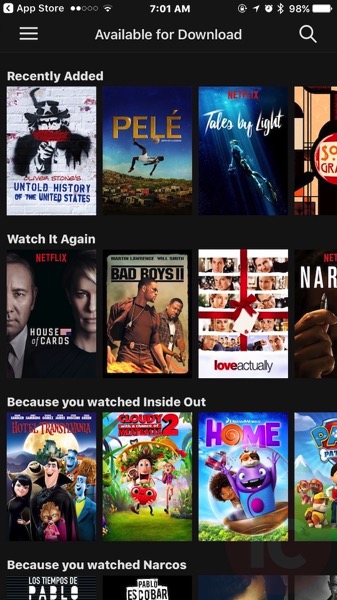
Offline downloads are not limited to Netflix original shows, as you can see in our screenshot below. Tap on a title, and in our case, we went with Bad Boys II (great movie):

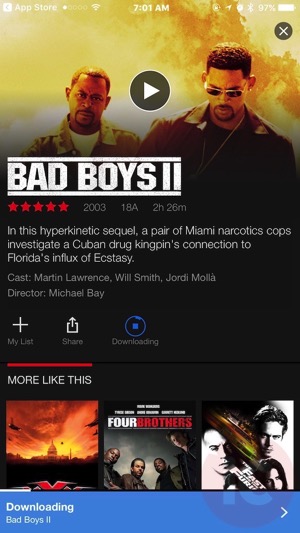
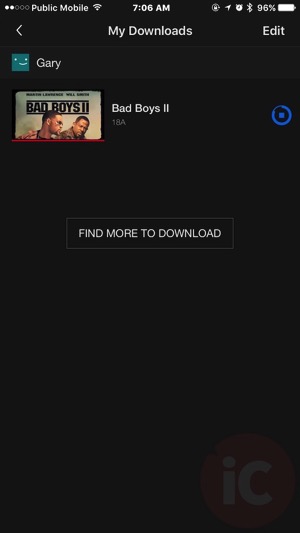
As you can see below, after tapping the download button, the movie starts downloading:

Here I am watching the movie offline—note Airplane Mode is enabled for reference. The quality is not bad for Standard.

To change download quality, tap the Netflix menu icon, then go to: App Settings > Downloads > Video Quality > then select Standard or Higher video quality.
Of course, higher video quality will take up more space, so if you have a 16GB iPhone…pick standard.
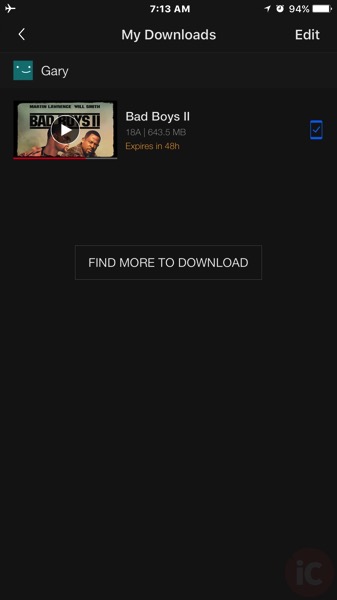
Interestingly, downloaded content will expire (like a digital rental), with our Bad Boys II download noting we have 48 hours left to watch it. The download size came in at 643.5MB, so offline downloads will definitely take up some space:
You can delete individual downloads by swiping each title to the left and tapping the red delete icon, or go to App Settings to bulk delete all downloads.
If you commute on public transit and don’t have a huge data plan, offline downloads with Netflix is pretty much a gift from the gods.
This is yet another awesome feature which makes supporting Netflix worthwhile. The Canadian library does have some gems, but you need to find them. Netflix original series shows are top notch on their own. Netflix says more shows are being made for offline download all the time.
Click here to download Netflix for iOS. The offline download feature requires iOS 8 or higher. Let us know how you like this!
Update: BuzzFeed News asked the company whether the entire catalogue would be available for download, here’s what Netflix said:
“Netflix is working with lots of partners globally to get downloading rights for the bulk of the content on our service. This is an ongoing effort as we know consumers want this capability and we are working to provide it.”
Also, a Netflix spokesperson says if you travel abroad, you may be able to download shows unavailable in your home country. If you download shows in Canada, then travel abroad, you may not be able to view them if Netflix doesn’t own rights to those titles in the country your visiting, the company confirmed. The same goes for content downloaded abroad–you may not be able to view them when you arrive at home.




If you go into the App Settings, there’s also an option to “Delete All Downloads” from your Netflix app. I would assume that’s so you don’t have to wait 48 hours to free up that space on your phone/tablet.
This will be great for airplanes and the passenger seats of cars.
Ah, yes good point. The traditional ‘swipe to the left’ also works on individual downloads too.
Bad Boys II was terrible … there was no need for rats to have sex.
What if you saved a movie and flew to another country where that movie wasn’t available on local Netflix? Would the movie get to be removed once you connected to wifi?
Check our latest post update: Yes, the movie won’t be viewable and the same goes for content downloaded abroad, when you try to watch it back in Canada (if Netflix doesn’t have the rights to it here).
Excited about the new feature, but the 48-hours limit sucks. I was hoping to download a bunch of stuff before going to my parents for the holidays (they have a really awful internet connection), but looks it won’t really work out for me.
I don’t think all downloads have the 48-hours limit. I’ve downloaded a few TV shows and movies and I don’t see any limit.
Maybe it’s on a title-to-title basis, depending on whatever the licensing deal is with the different distributors.
Probably. So it’s not so bad 🙂
From what I’ve read, it’s like on-demand rentals. The 48 hours only starts ticking down once you first start to watch, not as soon as you download it.
Oh, makes sense! Thanks for the info!
Wow nice… this is very handy at work