Earlier today, Apple pushed the full and final version of iOS 6 to the general public, two days ahead of the official iPhone 5 shipment date and now, the company has released the OS X Mountain Lion 10.8.2 update, which can be downloaded via Software Update in the Mac App Store. The 10.8.2 update size is 365MB.
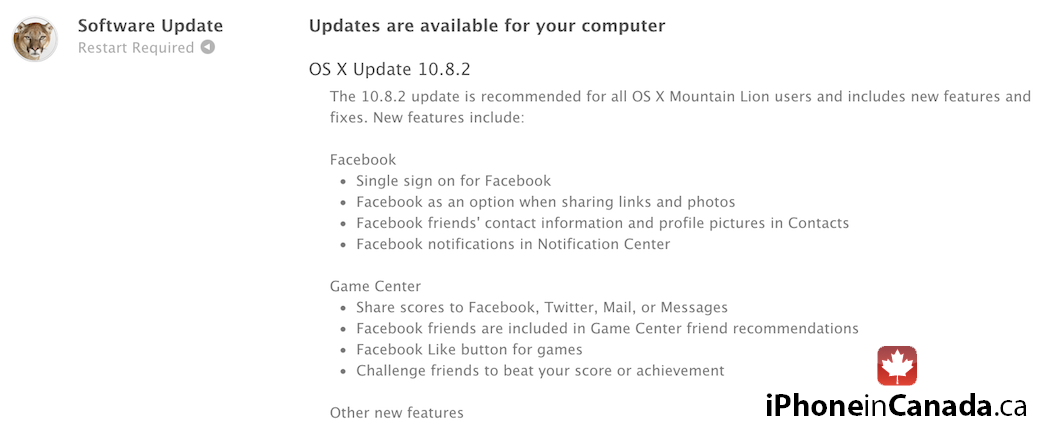
The update introduces a bunch of new features and enhancements, among which the most noticeable are the Facebook integration, Game Center support and Power Nap support for late-2010 MacBook Air laptops. The update also introduces support for Passbook passes and iMessage/FaceTime access via phone number.
Below is the full change-log for OS X 10.8.2:
Facebook
- Single sign on for Facebook
- Adds Facebook as an option when sharing links and photos
- See Facebook friends’ contact information and profile pictures in Contacts
- Facebook notifications now appear in Notification Center
Game Center
- Share scores to Facebook, Twitter, Mail, or Messages
- Facebook friends are included in Game Center friend recommendations
- Added Facebook “Like” button for games
- Challenge friends to beat your score or achievement
Other new features
- Adds Power Nap support for MacBook Air (Late 2010)
- iMessages sent to your phone number now appear in Messages on your Mac*
- You can now add passes to Passbook (on your iPhone or iPod touch) from Safari and Mail on your Mac*
- FaceTime can now receive calls sent to your phone number*
- New shared Reminders lists
- New sort options allow you to sort notes by title, the date you edited them, and when you created them
- Dictation now supports additional languages: Mandarin, Cantonese, Spanish, Korean, Canadian English, Canadian French, and Italian
- Dictionary app now includes a French definition dictionary
- Sina Weibo profile photos can now be added to Contacts
* Requires iOS 6
General fixes
The OS X Mountain Lion v10.8.2 update also includes general operating system fixes that improve the stability, compatibility and security of your Mac, including the following fixes:
- Adds an option to discard the changes in the original document when choosing Save As
- Unsent drafts are now opened automatically when launching Mail
- Receive Twitter notifications for mentions and replies from anyone
- URLs are shortened when sending tweets from Notification Center
- Notifications are disabled when AirPlay Mirroring is being used
- Adds SSL support for Google searches from the Smart Search Field in Safari
- Adds a new preference to have Safari launch with previously open webpages
- Resolves an issue that may cause the “Enable Autodiscover” checkbox to always remain checked
- Enables access to the Mac App Store when Parental Controls are enabled
- Support for @icloud.com email addresses
- Resolves a video issue with some VGA projectors when connected to certain Mac notebooks
- Addresses an issue that may prevent Active Directory accounts from being locked out
- Resolves an issue that may cause the policy banner to re-appear prior to logging in
- Improvements to SMB
- Addresses an issue with NIS users when auto-login is enabled
- Addresses an issue in which the Keychain may not be accessible
- Ability to pre-authenticate a FileVault protected system
- Addresses an issue that may cause Xsan to not automatically start after migrating from Mac OS X Snow Leopard



Sweet. The imessage also showing on cell phone feature, will make me use imessage on my mac more.
My body is now ready for Mountain Lion.
Facebook is not in my notifications and I’ve updated to 10.8.2
You have to sign into FB under system preferences, mail,contacts&calendars, once you do this, FB shows up in notifications.