Hot Tip: Watch Netflix USA Titles With Your Netflix Canada Account via VPN

Update 1: Some users have experienced HotspotShield disconnecting. The VPN service Hide My Ass is only $6/month and has worked consistently for many iOS and Android users. Check it out here.

Are you still subscribed to Netflix Canada? You jealous of Netflix USA’s hot titles, compared to our initial offerings after a year here in Canada? Well, you’re going to love the following hot tip–you can access the entire Netflix USA library with your Canadian account, just by using a free VPN, such as Hotspot Shield.

This service is free, but ad-supported (you can click the ‘x’ and ads will disappear) and works for both Mac/PC. You might recall Hotspot Shield also provided a free VPN for iPhone/iPad users. Their dedicated iPhone page is no longer up and running, but the VPN accounts still work.

Setting up Hotspot Shield VPN on your iPhone, iPad, or iPod touch

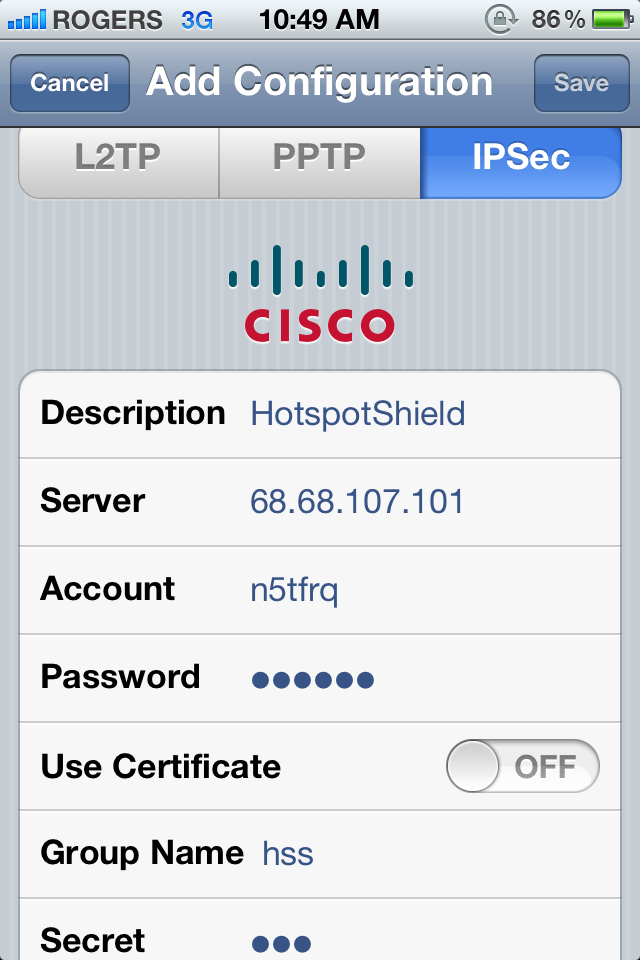
1. On your iOS device, go to: Settings -> General -> Network -> VPN -> Add VPN Configuration:

Enter the following details:

Select the IPSec tab/pane
Description: HotspotShield
Server: 68.68.107.101
Account: n5tfrq
Password: n5tfrq
Use Certificate: OFF
Group Name: hss
Secret: hss


2. Go to Settings–VPN–toggle it ON. You should see a tiny VPN icon in the Status Bar.

3. Clear the Netflix app out of your multitasking tray (double tap Home, tap/hold then delete). Launch it again. Voila.

4. The VPN might turn off in a minute or two, so make sure you press ‘play’ on a show immediately.

How to Watch Netflix USA with Your Netflix Canada Account On your Mac/PC

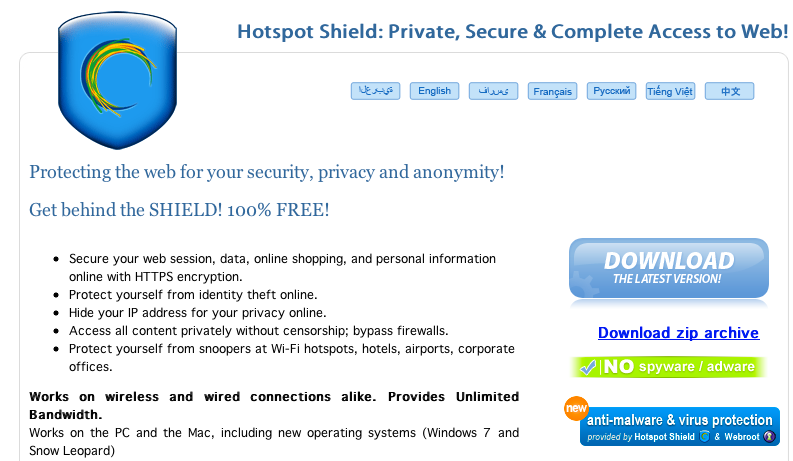
1. Download Hotspot Shield here, and install it.

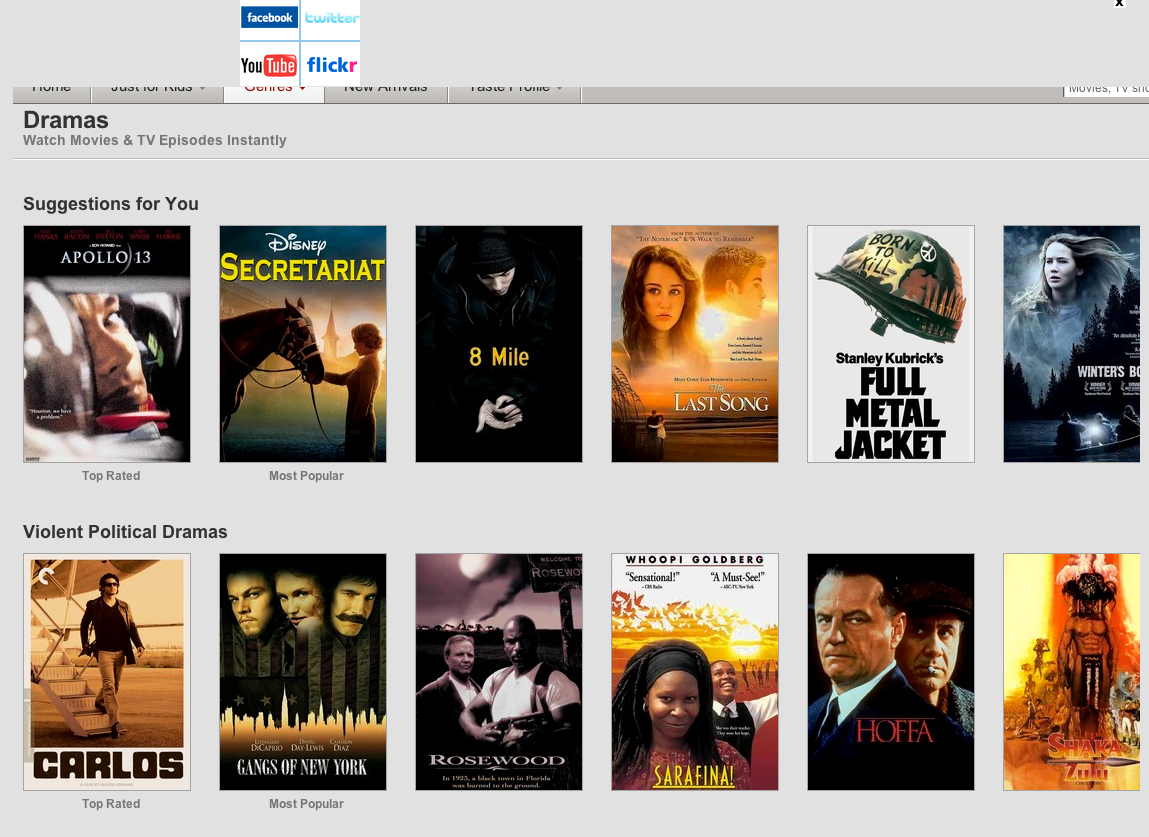
2. Ensure you’re connected to Hotspot Shield, then visit Netflix.com and sign in with your Canadian credentials. You’ll then immediately see a new list of titles, not available in Canada:

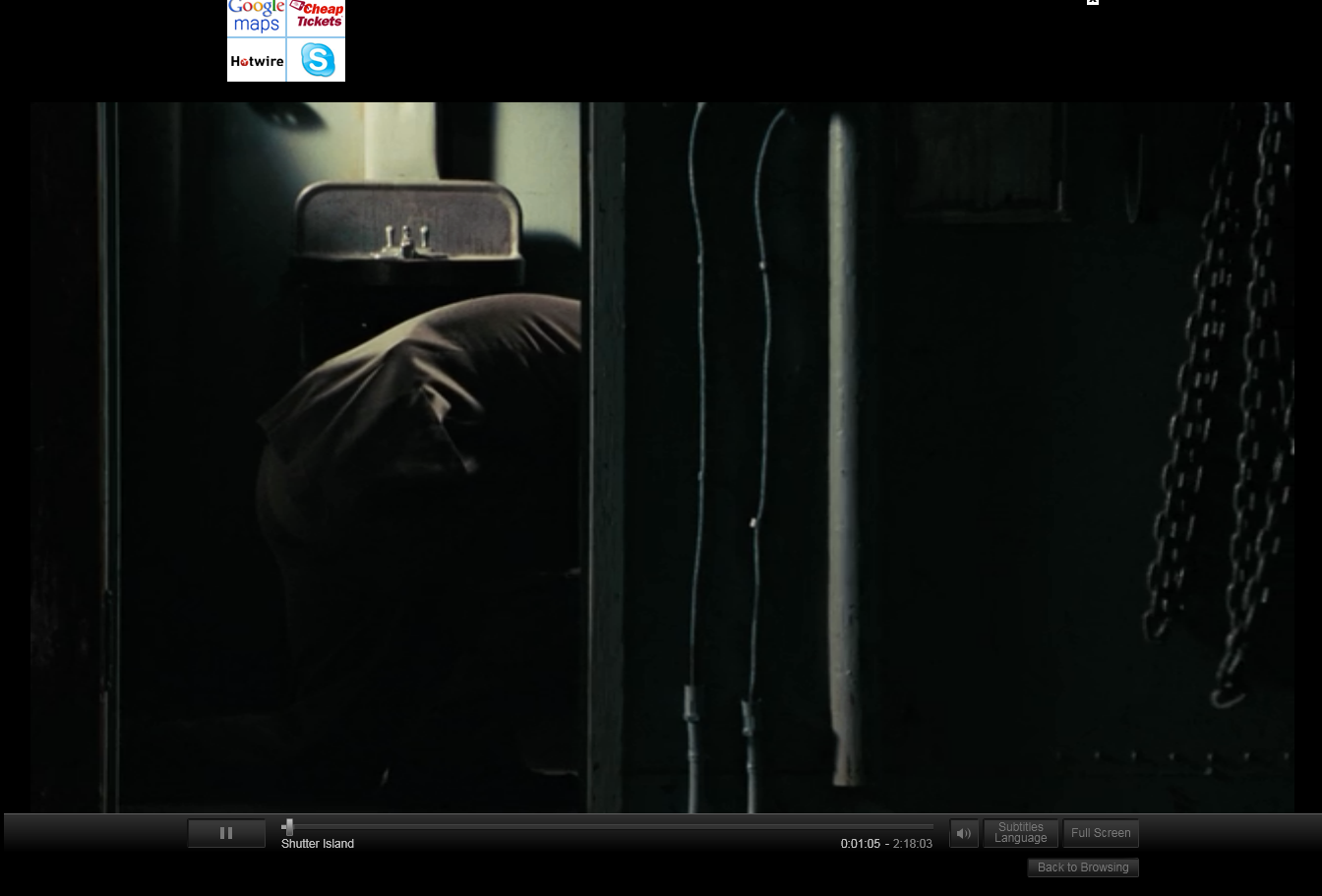
3. That’s it! Check out Shutter Island playing below:

Today, Netflix also announced a “Just for Kids” section for Canada and the USA. Titles are getting better, but they aren’t at the level of our friends down in the USA just yet. Don’t forget to follow this tip on how to subscribe to Netflix Canada’s new releases via RSS feeds.

Let me know how this setup works for you! Click here to sign up for Netflix–the first month is free!

Thanks to Chris Burke for this tip!

Founder and Editor-in-Chief of iPhoneinCanada.ca. Follow @iPhoneinCanada and on Google+. Click here to save 20% OFF at ZAGG.com with coupon 'iphoneinca'!

Did you like the post?

  • bella

    By the way I have a Canadian Netflix account. Without doing the VPN I was in a US hotel and could stream US movies over wifi because it recognized that I was in the US. 

  • http://twitter.com/kljmac Kailyn

    I used Hotspot Shield and it worked, I go to Netflix and I get the US selection, but I go to play the movie, and it redirects me to ca.netflix and says that there is an Internet Connection problem… help!?

  • Sbaker12001

    I have a built in wireless router from my internet service provider.  Is there anyway to switch the settings on it?  I am running a mac, and a ps3.  I was able to successfully set up an american account on my ps3 before they launched the playstation network cards in Canada and use the american network cards for purchasing songs on rock band.  I wonder if I logged into netflix on that account if it will let me sign into the american one.

  • Fghsfhsghsfgh

    this is a lie… bullshit

  • Pvanlaar

    Hi AdamK,

    Was reading your note with interest, especially when you mentioned having the VPN on the router as it has DD-WRT installed on it. I was thinking of getting Netflix for my TV using an Apple box or game module, but couldn’t figure out how to do that through a VPN, as the VPN is on the computer, and the WIFI signal would come from the router thus bypassing it.

    So what is DD-WRT, and how do I put the VPN in the router? I use Hotspot shield. I have 2 routers so could make one US specific. Thanks a lot.

    Paulvgb

  • Rob Cordsen

    does it work on ps3?

  • Edward

    Had a problem where a message popped up saying there was a problem with my internet connection. I deleted Silverlight from my Macbook and was prompted via netflix to reinstall it. Now there is no internet connection message; however, the selected movie appears to load, then I am left with a black screen, as if everything is just hanging…

  • Sage1745

    This works…. Great Tip !!!!

  • h2bourne

    Fantastic! It works perfectly. I’m in the Metro Vancouver area. Now I can watch the rest of Season 1 of “Downton Abbey” on Netflix.Thanks for the very helpful tips.

  • jbriggs_87

    it doesnt give u an american ip adress u stupid FUCK

  • Dave34dave

    worked perfect for me no word of a lie all i suggest is making sure you put the caps right for everything.

  • Adamjcripps

    Worked perfectly on my iPhone and iPad

  • Viva_la_bam_12

    Hi I was wondering how you can get this to work on ps3?

  • Sean

    How exactly are you meant to log on to Hotspot first since it opens a browser in order to log on. Have tried to get this to work countless times and it still doesn’t.

  • http://www.chrisburke.ca Chris Burke

    on my computer (mac) there is a button for HSS in the top corner of my task bar.. you click that, connect to HSS, THEN it opens your browser.. 

  • http://www.chrisburke.ca Chris Burke

    obviously you are doing something wrong… read through the comments.. people say it works.. not just me.. 

  • Hardyboy22

    This is a total crock of shit. It doesn’t work… don’t even waste your time. 

  • Devkappur

    thanx it worked

  • Amarwiyou-19@hotmail.com

    This is cool

  • Auric

    I haven’t looked too much. Just got it all set up. But so far I am extremely disappointed, all the new titles from the US version that I have come across so far come up with “Sorry, that title is not available to watch instantly. Please try another title.” So what the hell is the point. If this keeps up, I’m switching back to downloading everything and streaming it with my jail broken Apple TV and Netflix can take their $8 a month and go screw themselves. Twice. One for each frickin country.

  • PatQC

    This actually works for me, I use Google Chrome. I can now watch all Star Trek series !!!! woohooooo

  • Andra

    It helps even in other countries I’m from Guatemala and I can see the USA titles thanks you really make my $8 worth

  • Hjjuh

    Just tried on my iPad and works like a gem. Thanks!

  • Lina Marcela Tabares Herrera

    Is there anyway to do this on android? thx

  • Lalaland123

    i fucking hate this why make it so confusing 

  • Me

    Thank you for sharing, it worked on my Iphone 4S

  • booth

    will my phone be roaming? 

  • Rachellelamb

    will this come up on my phone bill ?

  • hiii doe

    yo nigger if im on this Vpn shit does this mean while im on vpn and im texting bitties do i get a roaming charge on my god damn bill

  • Carl Harllond

    yo nigger, mind not saying nigger, i know your black and everything but if you think white people have no right saying nigger than you shouldn’t fucking either, its a racist saying so you saying just makes you race look stupid, why would you call you self and friends something a white people call you as racist, makes no sense.

  • Raphael Feliz

    for me it worked for 1 month, then today i got the message “Sorry, Netflix hasn’t come to this part of the world yet”. Did you solve your case? Any one had similar problem?

  • Sambo994

    How would I get this to work on an Android?

  • http://profile.yahoo.com/VPUEXFBDPKMKBCL3GWYPMT6RUM Romario

    can i route the hotspot shield connection from my pc to ps3 n if so what do i need to do(configuration wise)

  • Simon U

    Yes! I have the same problem, but it has never worked! i redownloaded hotspot shield, and netflix won’t work! I also downloaded ProXPN but it won’t connect!!!!!!!!!!! 

    Help me please!!!!

  • Kerr Oneeka

    Now you look stupid for replying with such an ignorant comment. So should does that mean everyone one of the white race is ignorant cause you are? Please think about what you wrote before you post! And just cause someone says “nigger” over the computer does not make them black. A hint for next time you try to look more intelligent then you are =D

  • Andrea

    :D viva la bam is great lol

  • Love_sana425

    thank’s alot this really helped me :)

  • Ryan

    no, Carl is right.. if you dont want people saying something, then you shouldnt either. that goes for everything you say or do, not just racial slurs.

  • Bob

     I use a links wrt54g and flashed the firmware with ddwrt and I also use a netgear router.  I use the netgear to supply internet to my linksys and the linksys signs into the Hide My Ass VPN now my game console the wii has the american netflix works like a champ

  • Bob

     Hide My Ass works awesome and it has a really good interface for choosing so many different servers and there is help in there to setup on a ddwrt flashed router

  • Bob

     get hide my ass and a router like the linksys wrt54g so that you can flash with ddwrt and there are directions on how to set it up so that you can watch your game stations with the american channels

  • Bob

     don’t be so ignorant just because you either don’t understand or can’t get it to work.  What you need is a router like the linksys wrt54G and then flash with the mini ddwrt they have their site setup so you can choose your router and it tells you what to download  once you load the mini ddwrt you can load the vpn ddwrt they have there then go to hidmyass vpn get the service and go to the router page for vpn they will give you the directions to set this up.  Once the router is signed into the vpn like they show what you need is another router to supply internet to the vpn router then bang both routers can browse the internet and anything you connect to your linksys will have the american channels on netflix   It works really well this guy is a fool to say otherwise

  • Bob

     What you need is a router like the linksys wrt54G and then flash with
    the mini ddwrt they have their site setup so you can choose your router
    and it tells you what to download  once you load the mini ddwrt you can
    load the vpn ddwrt they have there then go to hidmyass vpn get the
    service and go to the router page for vpn they will give you the
    directions to set this up.  Once the router is signed into the vpn like
    they show what you need is another router to supply internet to the vpn
    router then bang both routers can browse the internet and anything you
    connect to your linksys will have the american channels on netflix 

  • Bob

     What you need is a router like the linksys wrt54G and then flash with
    the mini ddwrt they have their site setup so you can choose your router
    and it tells you what to download  once you load the mini ddwrt you can
    load the vpn ddwrt they have there then go to hidmyass vpn get the
    service and go to the router page for vpn they will give you the
    directions to set this up.  Once the router is signed into the vpn like
    they show what you need is another router to supply internet to the vpn
    router then bang both routers can browse the internet and anything you
    connect to your linksys will have the american channels on netflix 

  • Bob

     What you need is a router like the linksys wrt54G and then flash with
    the mini ddwrt they have their site setup so you can choose your router
    and it tells you what to download  once you load the mini ddwrt you can
    load the vpn ddwrt they have there then go to hidmyass vpn get the
    service and go to the router page for vpn they will give you the
    directions to set this up.  Once the router is signed into the vpn like
    they show what you need is another router to supply internet to the vpn
    router then bang both routers can browse the internet and anything you
    connect to your linksys will have the american channels on netflix 

  • Guest

    How do I do this on Nintento Wii?