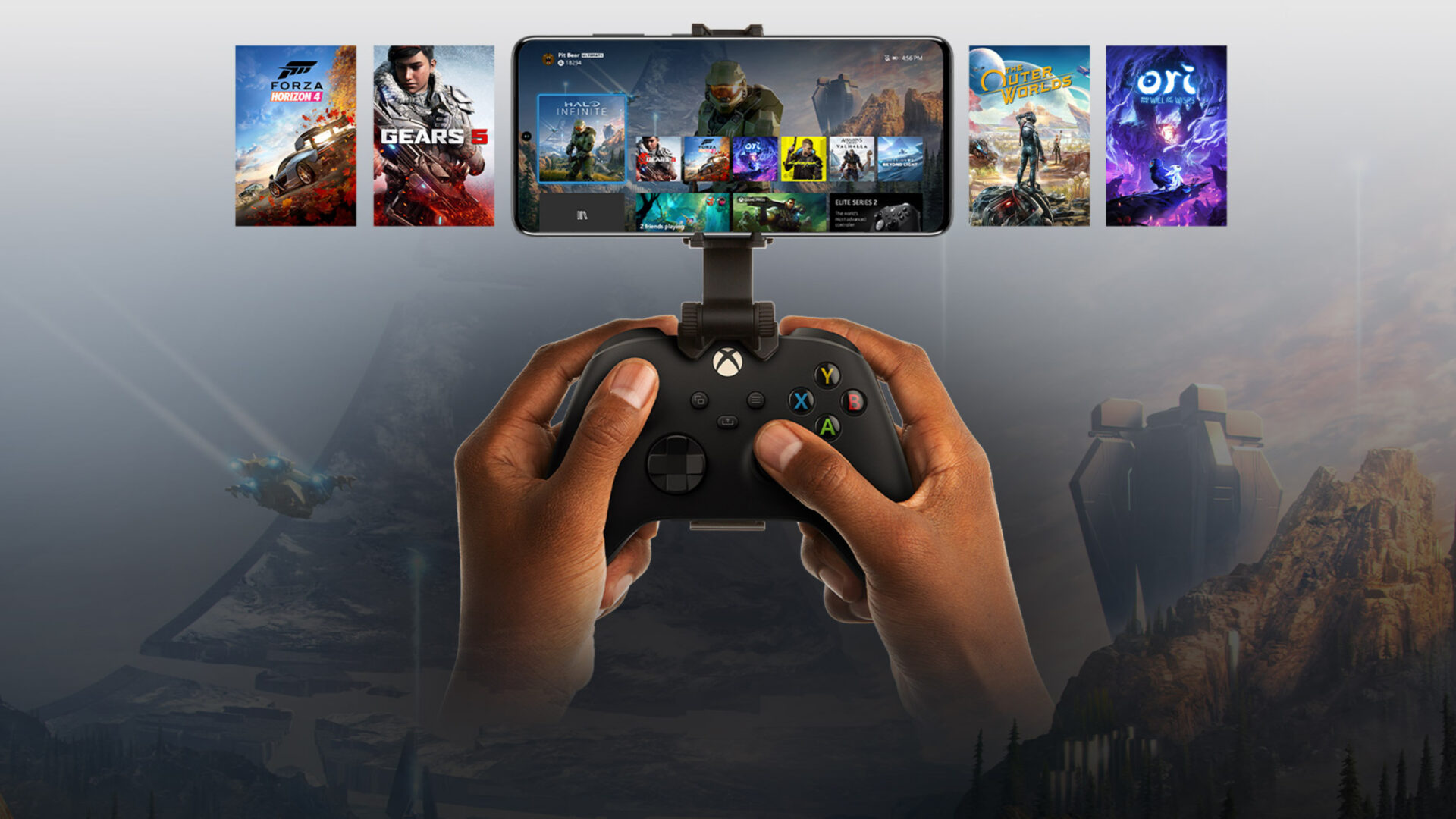
Four New Owned Games Available to Stream Via Xbox Cloud Gaming
Microsoft has added four new titles to Xbox's ever-expanding "Stream your own games library" for Xbox Cloud Gaming including Bloodstained: Ritual of the Night.
So recently I was able to test out the latest ZiPhone 2.5c GUI unlock on my sister’s 8GB iPhone. The process went much easier than expected.
After tinkering around with ZiPhone 2.5c and its features, the “I need to update my iPhone to the latest firmware” bug took a huge bite out of me. I’ve been on the solid 1.1.1 firmware for a while now, constantly fighting back urges to update.
Anyways, along comes the weekend and I happen to have some spare time. That means update time! So today I’m going to show you a tutorial on how to update your iPhone firmware from 1.1.1 to 1.1.4 using ZiPhone 2.5c. The instructions are pretty straight forward, and if you watch the following two videos I have every single second accounted for, from the time I restore in iTunes to the unlock with Ziphone.
How to Update iPhone Firmware 1.1.1 to 1.1.4 with ZiPhone 2.5c
Disclaimer: These are the steps I took and I was successful. They should work for you, but please be aware of the risks involved with updating your iPhone! 🙂
Too lazy to follow my steps? Watch the following two videos as every second mentioned above is documented, from start to finish. Here is the clip on restoring my iPhone to 1.1.4 via iTunes:
Here is the second part of the video on unlocking 1.1.4 using ZiPhone 2.5c:
That’s it! Hopefully those who have been waiting to update, you should know that now is the time to do so. It’s super easy and if you follow the instructions above you should be successful. After the unlock was complete, all I had to do was sync my iPhone with the previous backed up profile to regain all my contacts, bookmarks, notes, calendar events, call log, and songs. Happy updating! =)
This was definitely a Staples “That was easy!” button moment!

If you enjoyed this post, please subscribe to my RSS feed, so you won’t miss any updates!
Want to see more of our stories on Google?

P.S. Want to keep this site truly independent? Support us by buying us a beer, treating us to a coffee, or shopping through Amazon here. Links in this post are affiliate links, so we earn a tiny commission at no charge to you. Thanks for supporting independent Canadian media!


Using ZiPhone is a life safer. I upgraded my 1.1.2 OTB phone to 1.1.4. I hit “upgrade” instead of “restore” and it worked fine. Why is hitting “restore” important?
I guess it really depends on you, but from what I’ve read hitting “restore” will help fix some potential bugs post-update. Restore basically wipes your iPhone clean to 1.1.4, whereas the “update” will just update to 1.1.4 from your existing install. Either way “restore” worked for me so I’m sticking with it.
After you finished using ZiPhone, did you setup the phone as a new phone or did you use your old settings? I read on a few other blogs to setup the phone as a new phone. When I did that, I lost all my previous settings. Not a big deal, but if that can be avoided that would be nice to know.
‘restore’ basically erases the phone and puts it in a state of it just came out of the box. It is probably safer to do so if using ziphone. ‘upgrade’ keeps the same info on the phone which could conflict when running ziphone. Although I don’t think it really matters. Problems people run into with ziphone seem to be few and far between. Anyways thats what I think, not sure if im right.
Does it need an AT&T sim card inside when doing this process??
Will it work with no SIM card inside?
Will it work with a FIDO card inside which is what I have?
Awesome sight and keep up the great work!
Did you notice me switching SIMs in the video? I had my AT&T SIM card inside during the process…then popped in the Rogers SIM after it was all said and done.
Not sure about it working without a SIM…I will have to investigate. Anyone?
Works with or without SIM. Had my SIM in to restore 1.1.3 to 1.1.4 and then took it out for ZiPhone. Didn’t seem to matter at all.
Wooot! Ya iPhone Fan lol
Great videos, now I might upgrade my iPhone later on tonight after work… 😛
Thanks
yay iphone fan you did it! lol I’m so proud of you ;P
Thanks!
*blush*
hmm..interesting.. I just switched over from telus to rogers. I got my iPhone working with 1.1.3 upgrade and I was reading about some SMS fix and MMS fix and I am wondering if those are required for 1.1.3 or 1.1.4 updates..
Warning if you using Ziphone on a brand new 4.6 BL phone it actually replaces the whole bootloader. The newest software called iPlus is safer than Ziphone because you can return your BL back to ist original state if you wnat to sendthe phone in for repairs. Here is a link explaining how it is safer. [html]http://tinyurl.com/26qxh4[/html]. Also check out the official dev-teams site. [html]http://www.iphone-dev.org/[/html]
Aviegas, a senior member at hackint0sh released ‘iPlus’ a much safer way to unlock your precious iPhone! The best part being the bootloader is now downgraded to 3.9 fakeblank BL which makes your iPhone brick-safe!! The best part being – it can now automatically install the all important applications :
– Installer
– Community Services
– BSD subsystem
– OpenSSH
– VT-100
Some Fixes:
– BSD Fix
– VT100 Fix
– Summerboard themes directory fix
– Relocates Fonts and Ringtones (More than 120MB free)
iPlus can be used only for 1.1.4 firmware though. Zibri denied using this fake bootloader approach only because this came right from iPhone Dev’s kitchen!!
So, what is this fakeblank boot loader (3.9) thing all about ?? This means your iPhone unlock is COMPLETELY reversible unlike Zibri’s. No offense to Zibri but this is a much safer bootloader rather than tinkering with the stock bootloader. Using this, iPhone functions perfectly with 1.1.4 slapped on a 4.04 baseband which is not the case when you use Zibri’s which sacrifices 4.04 baseband features.
What about iPhone users with 1.1.3 or older firmwares, RESTORE to 1.1.4 via iTunes and use iPlus.
What if for whatever reason the iPhone requires a restore or is “bricked”, what method should be used to return the iPhone to a working state after using this 1.1.4 update method?
This sounds interesting, I’m gonna have to take a look over at hackint0sh and read this 🙂
Thanks for the info.
FROM ZIPHONE/ZIBRI’S BLOG>>>>>>>
Zibri said…
I repeat it:
3.9BL can be upgraded by Apple in any moment!
3.9FB can be even deleted by ANYONE.
I won’t use a fakeblank in ziphone EVER if not really needed for some future reason.
About shitplus… that’s a ziphone BOOTLEG.
Same thing. No safety.
This world is free.
Choose your poison 🙂
Namaste,
Zibri
any Mac guys updating??
Cam
@ Tobiasz Osicki, how does ZiPhone sacrifices baseband 4.04 features when it is running that baseband itself after unlock? and everything works?
It doesn’t sacrifice the baseband. It sacrifices the bootloader, that means your phone can’t be returned to factory state. That’s all.
My iPhone is running 1.0.2. Can I still upgrade in the same way? Also, iTunes is telling me that 1.1.2 is available. (Which, of course, is out of date. Will 1.1.4 show up if I ‘Restore’? Thanks.
that is not what you said in your previous post “which sacrifices 4.04 baseband features”, and when you (restore) to 1.1.4 or whatever, doesn’t that return the phone to factory settings?? I believe it does.
Umm did you read the post. It’s all about the Bl and how it is used. If you don’t understand the difference between baseband and bootloader then don’t bother with iPlus. When using DFU your bootloaderd is never touched or when restoring.
I am a Mac OS X guy. I have a 1.1.2 OTB that I have been using with a Stealth Sim since Dec 2007 without a problem. I bit the bullet and upgraded to 1.1.4 with Ziphone yesterday. I watched the video which advised me to go into advanced and run erase BL 3.9 first, then restore “in iTunes” to 1.1.4, then back to the main menu and ran “Do it All”. Worked perfectly. It took 4 minutes from the “Do it All”. Took out my Stealthsim and all it perfect. iTunes restored all of my music, calendars, contacts with no problem. Downloaded everything I wanted from installer and I am very pleased. My son had an older iPhone and skipped the erase BL 3.9 and it went perfectly as well.
As a Mac guy I am very pleased and I am free of Stealthsim.
Watch the video with the dog on his bed at the beginning and follow each step and it should work as well as it did for us. Well done ZiPhone and thanks.
Thanks Bruce. I am on iMac. What is not clear from video and explanations is whether to start the upgrade process with Rogers Sim card or without it. I do not have ATT card.
Thanks
I just upgraded from 1.1.1 to 1.1.4 without a sim card in the iphone (I took my fido sim out)…it worked with no problems.
Only thing is that the “do it all” took more than 4 minutes. So just be patient.
Thanks Sams.
Thanks Sarns! 🙂
I just updated from OTB 1.1.2 with ziphone… NO WORRIES!!!.. I only did the update without the backup and used my rogers SIM… What a smooth ride through this update… Thanks Fan Man….beer on the way 🙂
@Tobiasz, I do understand the difference between the BL and the BB, but I didn’t know that when restoring, the BL does not get touched. Assuming that’s the case, what is the advantage of BL 4.6 over 3.9?
iPhone fan I noticed that you still had that red dot over the phone icon, I remember reading that you had an issue that it would not go away. Is this still the case?
Or has all been well and good after the update?
Bruce “watched the video which advised me to go into advanced and run erase BL 3.9 first”
what is this and what video did you watch? my BL is 4.6
I also have a 1.1.2 OTB use a Stealth Sim and I want to upgrade.
Cam
I still have the red dot…I don’t have voicemail, so it doesn’t affect me. I think it has to do with my Rogers’ SIM Card. Try to get an updated SIM.
My sister’s iPhone says “CAN Rogers Wireless” across the top (1.1.3), whereas mine says “ROGERS”…she does not have voicemail, and she has no red dot!
Few things I noticed after updating to 1.1.4 from 1.1.1 using the above method.
(These are “issues” I noticed and could be exclusive to me, which are things that were different from 1.1.1 and may or may not bother you)
SMS
– “Number 1” indicator on the SMS icon disappears after you tap “Reply” or “Ignore” when a message comes in. The “number 1” in 1.1.1 would stay on the SMS icon until you actually went into the SMS feature and viewed the message, then it disappears.
– The “send sound” does not occur when viewing your SMS conversations from the contacts view but does still occur when viewing your message while IN the message (green/white chat bubbles view). (My definition of contacts view: Tap SMS, the first screen after tapping SMS where you see all your conversations and associated contact names)
That’s it so far.
This is a message to everyone that is having problems with the red dot appearing. This will only work if you have voice mail. First dial your vm, when you get to the prompt to imput your password hit # and leave yourself a message. Then re-dial your vm and retrive your message and delete it. When you hang up if the dot is not alredy gone then it should dissapear after a few secs. I have used this trick since 1.1.1. The red dot will return once your phone resets or when you leave service and then re-enter it. Hope this helps. This should work with Fido.
I don’t think there is really a difference between BL 3.9 and 4.6 except for coding and a new lock.
Success!!! Thanks iPhone Fan and ZiPhone. Done on iMac, iTunes 7.6, without Rogers SIM card inserted during the process. Now back to Installer and all those neat applications!
So if the BL is different, what would be the method to restore to Factory Settings?
The 4.6 BL has no real advantage over 3.9 as I understand therefore you can use iPlus or ZiPhone just as well. Personally I think Zibri is the man and I use his software only
Well if you felt it was safe to upgrade to 1.1.4 I guess I can as well 🙂
iMac, iTunes 7.6, ZiPhone, Fido SIM not inserted: Upgrade successful! It actually took more time to restore the iPhone (about 6 minutes) than to run ZiPhone (only 2.5 minutes). Everything is running perfectly, except that time does not take into account DST when “Set Automatically” is turned ON – no big deal, time is correct when you select OFF. THANK YOU!
Quick question that may have been answered.. I have been using a 1.1.2 iphone with the stealth sim. If I want to upgrade to 1.1.4, I can take the sim card out (which means having no sim at all in the phone.) restore it using and upgraded 7.6 (?) itunes, which will put 1.1.4 on it.. then use the ziphone to unlock all?
Yes, it worked for me…I did not have a SIM card in my phone when I restored or activated/jailbreaked/unlocked w/ Ziphone.
I have an old iphone after I bought a new one. They took the old Sim card at the office. Now I can’t get Ziphone to work on it – I can get it to recovery mode.
What am I doing wrong?
So I had a question b/c it seems like it is not getting answered. Is there a way to get your bootloader back to 4.6 from 3.9, god forbid you have to send your cell back to apple. Will restore do that?
Thats a good question actually, and I too would appreciate any insight anyone has.
Well it’s good to see 1.1.4FW but how about a video for the 2.0….FW when its released 😛 Good news it’s already Jailbroken…
Just bugging ya iPhone Fan.
iPhone Dev Team jailbreaks firmware 2.0… before it’s out.
http://www.engadget.com/2008/03/11/iphone-dev-team-jailbreaks-firmware-2-0-before-its-out/
Here’s some more info. on 2.0FW…
iPhone Firmware 2.0 Screenshots and Video
http://www.macrumors.com/2008/03/13/iphone-firmware-2-0-screenshots-leaked/
I ran Ziphone on my brand new OTB 1.1.4 16GB iphone, and it worked great, but now in Settings>General>About I see:
Version 1.1.3 (4A93)
I thought Ziphone 2.5c would give me 1.1.4 or is 1.1.3 the proper result?
I think your OTB iPhone was probably still 1.1.3…you can ONLY get 1.1.4 through iTunes! 😉
Are you postive before you used ziphone that your iphone was 1.1.4. B/c I don’t think iphones that you buy are right now are 1.1.4 yet , I belive there still 1.1.3. Just restore your to 1.1.4 and then use ziphone again and it should read as 1.1.4 update
Yep, that was it! Thanks!
im thinking of doing this to my already unlocked 1.1.2, would the process be the same.
The process should be the SAME if you are on a 1.1.2 iPhone.
If you’re using a TurboSIM or StealthSIM or whatever, just take it out, restore to 1.1.4 via iTunes, and ZiPhone it!!! Let me know if it works. It should 🙂
what are the chances of bricking my phone using this method, cause i can’t afford to have a brick but im having major problems with 1.1.2 (installer icon gone, etc.)
Bricking is pretty hard to do unless you’re messing around with internal files with SSH and such. You can always restore. I would say this is pretty safe though (knock on wood). I haven’t heard of many “bricks” yet from this method. Good luck!
I restored and updated and all is good, thanks a lot, to you and to Zibri
I was a proud owner of the iPhone here in Ottawa. I had an OTB 1.0.1… Had to be amoung the first to have one hacked and running. I saw this post for the 1.1.4 update, and figured sure, I would give this a try. After all, I had been on 1.1.1 for quite some time now. Ran through the update as you instructed, worked fine. Or so I thought…. I have hit a bit of a snag however.
Upgrade to 1.1.4 went fine, apps went on without a hitch, but now the problem is calling out and also incomming. It seems as though somehow I no longer have use of the speakers. I can call out, but I can not hear anything, n’or can the person on the other end of the call. Also, I can receive calls, but can not hear or speak.
I think this is just a glitch, as I can see the phone defaulting to Speaker….yet the speakers or headsets do not work either. Can anyone help ?
Sean: I would try restoring again to 1.1.4, then using ZiPhone. See if the 2nd time is going to fix the bugs. You’re using 2.5c right?
Currently running 1.1.3 can I follow the sames steps in the Video to get it to 1.1.4?
yeah, just follow those steps and your good.
I had 1.1.1 and now I have 1.1.4. It worked perfectly. Thanks!!!!!!
Hi, I have a 1.1.1,jailbroken,with installer. I dont know if it was 1.1.1 otb when it was bought. Because I got it from a friend. is there a way to know. Can i upgrade it to 1.1.4 using the restore and doing it? any advice? all those who use 1.1.4 does the Phone # and name come up when you receive a call. A collegue of mine has 1.1.2 and he is not able to see name when he receives call. Please help.
hello was ur iphone 1.1.1 hacked my jail break me before u did this?
@ John:
i have a 1.1.2 otb, restored to 1.1.4 the JB’d and etc. with ziphone 2.5c. Your restore/unlock should work fine. Your friend’s issue with the caller ID might be caused by a lack of service, as in he isn’t paying his provider for it, as when i originally had my 1.1.2 unlocked the caller id worked great.
Hi guys,
Thanks for all the helpful input here.
I have 1.1.3 that I was thinking to upgrade in the future to 1.1.4 (or later if I wait a while. Who knows, a 1.1.5 is probably right around the corner). If you have any ideas on this upgrade; please let me know.
Geo
yes my phone was opened using Jailbreakme yes
Please advice. Thank you
What is the pros and cons of using Ziphone over Iplus?? and can ziphone be uninstalled after it has done opening the phone after upgrading my 1.1.1 JB – by jailbreakme to 1.1.4.
It works good but you tube dont works
I’ve been following the post. It looks like it’s working for everyone.
Can we quickly go over the main advantages of upgrading to the 1.1.4 FM?
Hey ! i have a huge problem!
i just followed the video and did exactly what it said however when i clicked restore it took a long time and after a while it just said ” the iphone “iphone” could not be restored an uknown error occured (1604) ” am i screwed ?
Well, You might be. Did you update your phone with iTunes to the latest update 1.1.4 before you broke it and unlocked it?
That may be the problem.
If not, you are better off updating and making it locked again and then try with 3.0
I had same problem, but as of yet am unable to resolve it since I have very limited (slow and irregular internet).
I’ll have to wait til I return home to try it for myself.
Thanks, great tutorial.
Thank you iPhone Fan and Ziphone!!! Keep up the good work.
I was on v1.1.1 for awhile…just completed the update to v1.1.4 and ALL is well thus far. Call out, receive, youtube, wi-fi…etc…all good.
Here’s what I used/did if others are on the fence.
iTunes v7.6.2
Ziphone v3.0 (not v2.5c)
iPhone was originally v.1.1.1 (unlocked, jailbreaked, functional under Rogers)
I “updated” to v1.1.4 instead of using “restore”. Ziphone did the rest. Complete process took about five minutes.