
Apple’s AirPort Utility App is Being Removed From the App Store
Apple warns that "functionality is not guaranteed" when using AirPort Utility on iOS 27 or later.
**Skype is now available to download in Canada**!!!!
Yesterday saw the launch of Skype for the iPhone–except for Canada! Talk about a frustrating experience, considering the news broke last minute that we wouldn’t be getting the Skype app. Some people aren’t even aware of the news, as I saw so many people on Twitter asking “When is the Skype app out? Can’t find it in iTunes.”
If you’re one of these people, the ONLY way to download the Skype for iPhone App is with a US iTunes account, or through “other means”. Today I’m going to show you another method on how to download Skype in Canada for the iPhone. It’s a simple process and you have two options (and maybe three) to do so.
How to Download Skype in Canada for the iPhone 3G
1. Open a US iTunes Account with a MasterCard gift card from Shoppers Drug Mart.
2. Open a US iTunes Account without a credit card.
3. Find Skype through “other means”. Google is your friend. :p
4. Once you have opened up a US iTunes account, search for Skype, download it, and sync it to your iPhone.
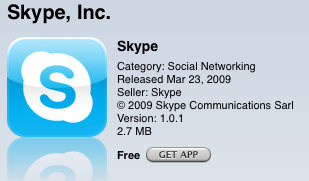
Let me know if you run into any problems!
Notes:
– You will be able to sync both Canadian and US iPhone apps at the same time.
– BUT…app updates only show up when you’re signed into the iTunes country account that app was downloaded from. Solve this by periodically signing into each account.
– Your iPhone’s iTunes account will be the your computer is logged into during the sync process.
Next up: How to Use Skype in Canada Over the 3G Network on Rogers/Fido!
Also: How to Make Unlimited Calls to Canada/USA with Skype on the iPhone for $3/Month
Want to see more of our stories on Google?

P.S. Want to keep this site truly independent? Support us by buying us a beer, treating us to a coffee, or shopping through Amazon here. Links in this post are affiliate links, so we earn a tiny commission at no charge to you. Thanks for supporting independent Canadian media!


When I used a US account (as described in the link) I was able to download Skype fine. However, when I attempt to sync it to my iPhone I get an error claiming that it is “not authorized on this computer.”. Anyone else seeing this?
I found it in Installous today and have tested it. Works fine but does crash a bit.
I get the same message when I sync, but the app works great. Has anyone tried this with their ipod touch?
Do you mean you get the same “not authorized” comment? If so, hod did you get the app onto the iPhone? This is preventing me from putting it on there.
hey, did u figure what to do when it shows that error
I then went on my iphone and it recognized I was using my US account and I could download it from the app store on my iphone.
Not sure why everyone is so worried about not being able to d/l the Skye app in Canada. Just download FRING. It has been out for over almost a year and allows Skype calls on Wifi and messaging on 3G. I used it in the Caribian only last week to call Canada from a free WiFi hotspot on the beach! Also allows MSN, Yahoo! and other IM’s. It’s free and works great! Much better the Skype’s own version from the sounds of it!
I’ve always found Fring to be the biggest pain in the *ass. Never seems to work consistently, horrible lag with 3g voip, etc. Not sure if the skype app will be any better, but I’m willing to give it a shot.
Fring? Why we don’t use Fring? Ge’ez, where to start? Well, the 3 minute long connections would be one. Then there’s the way it mixed every contact from every service into a single enourmous list, making it imposfible to find anyone. Then there the need to add +1 to every number, by hand, making every dial a several step process. The way it fails to cinnect 80% of the time. The way it drops calls 50% when it does connect. The horrid sound quality during those rare times it works. Yeah, that’s hood for a START. crap app.
Many reports of there being no None option to select when setting up the US account. Anyone know why this happens?
Anyone experienced a slow down on typing feedback (e.g. the enlarge keyboard effect) at times I can type the letter “S” and the enlarge keyboard visual, as an indication that the input is accepted does not work. Another more annoying thing is that the auto-rotation in the photo app does not work or take very very very long time to change from landscape to portrait and vice versa. I had to reboot iPhone everytime when that occurs but in short time, it will be back in this slow state.
ALL THIS HAPPENS after I installed Skype, so what’s causing this strange slowness all of a sudden. Is Skype somehow slowly eats away some ram space or something to a point that makes things slow to react, which a reboot would clean out the ram but it gets filled up again to a point that picture simply would not rotate???
I too created a US iTunes account, downloaded Skype successfully to my PC, then synced my iPhone 3G running 2.2.1
Got the error message that Skype will not be synced to my iPhone because it is not authorized
Any work-arounds, people?
just go to the iTunes and log on with your us Id. then click on authorize this computer(make sure with us id) it should work. lemme know If u have any more problems
hi Harp: i’m having the same issues as Sheerluck Holmes:
i made a US iTunes account and i got the error saying skype could not be synched to my iphone because it’s not authorized on this computer
i followed your instructions, but I don’t see the ‘authorize this computer’ option when I log into iTunes with my US account…. can you give a hand please?
hi Victoria,
all you have to do is log in with your US account on itunes and click on “authorize this computer.” “Authorize computer” option can be found under the store . leave a message if there are any more problems
Don’t use iTunes on the computer to download!
Once you have the US account, sync your phone. This will switch it to the US store. Now use App Store IN YOUR PHONE and download it. Once it’s done, switch iTunes on your computer back to the Canadian store and sync again. Done.
I have used it on my touch with no issues at all. Just buy a US itunes gift card from eBay to set up your account, it doesn’t seem to stall either, no issues at all.
BooooYA… Thank you for the hookup. Why should we get screwed because we are from one of the greatest countries on this planet….CANADA. Thank you for your hint. I hope you all keep living the dream and continue to help all of God’s children.
HELP! I had Skype up and running perfectly and when I synched with iTunes, using either my Canadian or US accounts, there would be no problem. Now I have upgraded to 3.0, regardless of which account I use, Skype is removed from my phone and I have to reload it each time. This is a PITA. Anyone help me pleeeez??
Greetings from BC!
Bought Card at Shoppers, opened a new iTunes account, plugged in my iPhone (new 3Gs), downloaded Skype App on iPhone, logged into my own Skype account (I thought that I would have to create a new account) and it works perfectly.
My question is – will I get nabbed if I top-up Skype Credit on my existing Canadian credit card or do I have to resort to Credit Gift cards at Shoppers’?
BTW. thanks a million Maury for the tip.
I downloaded skype via a US account but have not been able to sync Skype to the IPhone. Skype is showing up in the application folder in iTunes but wll not sync to the iphone
Once you have the skype software on the iphone (through your US Itunes account) and Itunes credit (again on the US account) how do you pay skype for phone time using the Itunes credit?
Thanks for the grate info. It is always a problem with Canada to approve or release stuff. I did not experience any problem everything worked fine except it took a bit time to approve my account from email. When you syncing just do not touch anything in ITunes.
Thanks for the tips. Installation went fine.
One question though: is it normal that I now have to enter my US credentials every single time I sync from iTunes? It is pretty annoying, especially because at the end of the sync the App Store does not revert to the Canadian one. The US store remains active so I have to manually switch back to the Canadian one from the App Store home screen. To be clear: I do start out from the Canada store, initially, and I am logged into my Canadian account.
I'm an American moving to Canada, who is getting an iPhone there so as to use skype to chat with people from my homeland for free.
Would this work if I used a real US credit card? Or should I just download iTunes and make an American account before I move up north?
I'm an American moving to Canada, who is getting an iPhone there so as to use skype to chat with people from my homeland for free.
Would this work if I used a real US credit card? Or should I just download iTunes and make an American account before I move up north?
When I used a US account (as described in the link) I was able to download Skype fine. However, when I attempt to sync it to my iPhone I get an error claiming that it is “not authorized on this computer.”. Anyone else seeing this?
I found it in Installous today and have tested it. Works fine but does crash a bit.
I get the same message when I sync, but the app works great. Has anyone tried this with their ipod touch?
Do you mean you get the same “not authorized” comment? If so, hod did you get the app onto the iPhone? This is preventing me from putting it on there.
I then went on my iphone and it recognized I was using my US account and I could download it from the app store on my iphone.
Not sure why everyone is so worried about not being able to d/l the Skye app in Canada. Just download FRING. It has been out for over almost a year and allows Skype calls on Wifi and messaging on 3G. I used it in the Caribian only last week to call Canada from a free WiFi hotspot on the beach! Also allows MSN, Yahoo! and other IM’s. It’s free and works great! Much better the Skype’s own version from the sounds of it!
I’ve always found Fring to be the biggest pain in the *ass. Never seems to work consistently, horrible lag with 3g voip, etc. Not sure if the skype app will be any better, but I’m willing to give it a shot.
Fring? Why we don’t use Fring? Ge’ez, where to start? Well, the 3 minute long connections would be one. Then there’s the way it mixed every contact from every service into a single enourmous list, making it imposfible to find anyone. Then there the need to add +1 to every number, by hand, making every dial a several step process. The way it fails to cinnect 80% of the time. The way it drops calls 50% when it does connect. The horrid sound quality during those rare times it works. Yeah, that’s hood for a START. crap app.
Many reports of there being no None option to select when setting up the US account. Anyone know why this happens?
hey, did u figure what to do when it shows that error
Anyone experienced a slow down on typing feedback (e.g. the enlarge keyboard effect) at times I can type the letter “S” and the enlarge keyboard visual, as an indication that the input is accepted does not work. Another more annoying thing is that the auto-rotation in the photo app does not work or take very very very long time to change from landscape to portrait and vice versa. I had to reboot iPhone everytime when that occurs but in short time, it will be back in this slow state.
ALL THIS HAPPENS after I installed Skype, so what’s causing this strange slowness all of a sudden. Is Skype somehow slowly eats away some ram space or something to a point that makes things slow to react, which a reboot would clean out the ram but it gets filled up again to a point that picture simply would not rotate???
I too created a US iTunes account, downloaded Skype successfully to my PC, then synced my iPhone 3G running 2.2.1
Got the error message that Skype will not be synced to my iPhone because it is not authorized
Any work-arounds, people?
just go to the iTunes and log on with your us Id. then click on authorize this computer(make sure with us id) it should work. lemme know If u have any more problems
hi Harp: i’m having the same issues as Sheerluck Holmes:
i made a US iTunes account and i got the error saying skype could not be synched to my iphone because it’s not authorized on this computer
i followed your instructions, but I don’t see the ‘authorize this computer’ option when I log into iTunes with my US account…. can you give a hand please?
Don’t use iTunes on the computer to download!
Once you have the US account, sync your phone. This will switch it to the US store. Now use App Store IN YOUR PHONE and download it. Once it’s done, switch iTunes on your computer back to the Canadian store and sync again. Done.
hi Victoria,
all you have to do is log in with your US account on itunes and click on “authorize this computer.” “Authorize computer” option can be found under the store . leave a message if there are any more problems
I have used it on my touch with no issues at all. Just buy a US itunes gift card from eBay to set up your account, it doesn’t seem to stall either, no issues at all.
BooooYA… Thank you for the hookup. Why should we get screwed because we are from one of the greatest countries on this planet….CANADA. Thank you for your hint. I hope you all keep living the dream and continue to help all of God’s children.
HELP! I had Skype up and running perfectly and when I synched with iTunes, using either my Canadian or US accounts, there would be no problem. Now I have upgraded to 3.0, regardless of which account I use, Skype is removed from my phone and I have to reload it each time. This is a PITA. Anyone help me pleeeez??
Greetings from BC!
Bought Card at Shoppers, opened a new iTunes account, plugged in my iPhone (new 3Gs), downloaded Skype App on iPhone, logged into my own Skype account (I thought that I would have to create a new account) and it works perfectly.
My question is – will I get nabbed if I top-up Skype Credit on my existing Canadian credit card or do I have to resort to Credit Gift cards at Shoppers’?
BTW. thanks a million Maury for the tip.