Today I have a little bit of Windows love for our Windows/iPhone users out there! The app is called “iInterface” and it seeks to be the ultimate remote control for your Windows PC. From manipulating applications to controlling Windows itself, iInterface has it covered!
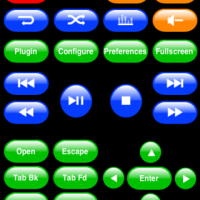
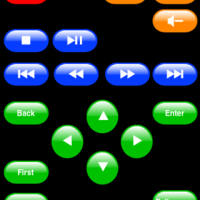
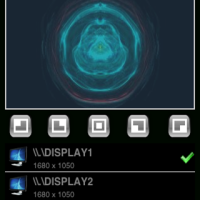
iInterface transforms your iPhone into an extremely functional remote control for your Windows based computer. The app provides support for multiple connections which means you can control numerous Windows based computers on the same local network. To enable this control, you need to have the free iInterface Server installed on each Windows computer.
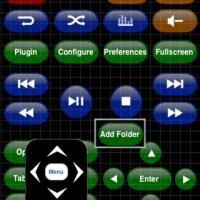
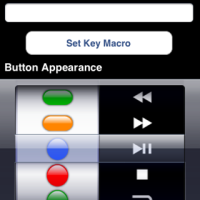
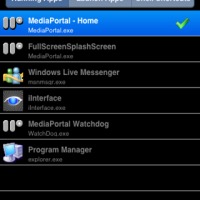
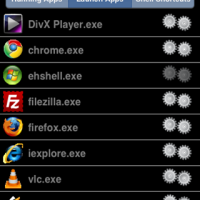
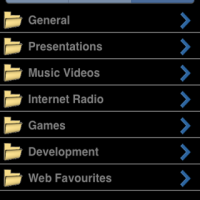
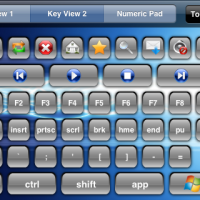
iInterface provides you with functionality to control a number of Windows applications from the moment you download the app, however, you can also build and design your own custom remote controls that you can tailor to either existing or new applications running on your PC. The app also includes a full 108 button keyboard and touch-pad mouse when you turn the iPhone horizontally, further mimicking a desktop environment.
The app has an infinite amount of control functionality as it can be made to work with many Windows applications. Below is a list of some, but not all, of the applications that iInterface automatically supports:
- iTunes
- QuickTime
- Windows Media Player
- Windows Media Player Classic
- Windows Media Center
- Media Portal
- VLC Player
- WinAmp
- DivX Player
- PowerDVD
- WinDVD
- Microsoft Powerpoint
- Open Office Impress
- Safari
- Internet Explorer
- FireFox
- Google Chrome
- Windows Explorer
From launching and using desktop and media applications, to running presentations, to turning off or on your Windows PC, iInterface is feature rich and highly functional.
Of course, no app such as this comes without security! iInterface protects your session between your PC and iPhone by using a device pairing process that can further be password protected. All of your inputs that are sent from the iPhone to the PC are protected by SSL.
To get the app working properly, you will need to ensure that you have the following:
Overall, I found the app to be very useful. I had no trouble during set up and using and navigating the predetermined remotes was a breeze. While designing your own custom remotes can be a challenge, as long as you put some time into it, the final result is solid.
The only gripe I have about the app is that it is not Mac compatible. I use both Windows and Mac computers, but I use my Mac far more often and would have benefited from this type of application.
iInterface is scored a 4 out of 5.
iInterface is available in the iTunes App Store for $7.99.



Looks good
If only this were a little cheaper… The functionality looks pretty amazing though 🙂
I agree. However, upon investigation of other similar apps, it is priced accordingly.
just download Mocha VNC Lite and you can interact with the desktop as if you were there…
if you need right clicking etc you will need to pay for their full version
More love for Mocha VNC. You can see your PC's screen on your phone (including zoom and pan) and run apps using the pop-up keyboard and touchscreen as a mouse.
If you have WinXP Professional Edition, also check out RDP (Remote Desktop Protocol).
For Mac you can use KickStart – Remote Control for Mac
Hi, I am looking for a similar app but for Windows Mobile. That is, I want to control Windows XP PC from a PDA with Windows Mobile 6, not from Ipod. I have largely searched the net, but found nothing as this app. Any idea?
Thanks
mauro
Hi, I am looking for a similar app but for Windows Mobile. That is, I want to control Windows XP PC from a PDA with Windows Mobile 6, not from Ipod. I have largely searched the net, but found nothing as this app. Any idea?
Thanks
mauro