

How to Track iPhone Duo Stock in Canada and Get Restock Alerts
Apple's first foldable iPhone launches on Friday, October 23, 2026, and finding one is going to take some work. Online orders in Canada are now showing February 2027 delivery dates, Apple has capped orders at two per customer, and resellers are asking several times the retail price on eBay. That leaves in-store pickup as the...


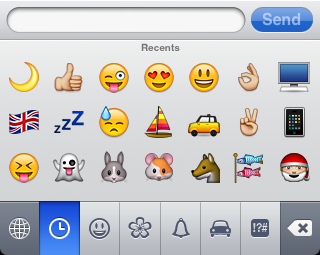
I'm glad Apple hasn't bothered to prevent these little hacks… it's not just the Japanese who want emoji!
does the receiver have to have the emoji keyboard in order to see the emoticons?
I will point out that this is useless for texting someone without an iPhone. The symbols just show up as gibberish on many dumbphones. The Japanese Romaji keyboard has a better emoticon button, that has lots of built-in symbols that are just combinations of standard ASCII symbols (like <(^_^)<, etc).
Well slap my ass and call me Judy!
ROFL @judy
No. They just need an iPhone/iPad/iPod Touch
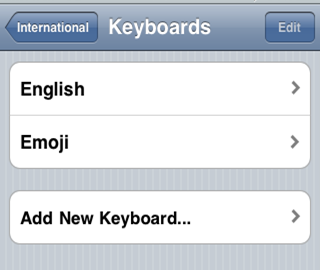
Isn't it simplest to go to languages, Japanese and add the emoji keyboard. You don't even need to add the Japanese keyboard options.
Any of you who frequently send japanese text messages etc might know this is already?
Can we get a post on iPhone 4 restocking???
Sending these from a Rogers/Fido iPhone to a Telus iPhone doesnt work btw
Wicked trick. I have been wanting to do this for a while and didn't know how!! Thanks iPhoneinCanada – you guys rock!
Can we get a post on iPhone 4 restocking???
can i buy more iphone tomorrow if i already bought two?
Really???? Cause I can see my Telus user’s emoticons, but I CANT see my firends emoticons that use Rogers!?!?!