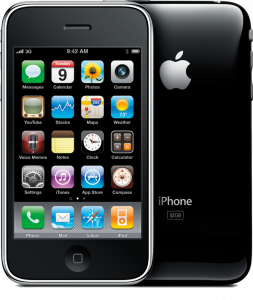
This week, the discussion boards at Apple’s online support site have seen an increasing number of users posting problems regarding iOS 4 on the iPhone 3GS.
Despite the public outcry, Apple claims it has not received any reports of problems with iOS 4 on iPhone 3GS. However, after updating to iOS 4, some iPhone 3GS owners have reported issues with MMS, signal strength, dropped calls, and random reboots/freezing.
With the widespread reports of poor reception on iPhone 4 and major performance problems with iOS 4 on iPhone 3G, the latter of which has been identified by Apple, the iPhone 3GS problems seem to be a lower priority for Apple.
The next iOS update, version 4.1, is highly anticipated by iDevice owners. iOS 4.1 is expected to fix the performance problems on iPhone 3G, various sensor problems on iPhone 4, and the various device problems listed above for iPhone 3GS.
Do you have an iPhone 3GS? Is your iPhone 3GS experiencing any problems after updating to iOS 4?

[LA Times]

4.1 vs. ability to use UltraSn0w and jailbreakme.com…..oh the choices we must make 😛
Don't forget 4.1 will also finally give us full AVRCP over Bluetooth! I've been waiting for that since day 1. Bring it on!
No problems here.
the proximity sensor on my iPhone 3GS is not working properly after upgrading to iOS4
I'm going to want to see a video or something on a 3G that proves performance is up to par. I downgraded back to 3.1.3 a couple of days ago because I couldn't take it anymore. Not going through that crap again just to get 2 new features (unified inbox and folders).
I have a 3GS on Fido, and I'm definitely seeing this problem. After the iOS4 upgrade, my 3G data would occasionally stop working, even though I had a strong signal and the “3G” indicator was still displayed. This would usually happen if I had been in a place with wifi (like my home office), then went outside; all of a sudden, I had no data access even though I should have had full coverage. Earlier this week, it happened as a result of a subway ride: 3G data is fine at King and University, then no service (obviously) underground to Yonge and Bloor, then no data when I re-emerged. This did not impact my ability to make calls or send SMS, only the 3G data. In fact, if I switched 3G off, the data indicator would switch to “E” and I would have data access again, albeit slower.
I could “fix” the problem by resetting my network settings, which meant that all of my previously added wifi connections had to be reestablished.
I finally decided to do a full restore on the phone this week, but the problem continued. I called Fido, and in less than 10 minutes, they had agreed to send me a replacement phone. Apparently this problem is in their problem database and they are replacing phones as complaints occur. The CSR told me that it was a software problem (I asked why, then, they were replacing the hardware, but didn't get a good answer) and that it was occurring on some phones.
I don't have the new phone yet, but am hoping that this solves the problem. If you have a 3GS on Fido and are having this problem, give them a call, they're being very responsive. Before you do, however, make sure that you try a full system restore, since they'll ask you to do that if you haven't already.
My brother's 3GS can't switch to 3G network after upgrading to iOS 4.0.1.
Did network restore and still can't
Is it possible apple makes your device run horrible to force you into upgrade? my 3G ran terrible after updates when 3GS came out, now my 3GS is running terrible after iphone4 is out and 4.0.1 udates, total BS
I do have 3Gs and am defintely seeing the problem, I checked with apple they said for now switch to airplane mode and go back again for your 3G to work ( very sad ) , I called Fido they said they have nothing to do with it and since my warranty is over with apple I m pretty much screwed cant get a new phone, I just have to wait for the next firmware and who knews if it is gonna fix my problem
Works great for me…
I installed iOS 4 the day it came out on my 3GS and the same with the 4.0.1 update… I just sold my 3GS yesterday, but in that time, I didn't experience any problems at all. Definitely ran better then my friends iPhone 3G that's for sure!
Pray tell, how did you roll it back?. I would love to take my 3G phone off the iphone 4 update.
I have a 3G and the 4.01 update makes my signal strength look poor, but call quality is still good. No issues with iOS4 to date. I JB'd it with fast app switching, and I didn't like it since there was no purpose on the fast app switching in my opinion. A few seconds will not kill me so I disabled fast app switching via n82ap.plist.
I'm tempte to purchase one of the pre loved 3GS', but need to find a good deal, else, I'll stick with the 3G.
That is a lot of b%% coming from a company which initially denied Apple 4 antenna problem. So they issue free “bumpers” now. Public outcry did it. As for the 3GS and IOS4, we SHOULD be allowed to downgrade. Period.
i tried to post a “how to downgrade” on apple discussion forum, has been deleted
i rolled back to 3.1.3, and my phone works EXTREMELY well, OS4 is definitely a problem
“http://lifehacker.com/5572003/how-to-downgrade-your-iphone-3g%5Bs%5D-from-ios-4-to-ios-313”
N.B. this procedure resets your phone completely, you'll have to re-do all your settings, resync your apps, videos, photos, ….
Updated my 3GS to OS 4 and all works well. I am with Rogers.
I Just don't understand Apple, I know I have had a whole load of problems with my iPhone 3GS since updating the firmware but more so with ios 4.01.
I reported all my problems to Apple customer support and was told it probably was my providers (Rodgers) problem and suggested I get a replacement “SIM” card!!
I have never had an Apple product before purchasing my Iphone 3GS and after this experience am not sure if I ever will again !
I have definately noticed minor glitches since ios4 came out. I was just about to do a total re-install of my phone to see if that would help.
– Apps sometimes fail to start
– Phone gets really hot and stops charging when running Navigon or streaming audio
– Apps suddenly exit
– Phone occasionally gets laggy (screens pause during animations)
– Voice commands take a long time to respond
Before I got my iPhone 4, I had upgraded my 3G to iOS4 and also had the performance problem.
Although 4.0.1 helped – what really helped was going to Settings,General, Home Screen, Spotlight Search ( from memory as I don't have the 3G anymore) and unchecking everything there. Also reducing my email to one account only. That was what really helped me in bringing the performance back to acceptable results.
I don't understand people on 3G who upgraded the software. You should know it will be problematic going in. At least upgrade to 3GS or don't upgrade the software if you want to stay with the phone. Apple isn't forcing you to download the updates. You won't be getting much out of it anyway unless you're on a 3GS or 4.
If Apple provides an upgrade for a device's OS you would expect that it would run on the device satisfactorily, other wise the developer would omit certain devices from the upgrade. Don't push to problem on to the user when it is with the developer of the the software, in this case Apple.
**** reset your warnings in iTunes, next time you sync your iPhone 3GS look at what exactly the diagnostic warning information wants to send to Apple. Running a 3GS that has been plagued with “low memory crash” issues on baseband and multiple applications.
———————————————–
Ive had my photos in my album display off the page and zoom to strange sizes. Also have been having a lot of 3g problems, and many listed below. I find if I turn my phone off, then back on 3g will start working again.
why not just put up an updated version of the ios3 version if they are so worried about the jailbreaking issue. Don't call it a downgrade just give the option of iOS3 or iOS4 when restoring a phone? It is a simple idea that would really go a long way. my 3G is basically useless. I would take the option of an updated iOS3 version over iOS4 any day considering the iOS4 platform was design to enable features that are stripped from the 3G phones anyway. besides jailbreaking iOS4 is the easiest thing I've ever tried.
How did you downgrade? I hope it isn't because you saved the blobs on cydia, I'm praying there is another way actually. haha
the iOS4 is an updated version of OS3. the 3G version is so chopped up, the only thing they can do it update security. its sad but the 3G dosent get any of the mainstream features Apple is showing off except folders. quite sad really..
Everyone i have helped (7-8) with 3Gs upgrading from 3 to iOS4. from battery issues, to slow operation to glitches. Have ALL been solved by Restoring WITHOUT using your backup file. starting fresh fixed all of them. just make sure you have your contact listed in your Address book, or Windows Card space (Mac/PC) and off you go.
Wow I'm surprised so many 3GS owners are having problems with iOS4. Since downloading I have experienced zero problems and it has made my 3GS run even better than it already was running. I just hope when I get my iPhone 4 sometime next week, it runs better than what some people are complaining about.
I have a 3GS and when I uograded to iOS 4 I now have the exact same problem with the phone getting very hot when running my Navigon GPS app and it would stop charging. I never had that problem before I upgraded.
I also get the occasional phone freezing up, again something I never experienced before I upgraded the OS.
my 3Gs did just fine on 4.0 . Even Better on Beta 4.1
same with my i4 , nicer on beta 4.1
My iPhone 4 freezes once everyday!! Can someone suggest what I should do? It mostly occurs when its in my pocket. I then have to do a hard reset. 🙁
Thanks a TON!!!! worked like a charm Windows 7 64bit, no quirks at all
3GS with iOS 4.0.1. Exchange push email, and notifications (e.g. Facebook) don't work after screen has been locked for over 10 minutes. Other than phone and SMS, it's essentially gone into a coma instead of sleeping.
Hmm mine works just fine. Been on 4.0.1 since it cane out
Sent from my iPad.
Yeah maybe that's why I have had no issues with iOS4, I restored my phone as new, instead of from my backup. I have a Windows PC, but I do all my iPhone stuff with my MacBook, iPhones work best with Macs, so it's no problem to just sync all my contacts, emails and content with the click of my trackpad.
It's been nothing but snappy for me. I beta tested ios4 well before it came out, so I was forced to install fresh. Never had a single issue with the final release.
I am not trying to insult your intelligence but have you tried switching wifi or airplane mode on and off for about 30 seconds? That usually works for me.
P.S. Yay for Toronto iPhone users! Lol you like many of us rely on our iDevices to get through the slow TTC service (although it made me miss my stop a few times) =P
Apple must be only listening to the phone calls they want to. my 3GS on iOS 4.0 will randomly freeze when i'm listening to music. the music will fade (as if its about to receive a phone call) then resume. Also when i use teathering over bluetooth my phone will without fail crash every 10minutes.
Since the upgrade to 4.0 on the 3gs my phone has been very slow getting in and out of programs. I have to push the home button many many times. It's painfully slow. Will definitely downgrade until I get the iphone 4, driving me crazy. Some days are way slower than others.
You can downgrade quite easily. Just search on google for “iphone firmware download”, download 3.1.3 ipsw file, then go into iTunes and hold shift and click restore iphone. You will be prompted to select a file, select the 3.1.3 you just downloaded and away you go. Downgrade successful.
oh sorry this comment was meant for Ppo!
You can downgrade quite easily. Just search on google for “iphone firmware download”, download 3.1.3 ipsw file, then go into iTunes and hold shift and click restore iphone. You will be prompted to select a file, select the 3.1.3 you just downloaded and away you go. Downgrade successful.
Might need to use “irecovery” I always had to when I downgraded from a beta or something. There is guides how to get yourself out of the iTunes screen if your iPhone is stuck there
3GS on 4.0.1, The only issue I'm having is email messages are taking minutes to download & sometimes the mail app will freeze. When I return there are no messages & I need to hard boot to regain messages again.
since i've updated to iOS4, my iPhone 3GS battery has been reduced greatly, and it dies at only 37 percent. has this happened to anyone else?
Nope. I cycle my Battery regularly though. have you tried restoring? that fixed my brothers batter issue
But you have to keep in mind the specs. If I remember correctly 3G is around 400 mHz with 128mb of ram. 3GS is 600 mHz with 256mb ram and 4 is 1 gHz with 512mb ram.
Now the new OS will likely take up more memory than the old one did and if it's running on an older chip it will have a harder time. If it's working harder things are bound to go wrong.
When someone has an older computer (4+ years) and has problems when they upgrade the OS, most will tell them it's time to get a newer computer. If you're happy with what you have that's fine. But if you're upgrading software it's because you want to use the new features and to use them properly you should upgrade the phone every few years.
4.1 In beta right now. should be released near the end of this month. i personally have seen, and used this OS and i can tell you it dose help speed up older devices. that being said no apple is not ditching you older devices in the dark just yet, but you need to have a bit more patients ^_~ they are working on it.
Just now at work in the underground parking garage where I have ALWAYS gotten 4 or 5 bars I was getting no bars, no service or searching. When I did get service I did a speedtest and pulled 4.7mbit which is average for this area. So why is it displaying 0-1 bars? I dropped it down to edge and went to full signal strength and back to 3G and it did the same thing. After I left 3G off for a few minutes and brought it back it was fine. With that being said, I feel like I would've dropped a call in that area where I have never had an issue before. I'm gonna keep an eye on it.