
Apple’s AirPort Utility App is Being Removed From the App Store
Apple warns that "functionality is not guaranteed" when using AirPort Utility on iOS 27 or later.
Update 1: There’s an ‘easter egg’ within this app. Drag your finger down on the speedometer after testing is complete. Thanks Lijamez!
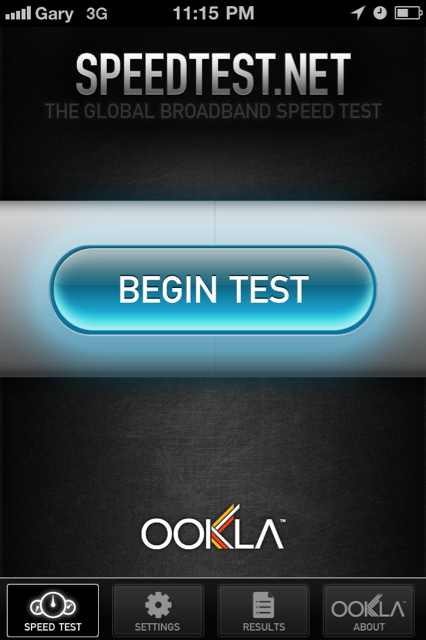
If you are a fan of testing your 3G network speeds from the ‘Big 3’ carriers, then you’ll be happy to know that Speedtest.net has just been updated.
The new update brings the following changes:
What’s New In Version 2.0.1
Completely revamped user interface
– Takes full advantage of iPhone 4 Retina display
– Also tuned for previous generation devicesReal-time graphs for download and upload tests
– See throughput consistency over test duration
– Identify drops in connection qualityImproved testing engine performance
– Most noticeable on older hardware
The new revamped interface is pretty nice, and the new real-time graphs are a nice touch. Here are my 3G test results from my iPhone 4 in Vancouver on Rogers:

What are your current 3G download speeds? Let us know by copying the following and completing in the comments!
iPhone Version:
Network:
Download/Upload:
Thanks to Daniel for the heads up!
Want to see more of our stories on Google?

P.S. Want to keep this site truly independent? Support us by buying us a beer, treating us to a coffee, or shopping through Amazon here. Links in this post are affiliate links, so we earn a tiny commission at no charge to you. Thanks for supporting independent Canadian media!


Iphone 4 with IOS 4.1
Network: Fido in Edmonton
DL:4.59 Mbps
UL:3.34 Mbps
Try sliding down the speedometer after testing 😉
Thanks Greg! 🙂
iPhone 3GS iOS 4.1
Network: Rogers in Kingston, ON
Download: 5754 Kbps
Upload: 226 Kbps
Daniel
Iphone 4 on the Rogers network, barrie ON
DL-3.8 Mbps
iPhone4
Bell QC Montreal
DL: 3.06
UL:1.6
iPhone Version: iPhone 4
Network: Rogers
Download/Upload: 801 kbps / 635 kbps
right beside the airport… damn the DL is terrible here!
Yay.. Banner Ads!!! O.o
iphone 4
network bell
donw/up 4.75mbps/1.78mpbs
downtown windsor ontario
iPhone Version: iPhone 4
Network: Telus
Download/Upload: 4.27/1.62
iPhone version: iPhone 4
Download: 4.08 Mb’s
Upload: 3.30 Mb’s
Network: fido in Saskatoon, SK
iPhone Version: iPhone 3GS
Network: Bell
Download/Upload: 1.21/0.3 Mbps
London ON
iPhone version: iPhone 4
Download: 6.2 Mb’s
Upload: 3.5 Mb’s
Network: Rogers in Toronto, ON(in my company basement)
iPhone Version: iPhone 3G
Network: Rogers
Download/Upload: 0.60/0.11 Mbps
Calgary AB
Garbage compared to others..
Creepy! Thanks!
iPhone Version: iPhone 3G
Network: Rogers
Download/Upload: 0.75/0.13 Mbps
Surrey BC
Also garbage compared to others.. I’m hoping its better at home.
iPhone Version: iPhone 4 Ver.4.1
Network: Rogers, Burlington Ontario
Download/Upload: Ping 148ms Down 3.45 Up .88 from Hamilton ON Server
Ping: 325ms
Download: 1.34 Mbps
Upload: 1.24 Mbps
AT&T
Mountain View, CA
Even though the speeds aren’t great, I must say that I like AT&T waaaaaaaaaay better than Rogers and Fido when I lived in Toronto. Rogers treats you like the enemy while AT&T, while inept, at least appreciates it’s customers.
iPhone Version: iPhone 3G
Network: Rogers
Ping/Download/Upload: 329/1651/80 kbps (average of 3 tests)
Chilliwack BC
iPhone Version: 3Gs
Network: Rogers (via Brooks, Alberta)
Download/Upload: 8.13Mbps/.46Mbps
Phone Version: 4
Network: Fido (in Burnaby, BC)
Download/Upload: 2.74 Mbps / 1.00 Mbps
Phone version : 4
Network: Fido (Montreal)
Download/Upload :2.41 Mbps / 3.39 Mbps
Phone version: 3GS
Network: Telus (Vancouver)
Download/Upload: 1.47 Mbps / 0.28 Mbps
iPhone 4
Bell
Calgary, ab
Ping: 150
Down: 1.57 Mbps
Upload: 1.94 Mbps
Average of three
Test conditions:
Visibility: Clear Sky
Tempurature: 18 °C
Case: Clear case
Location: Inside office
Phone version: 4 with iOS 4.0.1
Network: Bell (in Concord ON)
Download/Upload: 4.80 Mbps / 2.66 Mbps (1st)
Download/Upload: 4.33 Mbps / 4.04 Mbps (2nd)
Download/Upload: 5.28 Mbps / 3.09 Mbps (3rd)
Avg Download: 4.80 Mbps
Avg Upload: 3.26 Mbps
How did I do?
LOL! I think you’ve just aced the test. 🙂
iphone 4
Fido – Saskatoon, SK
Ping – 318
Download – 4.62 Mbps
Upload – 2.61
Average out of ten tests
iPhone 4: 4.0.1
Network: Bell
Location: Cobourg/Port Hope, Ontario
Ping: 114
DL: 2.74
UL: 4.03
iPhone 4: 4.1
Network: Telus
Location: Lethbridge, Ab
Ping: 123ms
Download: 3.21 Mbps
Upload: 4.05 Mbps
iPhone 4 Factory Unlocked Bought In Canada : 4.0
Network : Robbers
Location : Downtown Montreal
Ping : 248ms
DL : 702 kbps
UL : 65kbps
Pretty sucky ? i’ll make another at home cause i’m at work now
nice new look, but now it doesn’t find my local server, dammit
iphone 4 factory unlocked bought from oakridge mall, BC 🙂
network fido
location, richmond, bc
ping 220ms
download: 4.35Mbps
upload:3.56Mbps
not that bad
The new updated looks awesome, but I also noticed that my mbps has changed a bit via wifi. Through my i4 my wifi was peaking at 9.80 on the old speediest app, the new one is peaking at 14.xx mbps. (15 mbps ISP) much better. Although the physical speed is obviously the same, it’s nice to see a more accurate reading on my i4
MODEL:iPhone 4
FIRMWARE: iOS 4.0
SIZE: 16GB
DOWNLOAD: 3.17 Mbps
UP: 4.04 Mbps
PING: 127ms
CARRIER: Bell
LOCATION: Aurora, ON
STATUS: Jailbroken
CASE: Bumper
Model: Iphone 4
Firmware: ios 4.1
Size: 32 G
Download: 0.82 Mbps
Upload: 1.25 mbps
Ping: 225
Carrier: Rogers
Location: Vancouver
iPhone 4 iOS 4.1
Network: Telus Vancouver (Powell River)
Download: 2.04 Mps
Upload: 2.11 Mps
Ping: 198 ms
Tim
Model: iPhone 4
Network: SaskTel
Location: Regina area
Download: 4.89
Upload: 3.38
Only had 3 bars of signal so probably could be better. Will test in better coverage area tomorrow if I get a chance.
MODEL:iPhone 4
FIRMWARE: iOS 4.1
SIZE: 16GB
DOWNLOAD: 6.16 Mbps
UP: 3.59
PING: 185ms
CARRIER: Fido
LOCATION: Stouffville, ON
Server: Markham
iPhone 3G
Telus
Ptbo Ontario
DL = 1.37mbps
UL = .25mbps
Awful speed but it’s been unusually slow lately like Rogers
Grand Rapids, MI is the closest server? Pathetic lol
That’s the ‘easter egg’. I haven’t slept for 5 days because of it.
ANY ONE ELSE SEE THE CAT LURKING IN THE BACKGROUND AFTER U DO UR TEST,ITS WEIRD
Haha awesome Easter egg. Creepy though